Loading...
Loading...
Loading...
Loading...
Loading...
Loading...
Loading...
Loading...
Loading...
Loading...
Loading...
Loading...
Loading...
Loading...
Loading...
Loading...
Loading...
Loading...
Loading...
Loading...
Loading...
Loading...
Loading...
Loading...
Loading...
Loading...
Loading...
Loading...
Loading...
Loading...
Loading...
Loading...
Loading...
Loading...
Loading...
Loading...
Loading...
Loading...
Loading...
Loading...
Loading...
Loading...
Loading...
Loading...
Loading...
Loading...
Loading...
Loading...
Loading...
Loading...
Loading...
Loading...
Loading...
Loading...
Loading...
Loading...
Loading...
Loading...
Loading...
Loading...
Loading...
Loading...
Loading...
Loading...
Loading...
Loading...
Loading...
Name
Center
Syntax
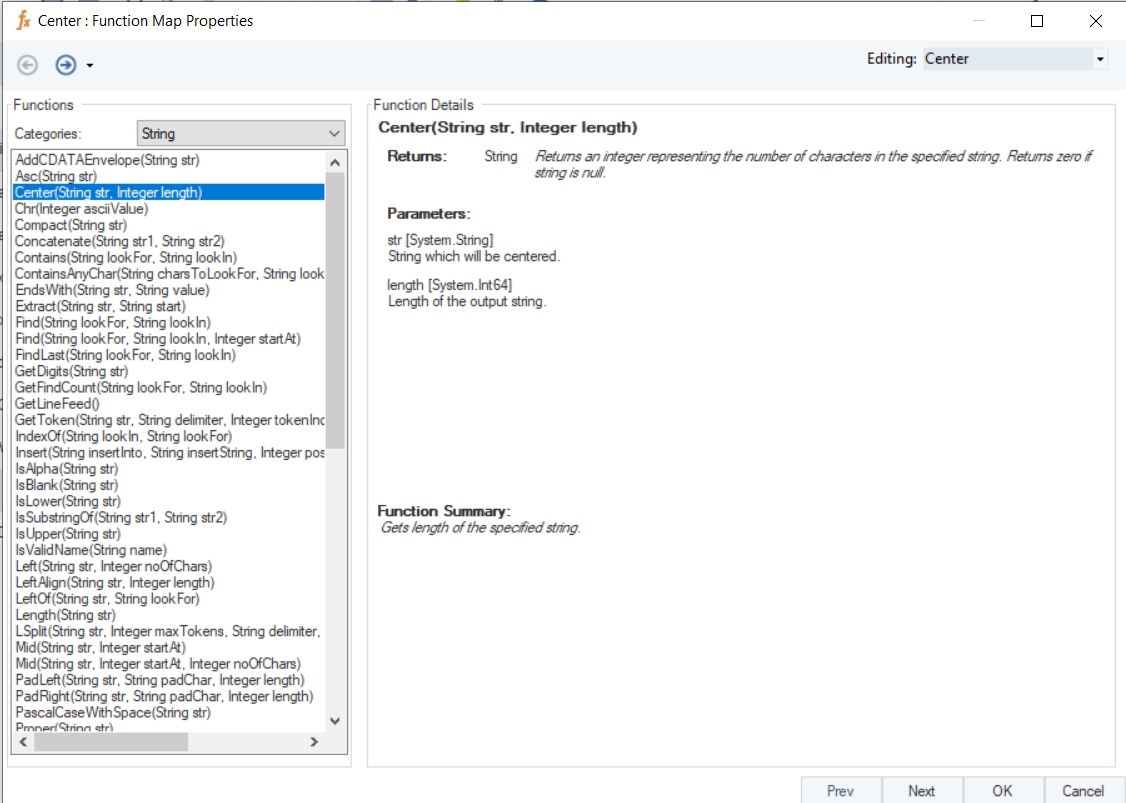
Center (String str, Integer length)
Purpose
To return a string value centered in accordance with the provided integer length.
Description
Returns specified string centered according to the specified integer value. Returns zero if string is null.
Return Type
String
Parameters
Example
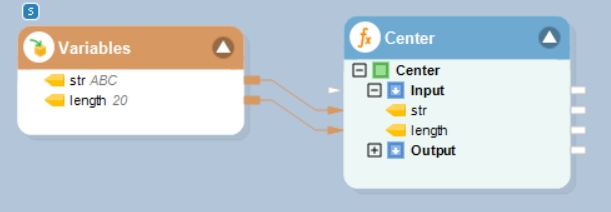
In this example, we are passing the required parameters to the function transformation object using a Variables object.
Where,
str = ABC
length = 20
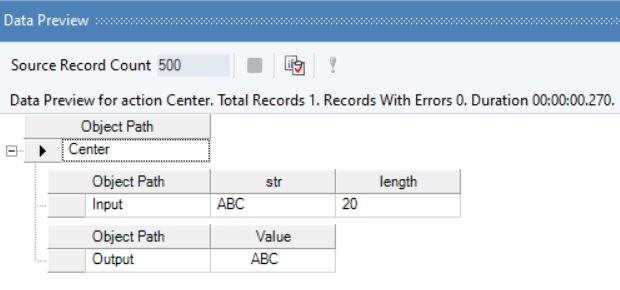
Right-click on the function transformation object and select Preview Output. You can see that Astera Data Stack has returned the specified string centered in accordance with the provided length value.
Name
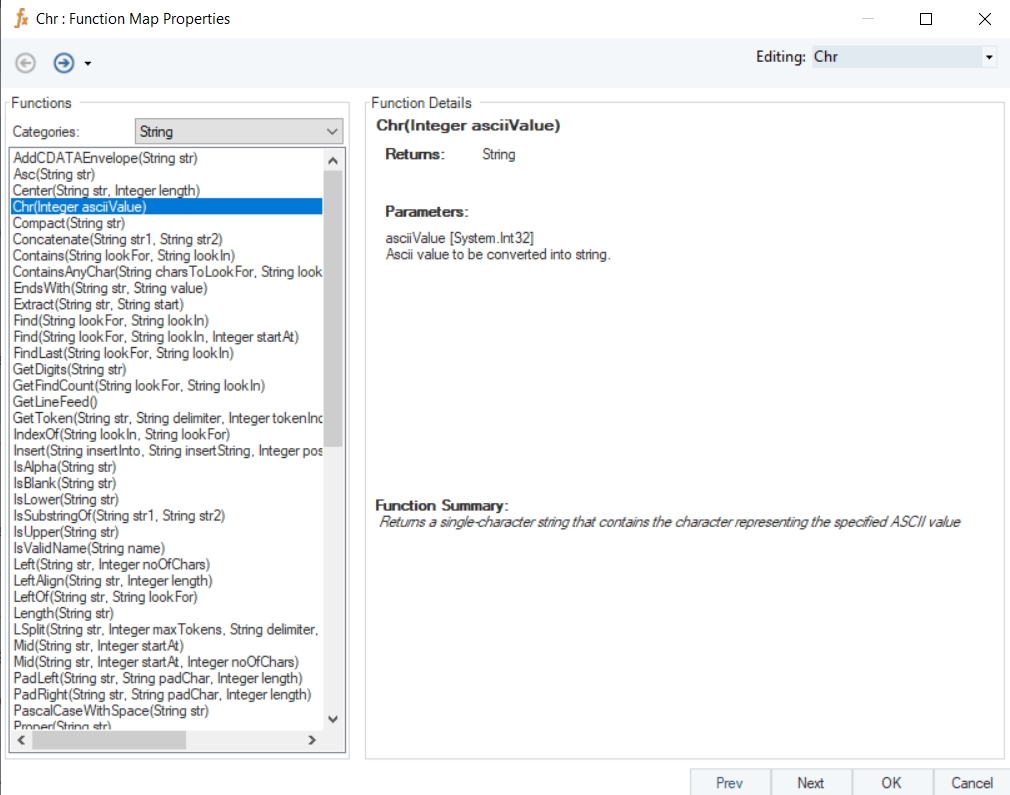
Chr
Syntax
Chr (Integer asciiValue)
Purpose
To return a single-character string converted from a specified integer ascii value.
Description
Returns a single-character string that contains the character representing the specified ASCII value.
Return Type
String
Parameters
Example
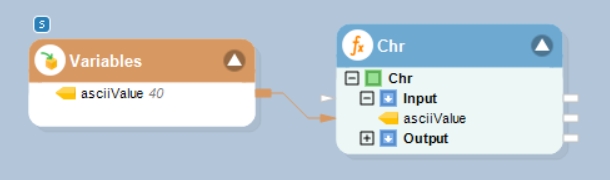
In this example, we are passing the required parameter to the function transformation object using a Variables object.
Where,
asciiValue = 40
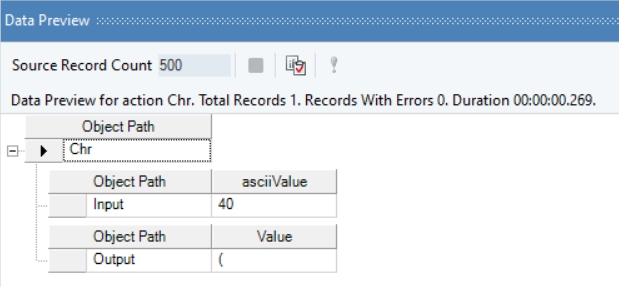
Right-click on the function transformation object and select Preview Output. You can see that Astera Data Stack has returned a string value converted from a specified ASCII value.
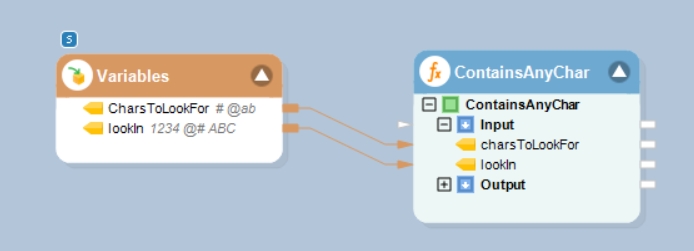
Example
In this example, we are passing the required parameters to the function transformation object using a Variables object.
Where,
CharsTolookFor = # @ab
lookIn = 1234 @# ABC
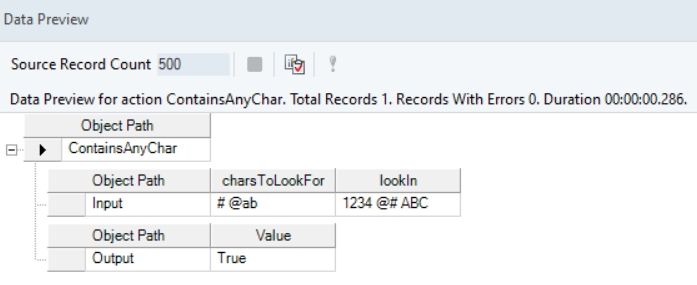
Right-click on the function transformation object and select Preview Output. You can see that Astera Data Stack has returned True, indicating that the the CharsTolookFor string is present within the lookIn string.
Name
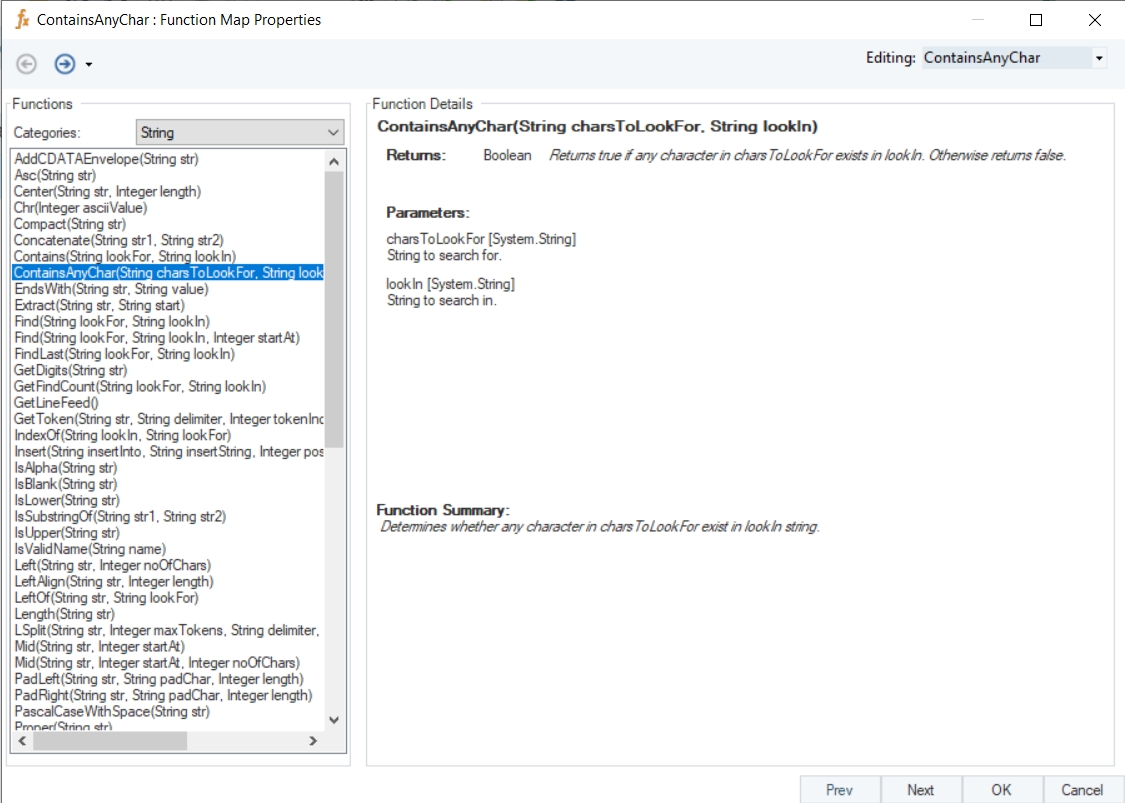
ContainsAnyChar
Syntax
ContainsAnyChar (String charsTolookFor, String lookIn)
Purpose
To determine whether any character in charsTolookFor string exists in lookIn string.
Description
Returns true if any character in charsToLookFor string exists in the LookIn string. Otherwise returns false. Note: This function is NOT case sensitive.
Return Type
Boolean
Parameters
CharsTolookFor [System.String] – String to search for
lookIn [System.String] – String to search in
Example
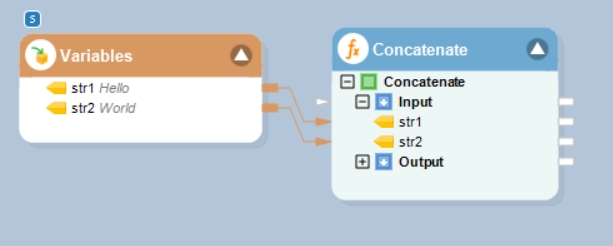
In this example, we are passing the required parameters to the function transformation object using a Variables object.
Where,
Str1 = Hello
Str2 = World
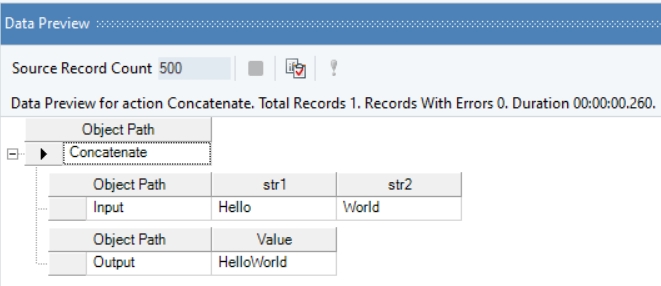
Right-click on the function transformation object and select Preview Output. You can see that Astera Data Stack has returned the a concatenated string using variables str1 and str2.
Name
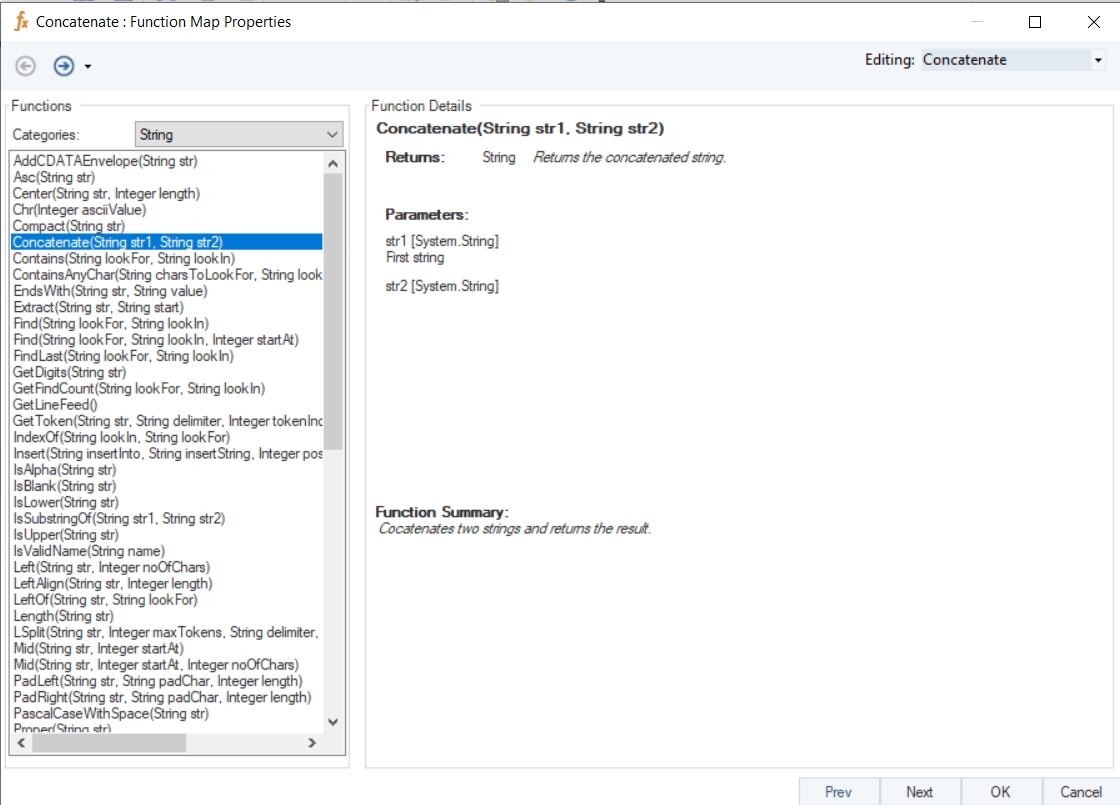
Concatenate
Syntax
Concatenate (String str1, String str2)
Purpose
To concatenate two strings and return the result.
Description
Returns the concatenated string.
Return Type
String
Parameters
Str1 [System.String] – First string
Str2 [System.String]
Example
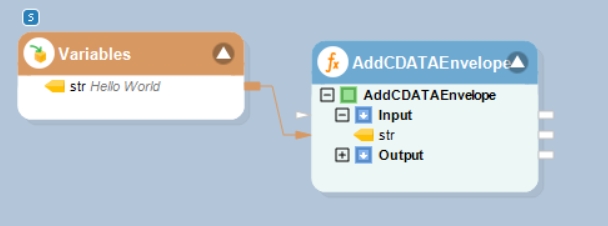
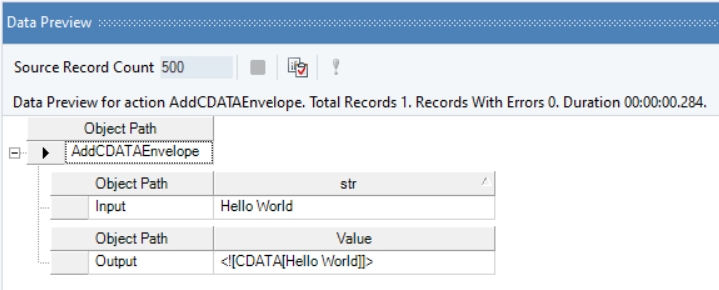
In this example, we are passing the required parameter to the function transformation object using a Variables object.
Where,
str = Hello World
Right-click on the function transformation object and select Preview Output. You can see that Astera Data Stack has returned the specified string surrounded by CDATA envelope.
Name
AddCDATAEnvelope
Syntax
AddCDATAEnvelope (String str)
Purpose
To return the given string surrounded by CDATA envelope.
Description
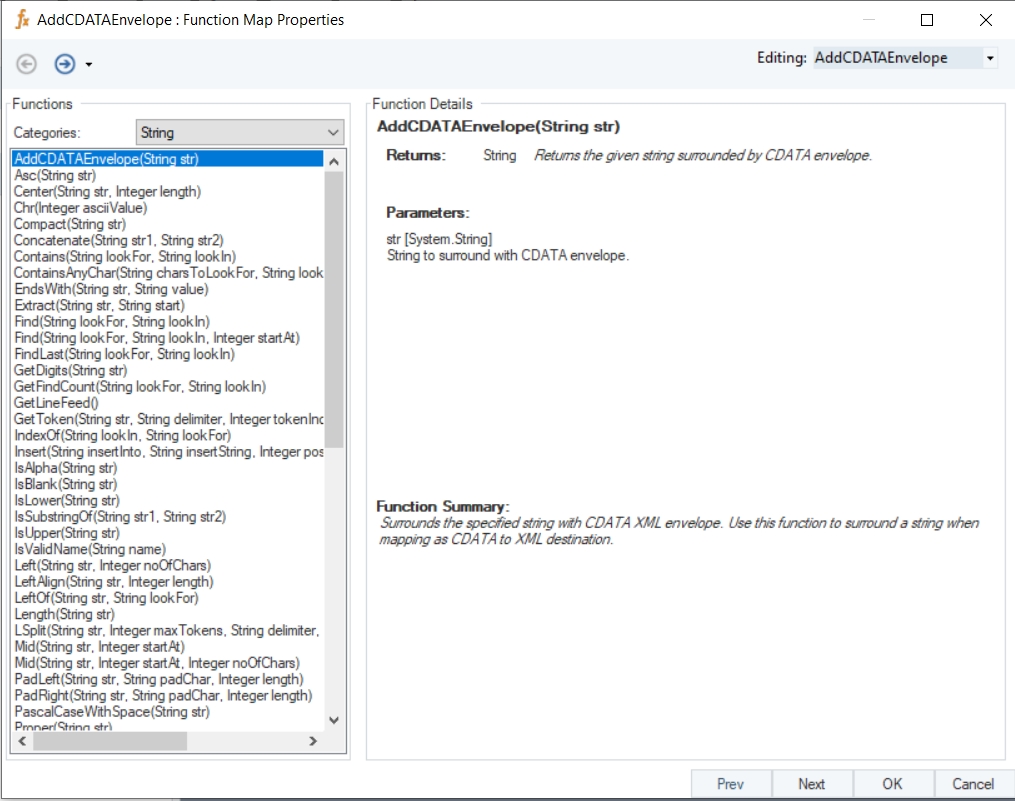
Surrounds the specified string with CDATA XML envelope. Use this function to surround a string when mapping as CDATA to XML destination.
Return Type
String
Parameters
Str [System.String] – String to surround with CDATA envelope
Str [System.String] – String which will be centered
length [System.Int64] – Length of the output string
asciiValue [System.Int32] – Ascii value to be converted into string
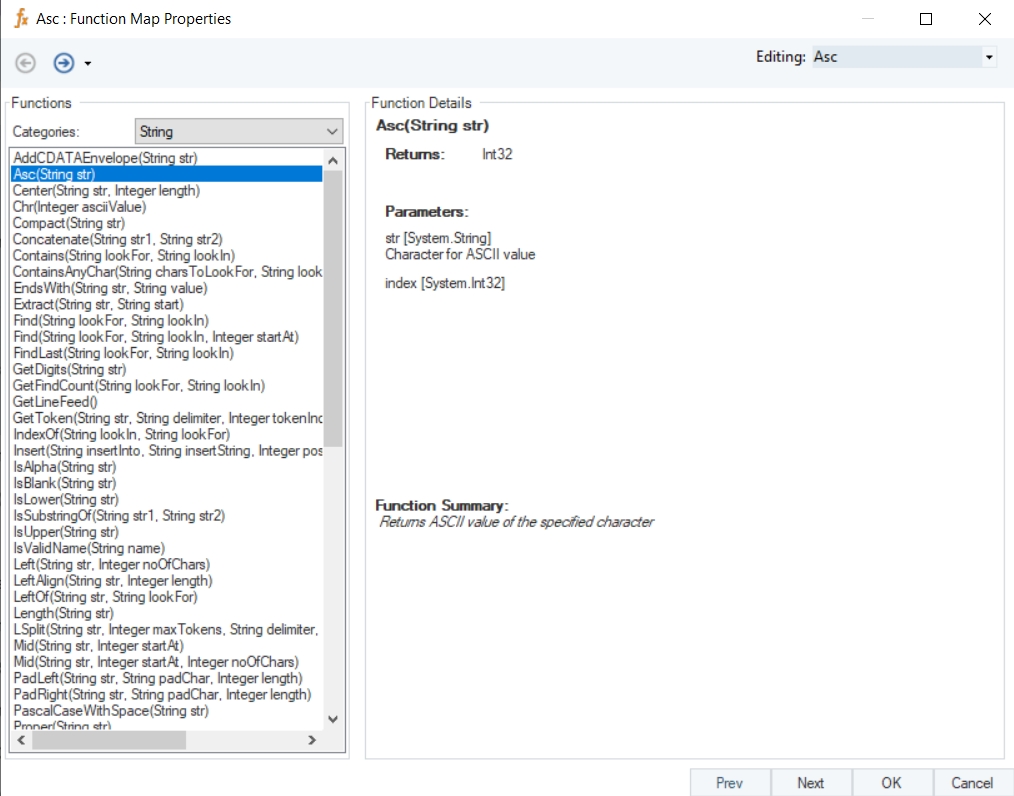
Name
Asc
Syntax
Asc (String str)
Purpose
To return the ASCII value of a specified character.
Description
Returns ASCII value of the specified character.
Return Type
Int32
Parameters
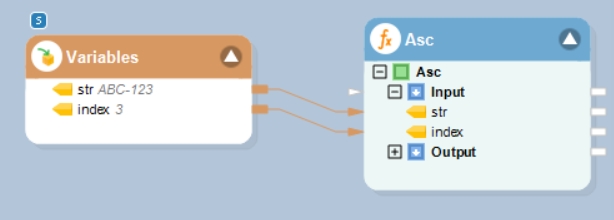
Example
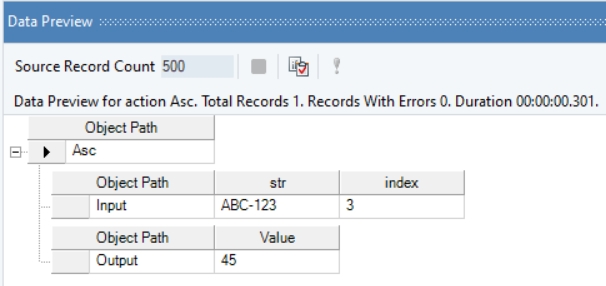
In this example, we are passing the required parameter to the function transformation object using a Variables object.
Where,
str = ABC-123
index = 3
Right-click on the function transformation object and select Preview Output. You can see that Astera Data Stack has returned an integer ASCII value of the specified character in a string.
Example
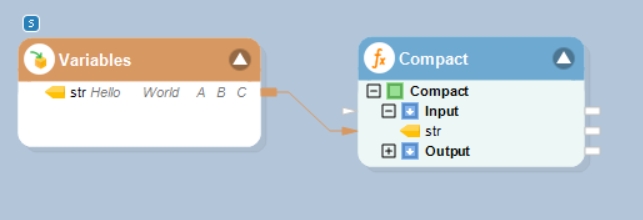
In this example, we are passing the required parameter to the function transformation object using a Variables object.
Where,
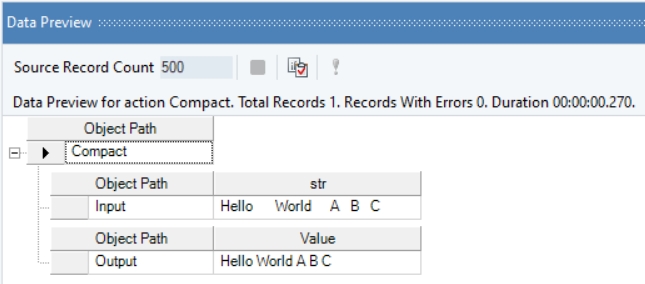
str = Hello World A B C
Right-click on the function transformation object and select Preview Output. You can see that Astera Data Stack has returned the specified string after removing all white space characters.
Name
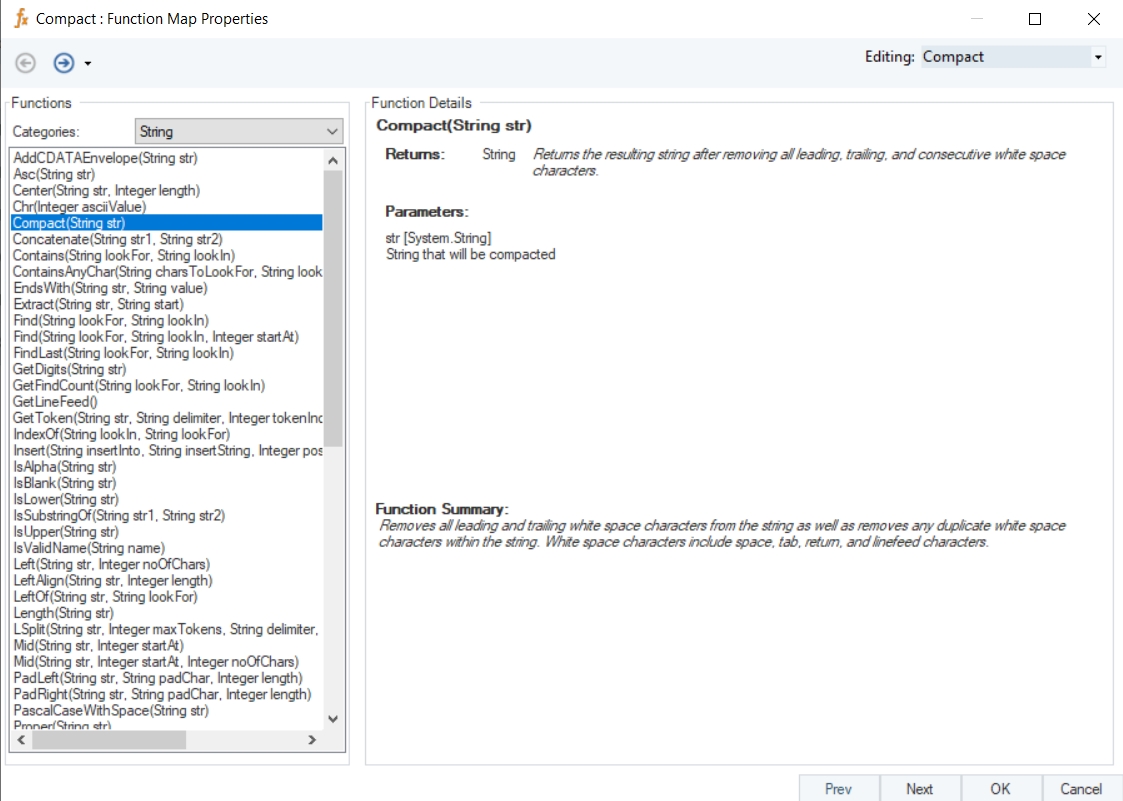
Compact
Syntax
Compact (String str)
Purpose
To return the resulting string after removing all leading, trailing, and consecutive white space characters.
Description
Removes all leading and trailing white space characters from the string. Also removes any duplicate white space characters within the string. White space characters include space, tab, return, and linefeed characters.
Return Type
String
Parameters
Str [System.String] – String that will be compacted
str [System.String] – Character for ASCII value
index [System.Int32] – Position of character to be converted within string
Name
EndsWith
Syntax
EndsWith (String str, String value)
Purpose
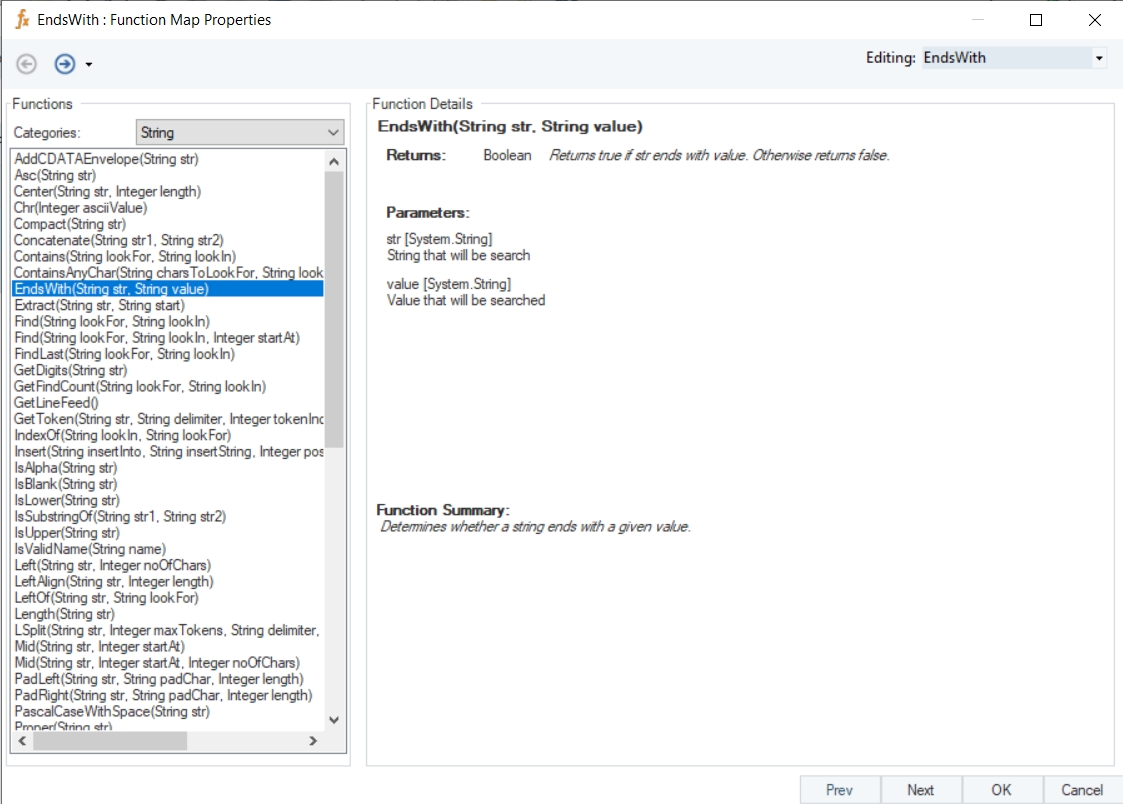
To determine whether a string ends with a specified value.
Description
Returns true if str ends with specified value. Otherwise returns false. Note: This function is case sensitive.
Return Type
Boolean
Parameters
Example
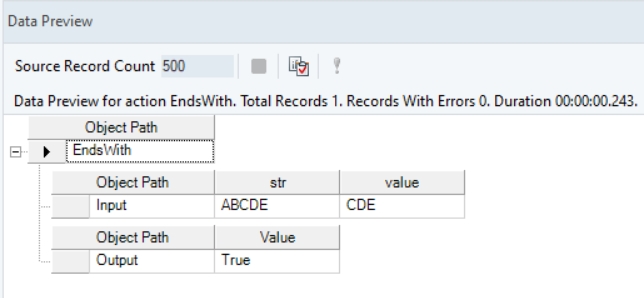
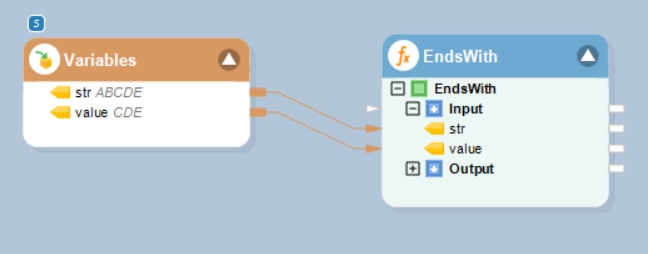
In this example, we are passing the required parameters to the function transformation object using a Variables object.
Where,
str = ABCDE
value = CDE
Right-click on the function transformation object and select Preview Output. You can see that Astera Data Stack has returned True, indicating that the the str string does end with the value string.
Name
Find
Syntax
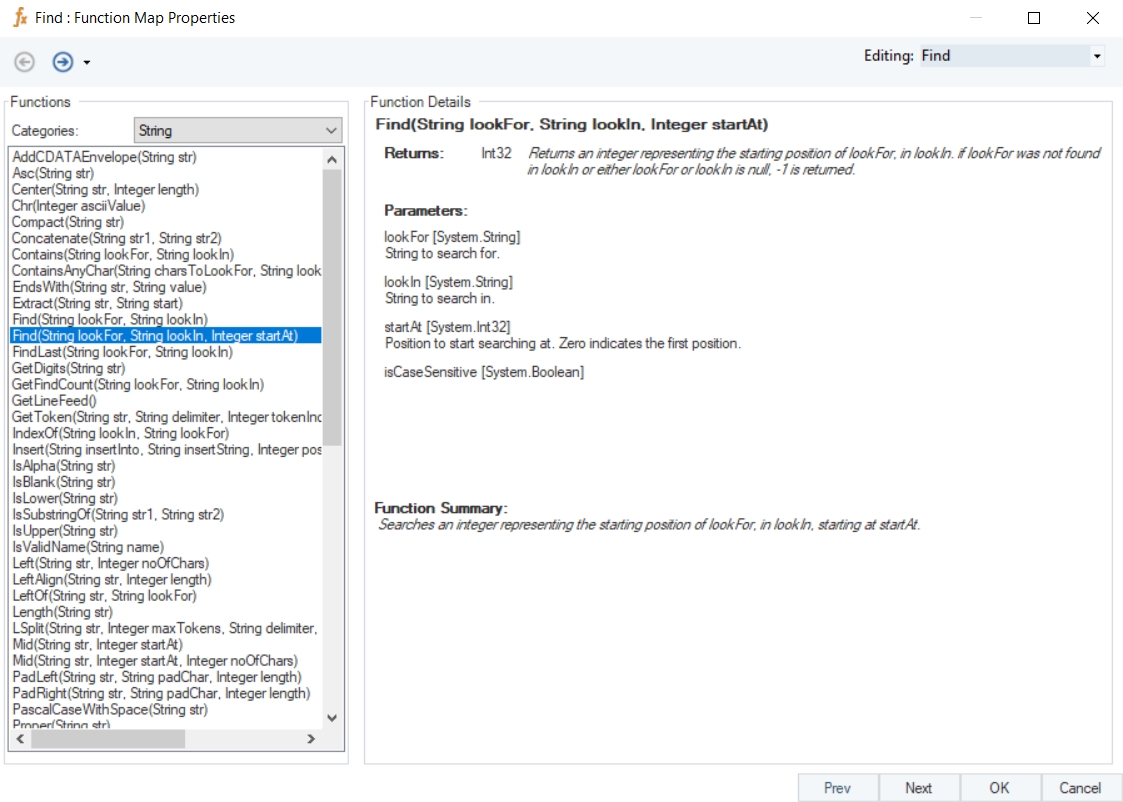
Find (String lookFor, String lookIn, Integer startAt)
Purpose
Searches an integer representing the starting position of lookFor, in lookIn, starting at startAt. Note: This function is particularly useful when fields contain repeated values.
Description
Returns an integer representing the starting position of lookFor, in lookIn. If lookFor was not found in lookIn or either lookFor or lookIn is null, -1 Is returned. Note: Counting is started with the integer value, “0”
Return Type
Int32
Parameters
Example
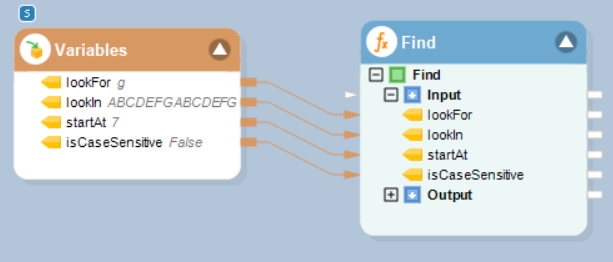
In this example, we are passing the required parameters to the function transformation object using a Variables object.
Where,
lookFor = g
lookIn = ABCDEFGABCDEFG
startAt = 7
isCaseSensitive = False
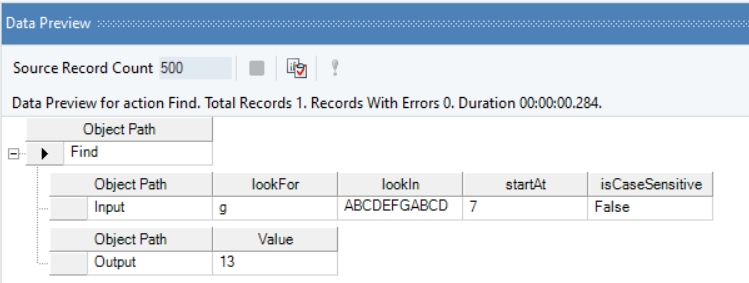
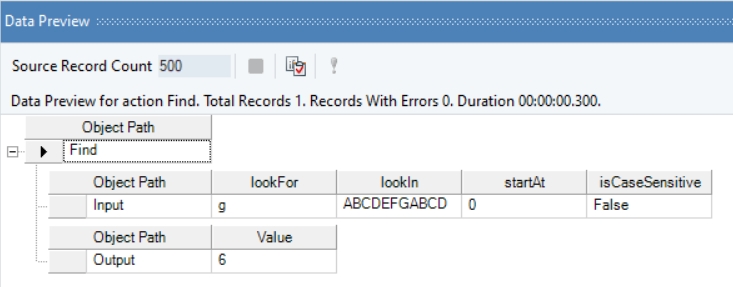
Right-click on the function transformation object and select Preview Output. You can see that Astera Data Stack has returned the integer value “13”, indicating that the lookFor value’s positional integer value in the lookIn string is “13”. Note that since the specified starting position is “7”, the intital lookFor value, “g”, in position “6”, has been ignored.
Below are preview windows with startAt values, “7” and “0”:
Name
Extract
Syntax
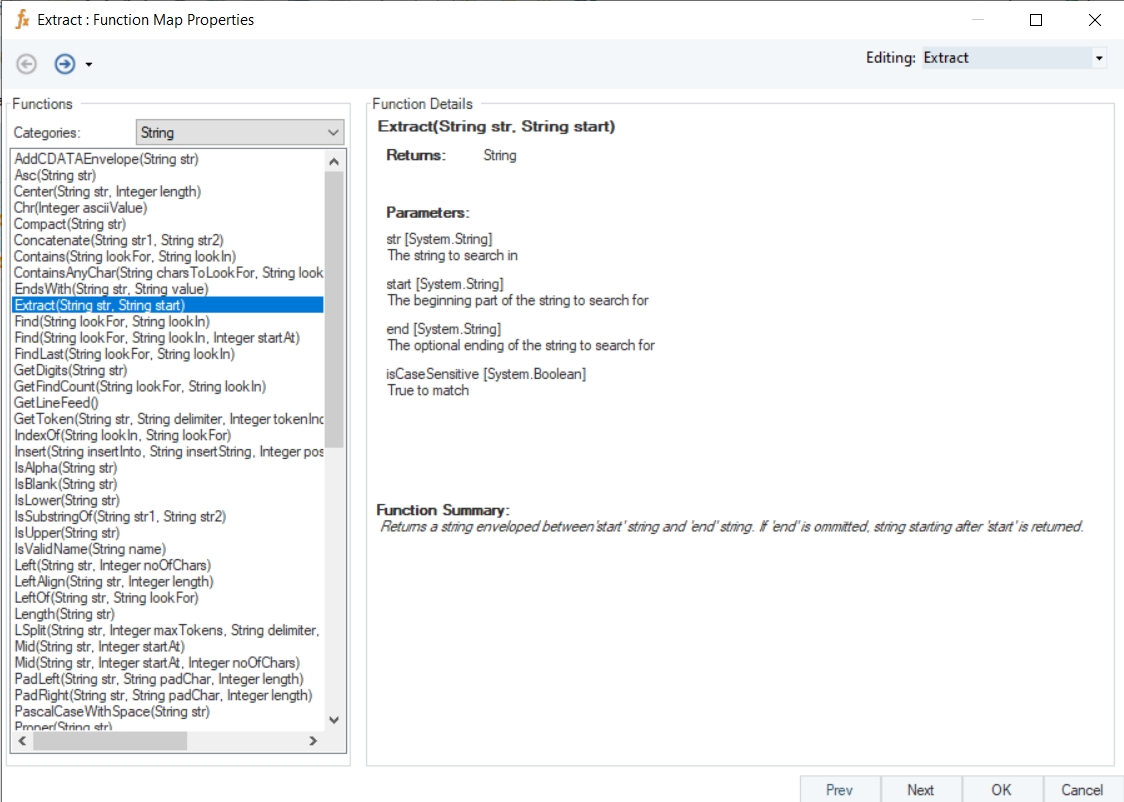
Extract (String str, String start)
Purpose
To return string enveloped between specified start and end values within the str value.
Description
Returns a string enveloped between ‘start’ string and ‘end’ string. If ‘end’ is omitted, string starting after ‘start’ is returned. Case sensitivity can be specified by the user, using Boolean values, True or False.
Return Type
String
Parameters
Example
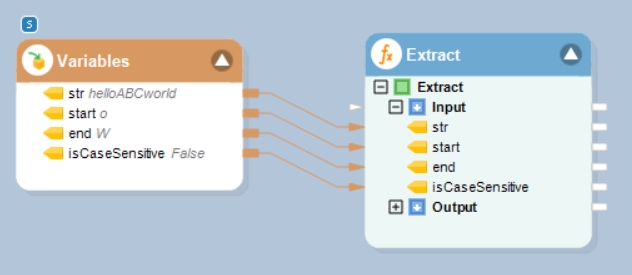
In this example, we are passing the required parameters to the function transformation object using a Variables object.
Where,
str = helloABCworld
start = o
end = W
isCaseSensitive = False
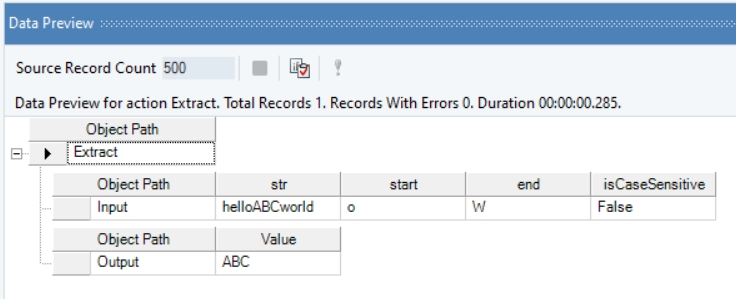
Right-click on the function transformation object and select Preview Output. You can see that Astera Data Stack has returned ABC, the value enveloped between the start value “o” and NOT case sensitive end value, “W”.
Name
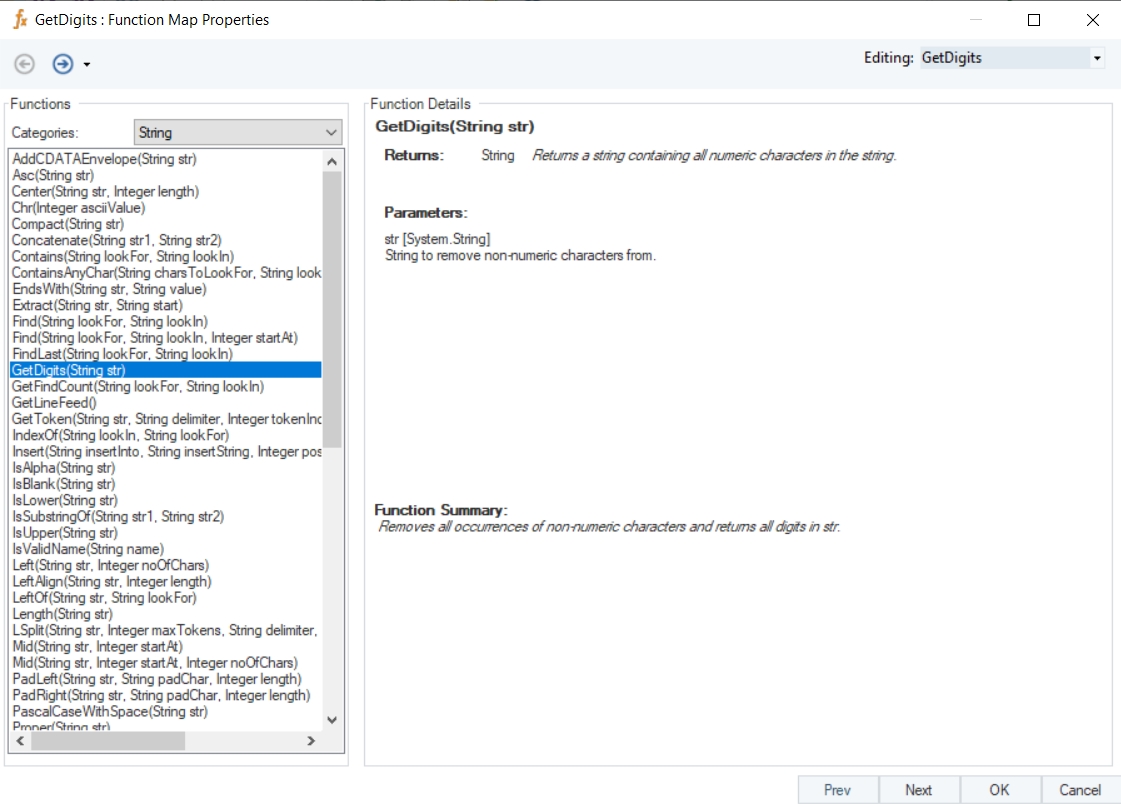
GetDigits
Syntax
GetDigits (String str)
Purpose
To return a string containing all numeric characters in the specified str value.
Description
Removes all occurrences of non-numeric characters and returns all digits in str.
Return Type
String
Parameters
Example
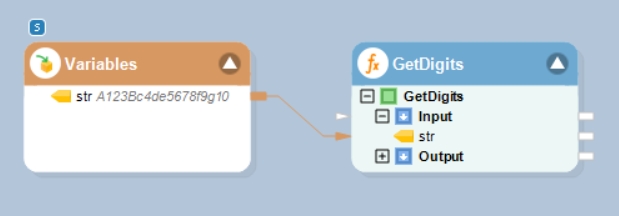
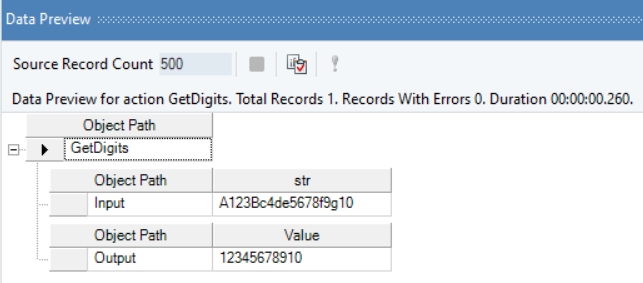
In this example, we are passing the required parameters to the function transformation object using a Variables object.
Where,
str = A123Bc4de5678f9g10
Right-click on the function transformation object and select Preview Output. You can see that Astera Data Stack has returned a string containing only numeric values from the specified str value.
Name
Insert
Syntax
Insert (String insertInto, String insertString, Integer position)
Purpose
To return the resulting string after the insertion of another string within, at a specified position.
Description
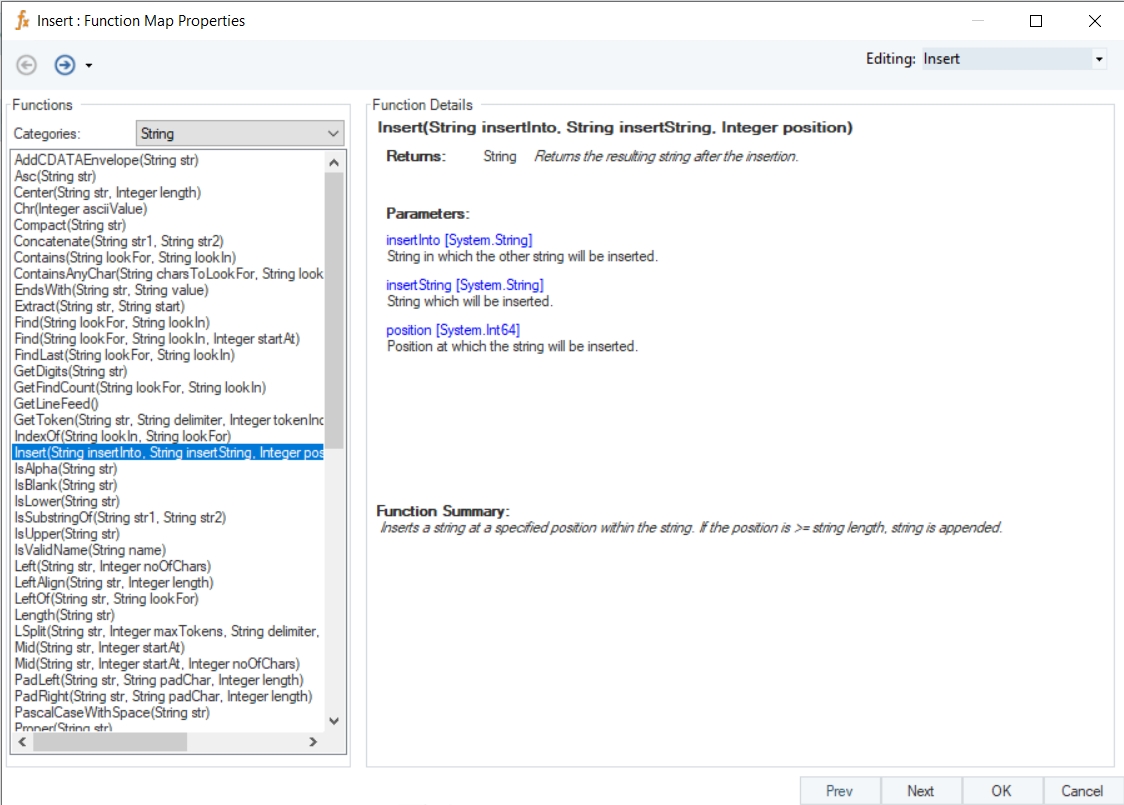
Inserts a string at a specified position within the string. If position is >= string length, string is appended.
Return Type
String
Parameters
Example
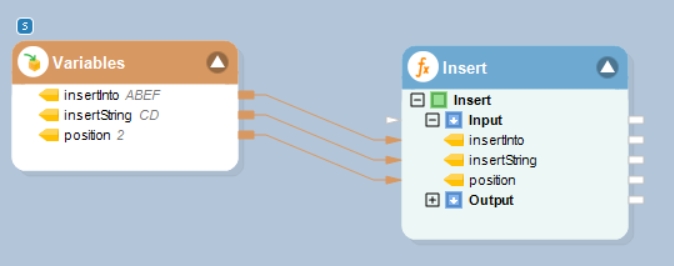
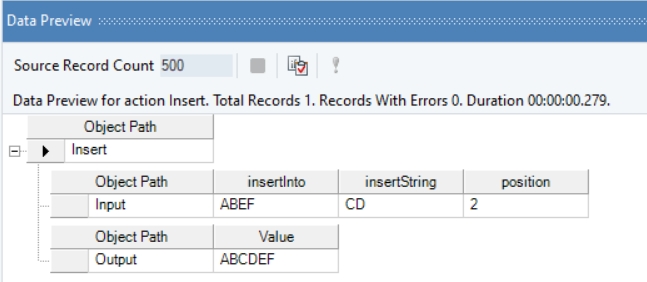
In this example, we are passing the required parameters to the function transformation object using a Variables object.
Where,
insertInto = ABEF
insertString = CD
position = 2
Right-click on the function transformation object and select Preview Output. You can see that Astera Data Stack has returned a string value with the specified string inserted in the specified position.
Name
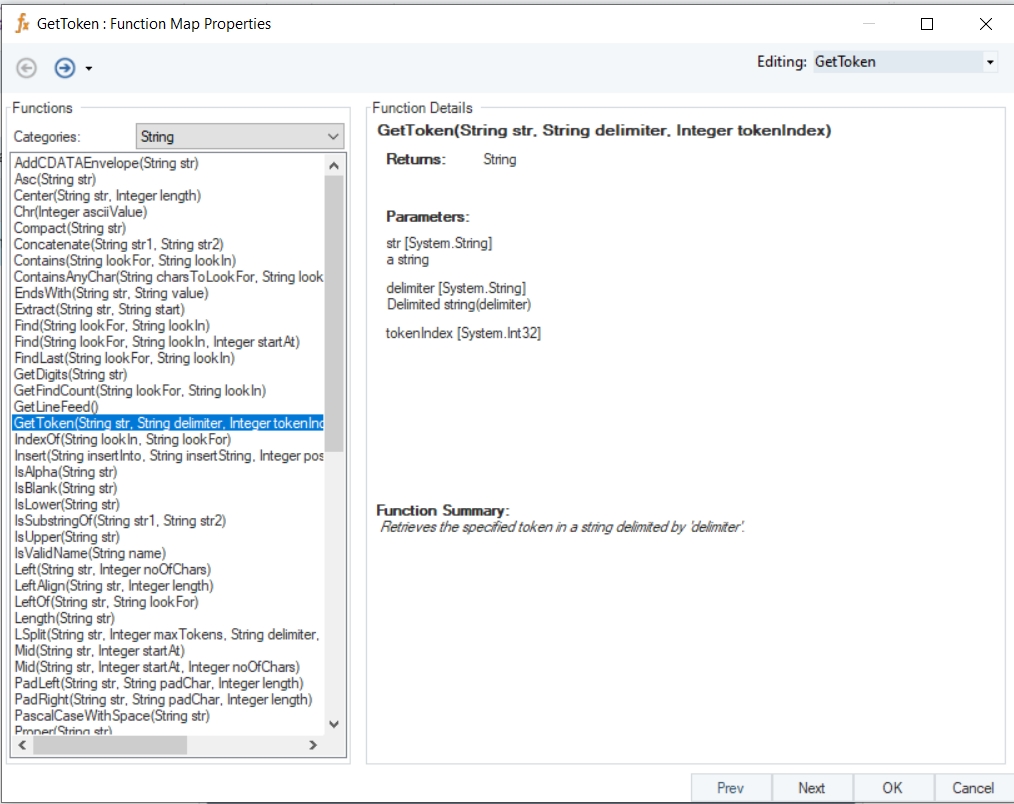
GetToken
Syntax
GetToken (String str, String delimiter, Integer tokenIndex)
Purpose
To retrieve the specified token in a string delimited by ‘delimiter’.
Description
Retrieves the specified token in a string delimited by ‘delimiter’.
Return Type
String
Parameters
Example
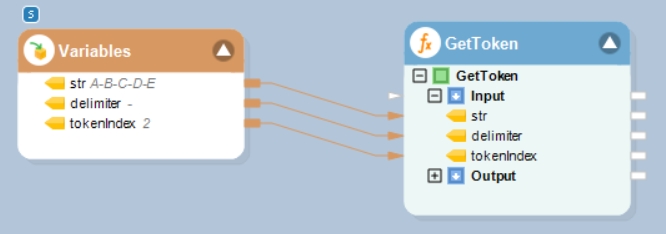
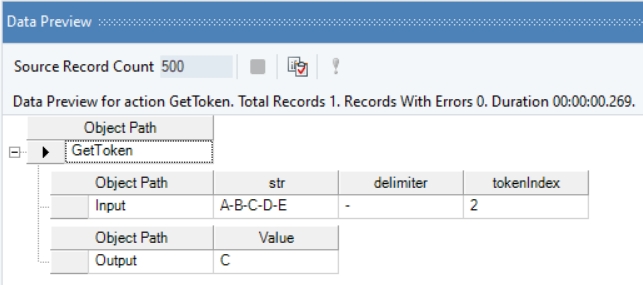
In this example, we are passing the required parameters to the function transformation object using a Variables object.
Where,
str = A-B-C-D-E
delimiter = -
tokenIndex = 2
Right-click on the function transformation object and select Preview Output. You can see that Astera Data Stack has returned the string value, indicating the token in index position 2.
Name
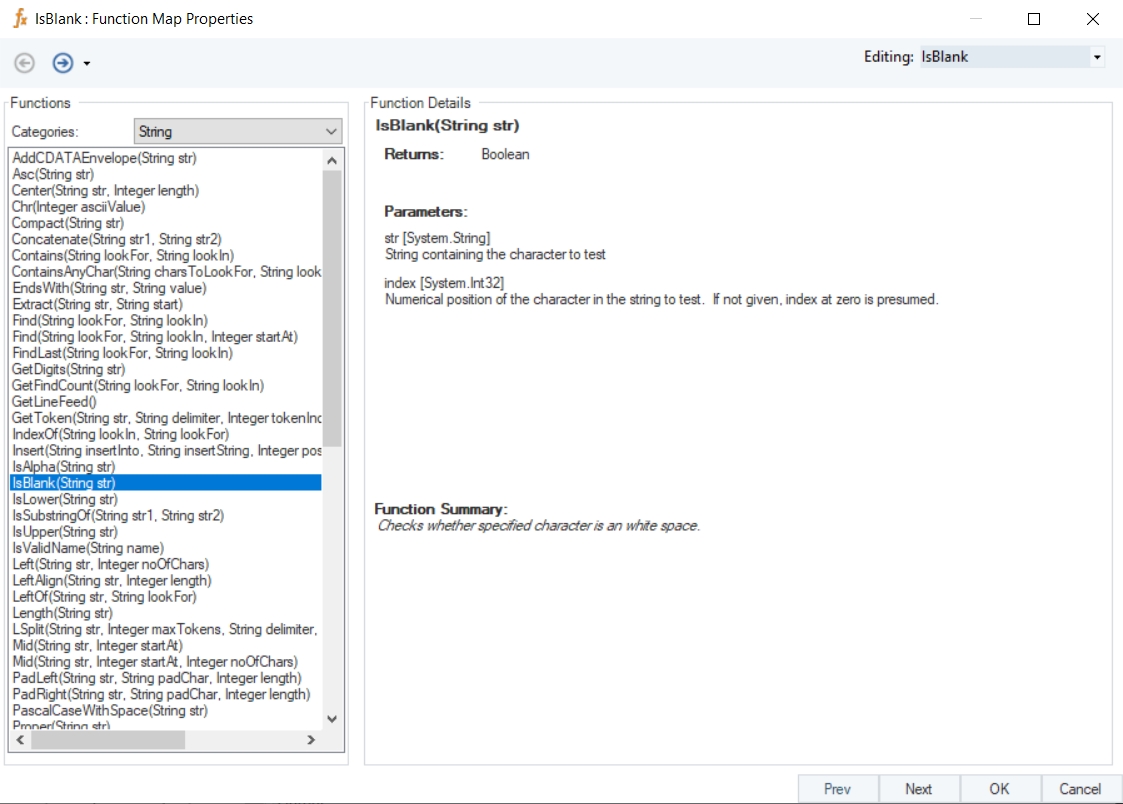
IsBlank
Syntax
IsBlank (String str)
Purpose
To check whether the specified character within a string, in the specified index position, is a white space.
Description
Checks whether specified character is a white space.
Return Type
Boolean
Parameters
Example
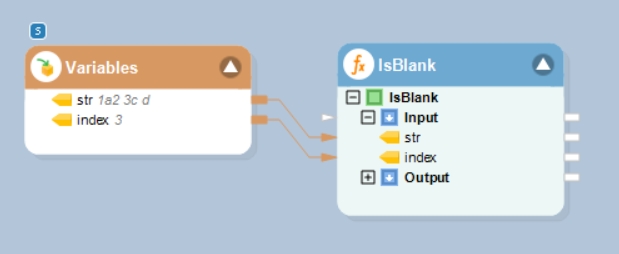
In this example, we are passing the required parameters to the function transformation object using a Variables object.
Where,
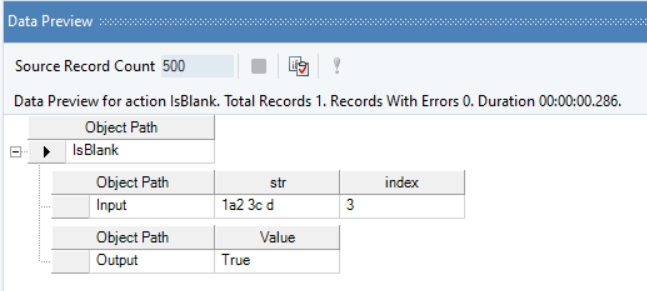
str = 1a2 3c d
index = 3
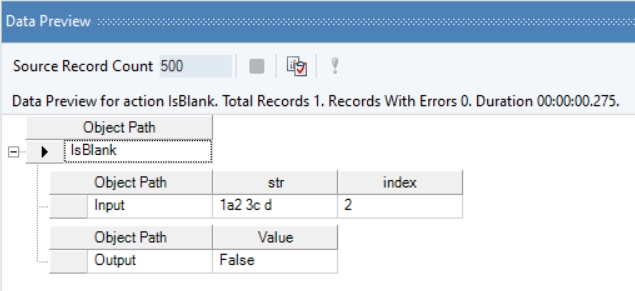
Right-click on the function transformation object and select Preview Output. You can see that Astera Data Stack has returned “True”, as the character in the specified numerical position is a white space.
Conversely, if we replace the index value with “2”, the output value will return the Boolean value, “False”, as shown below:
Name
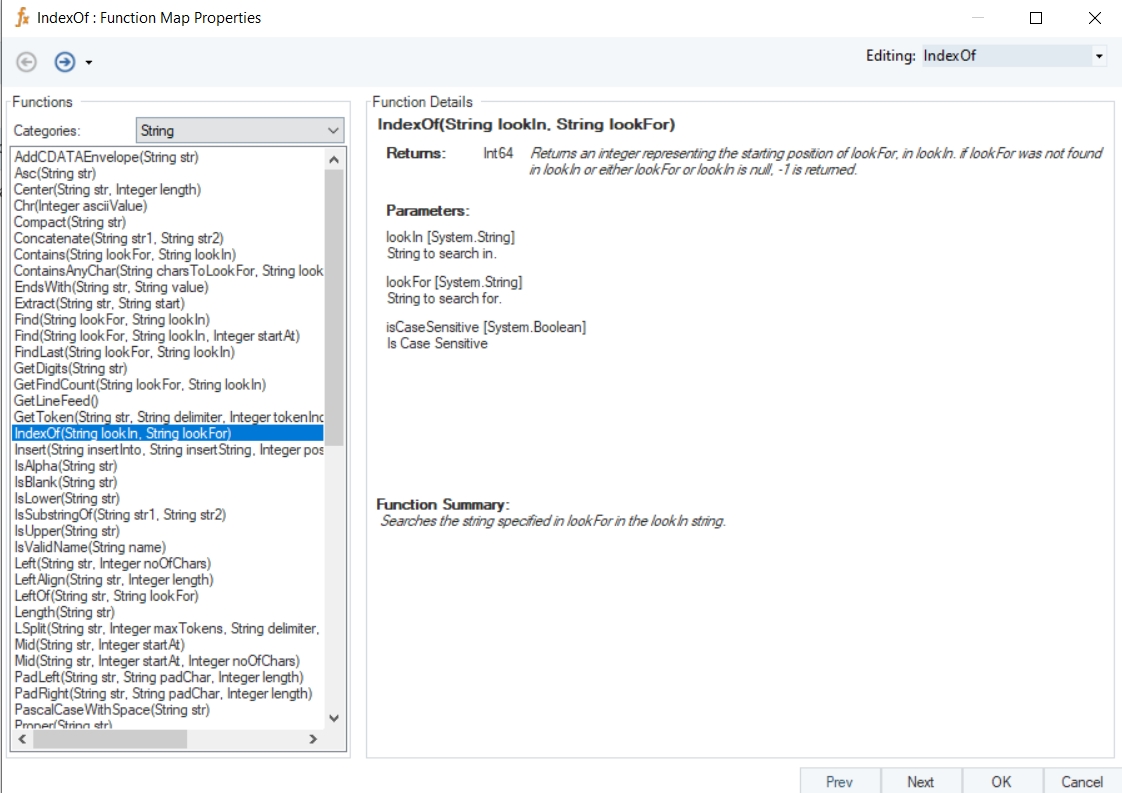
IndexOf
Syntax
IndexOf (String lookIn, String lookFor)
Purpose
To return the index of a specified lookFor string after searching the lookIn string.
Description
Returns an integer representing the starting position of lookFor, in lookIn. If lookFor was not found in lookIn or either lookFor or lookIn is null, -1 is returned.
Return Type
Int64
Parameters
Example
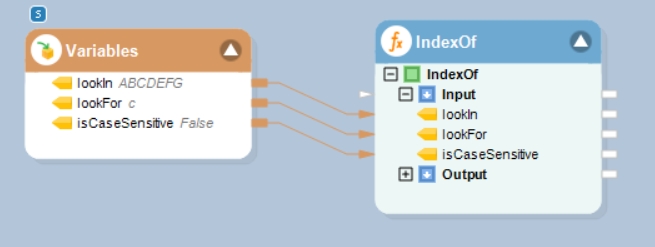
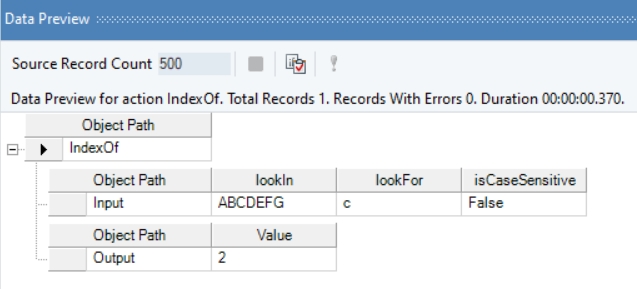
In this example, we are passing the required parameters to the function transformation object using a Variables object.
Where,
lookIn = ABCDEFG
lookFor = c
isCaseSensitive = False
Right-click on the function transformation object and select Preview Output. You can see that Astera Data Stack has returned the integer value, “2”, indicating that the specified lookFor string is in the outputted index value position, “2”.
Name
IsLower
Syntax
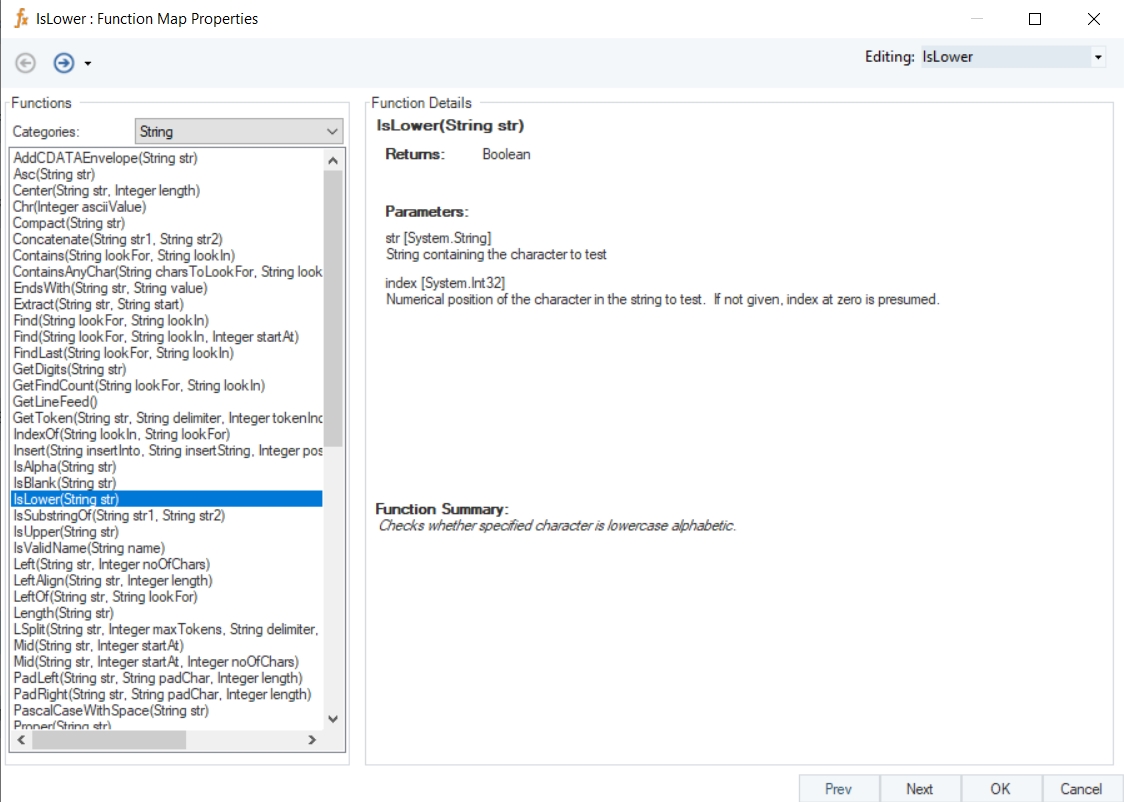
IsLower (String str)
Purpose
To check whether the specified character within a string, in the specified index position, is lowercase alphabetic.
Description
Checks whether specified character is lowercase alphabetic.
Return Type
Boolean
Parameters
Example
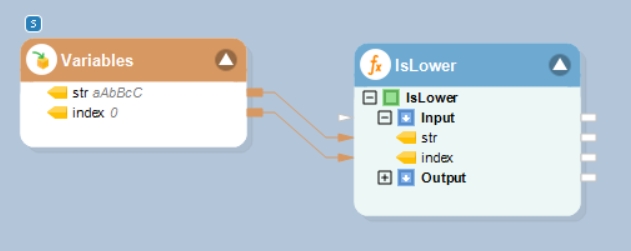
In this example, we are passing the required parameters to the function transformation object using a Variables object.
Where,
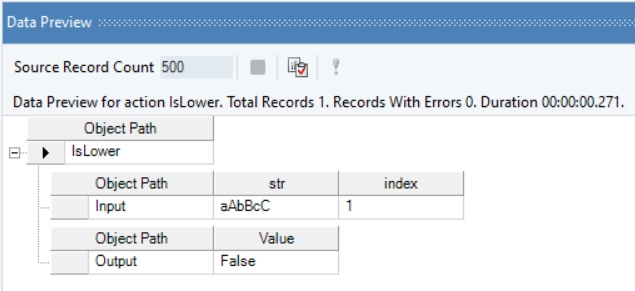
str = aAbBcC
index = 0
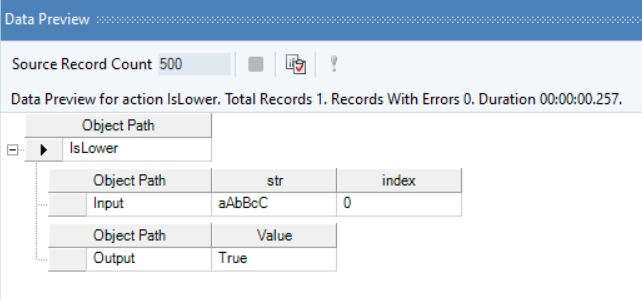
Right-click on the function transformation object and select Preview Output. You can see that Astera Data Stack has returned “True”, as the character in the specified numerical position is a lowercase alphabet.
Conversely, if we replace the index value with “1”, the output value will return the Boolean value, “False”, as shown below:
Name
IsUpper
Syntax
IsUpper (String str)
Purpose
To check whether the specified character within a string, in the specified index position, is uppercase alphabetic.
Description
Checks whether specified character is uppercase alphabetic.
Return Type
Boolean
Parameters
Example
In this example, we are passing the required parameters to the function transformation object using a Variables object.
Where,
str = AbCdEfG
index = 0
Right-click on the function transformation object and select Preview Output. You can see that Astera Data Stack has returned “True”, as the character in the specified numerical position is an uppercase alphabet.
Conversely, if we replace the index value with “1”, the output value will return the Boolean value, “False”, as shown below:
Name
Mid
Syntax
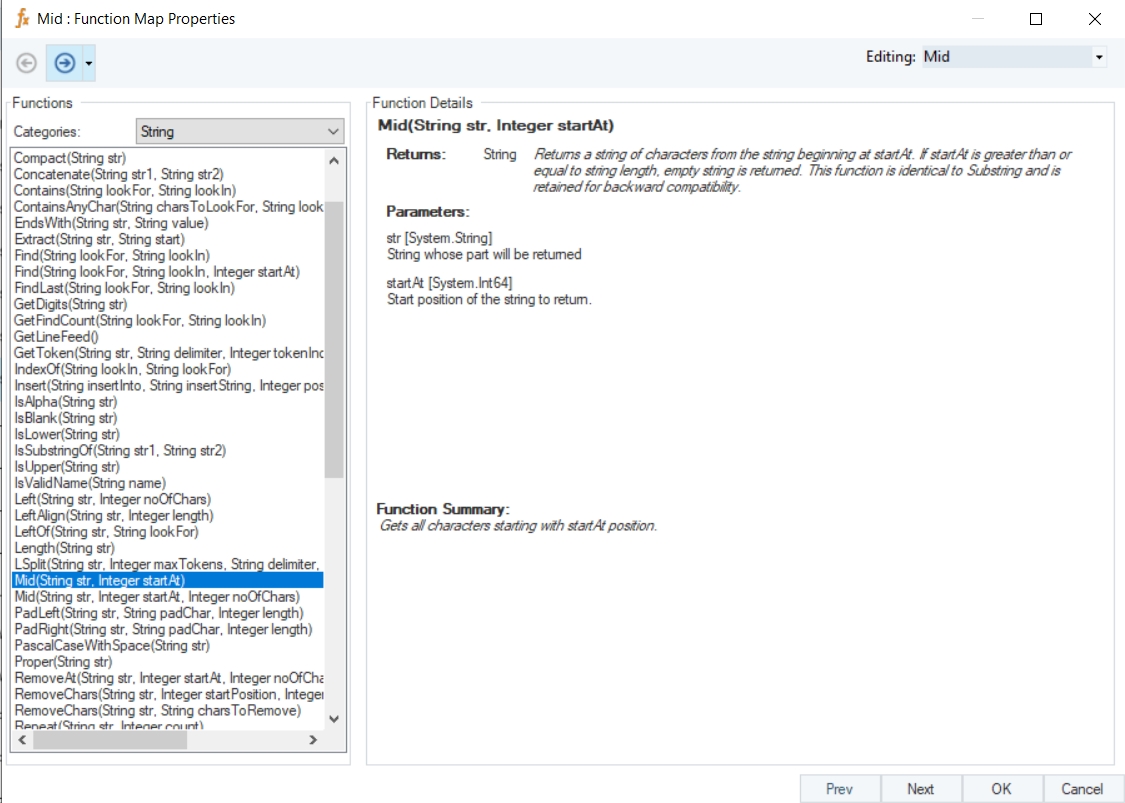
Mid (String str, Integer startAt)
Purpose
To get all characters starting with startAt position.
Description
Returns a string of characters from the string beginning at startAt. If startAt is greater than or equal to string length, empty string is returned.
Note: This function is identical to Substring and is retained for backward compatibility.
Return Type
String
Parameters
Example
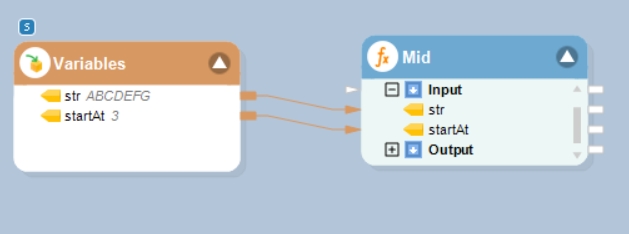
In this example, we are passing the required parameters to the function transformation object using a Variables object.
Where,
str = ABCDEFG
startAt = 3
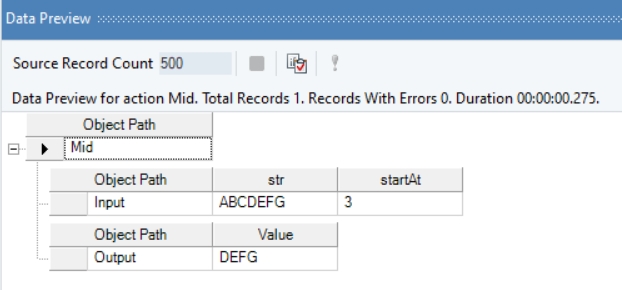
Right-click on the function transformation object and select Preview Output. You can see that Astera Data Stack has returned a string beginning from the specified startAt position.
Name
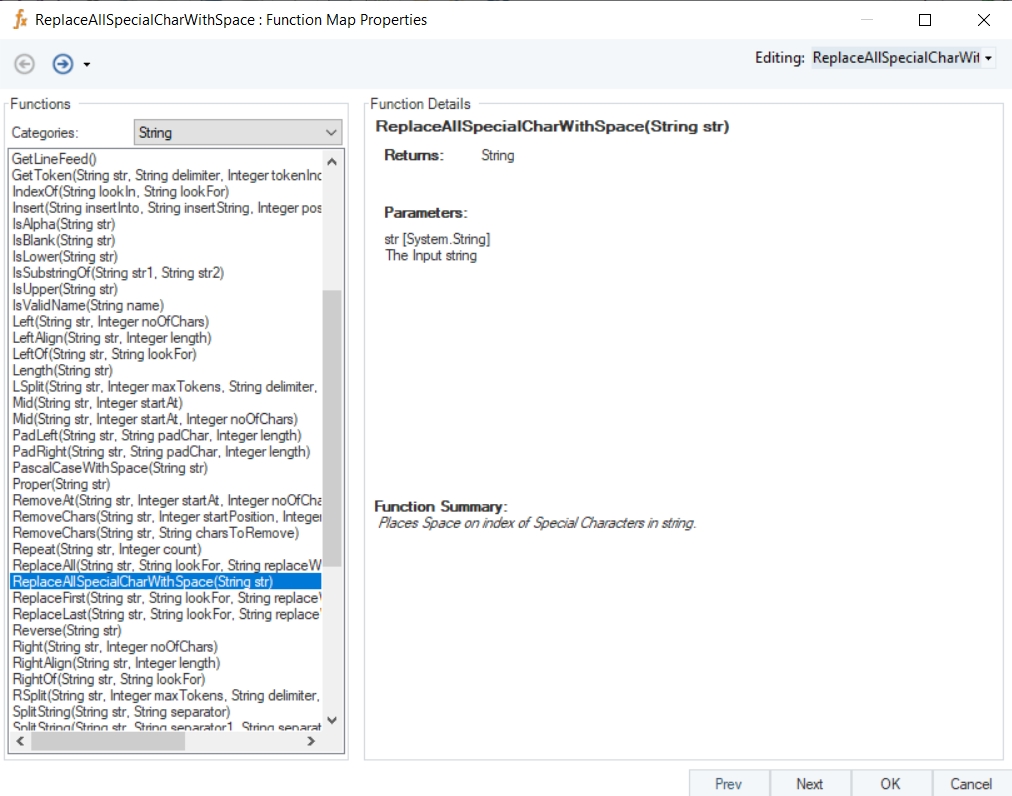
ReplaceAllSpecialCharWithSpace
Syntax
ReplaceAllSpecialCharWithSpace (String str)
Purpose
To replace all special characters in a string with a space.
Description
Places Space on index of Special Characters in a string.
Return Type
String
Parameters
Example
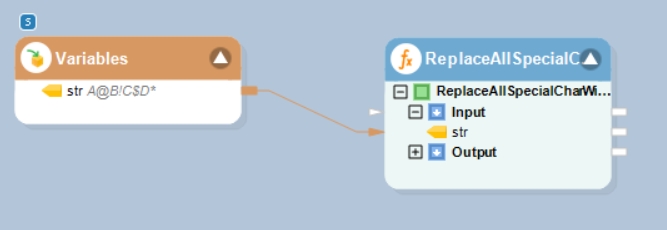
In this example, we are passing the required parameters to the function transformation object using a Variables object.
Where,
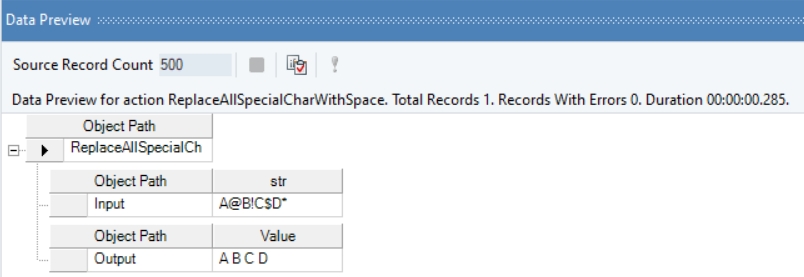
str = A@B!C$D*
Right-click on the function transformation object and select Preview Output. You can see that Astera Data Stack has returned a string, having replaced all special characters with a space.
Name
SplitString
Syntax
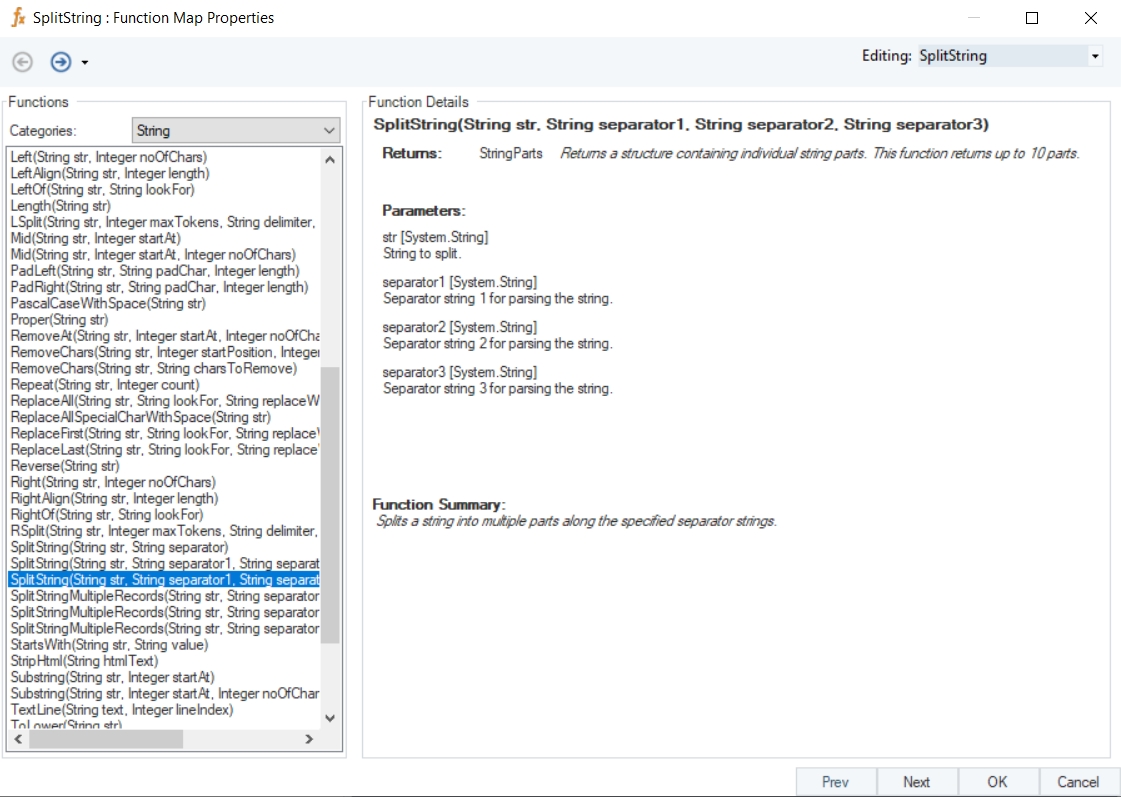
SplitString (String str, String separator1, String separator2, String separator3)
Purpose
To split a string into multiple parts along the specified separator strings.
Description
Returns a structure containing individual string parts. This function returns up to 10 parts.
Return Type
String (Parts)
Parameters
Example
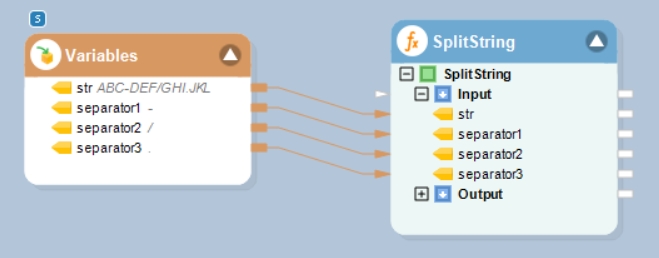
In this example, we are passing the required parameters to the function transformation object using a Variables object.
Where,
str: ABC-DEF/GHI.JKL
separator1 = -
separator2 = /
separator3 = .
Right-click on the function transformation object and select Preview Output. You can see that Astera Data Stack has returned the different parts of the split string, on the basis of the specified delimiter (separator) values.
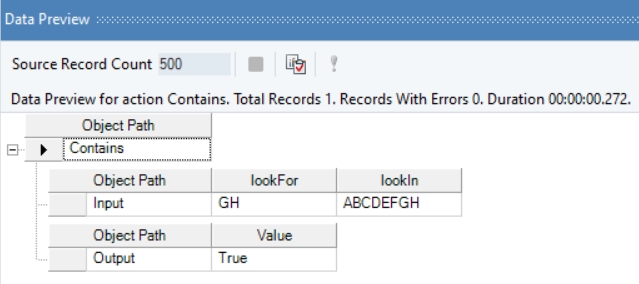
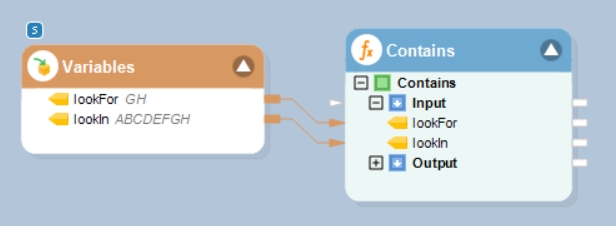
Example
In this example, we are passing the required parameters to the function transformation object using a Variables object.
Where,
lookFor = GH
lookIn = ABCDEFGH
Right-click on the function transformation object and select Preview Output. You can see that Astera Data Stack has returned True, indicating that the the lookFor string is present within the lookIn string.
Name
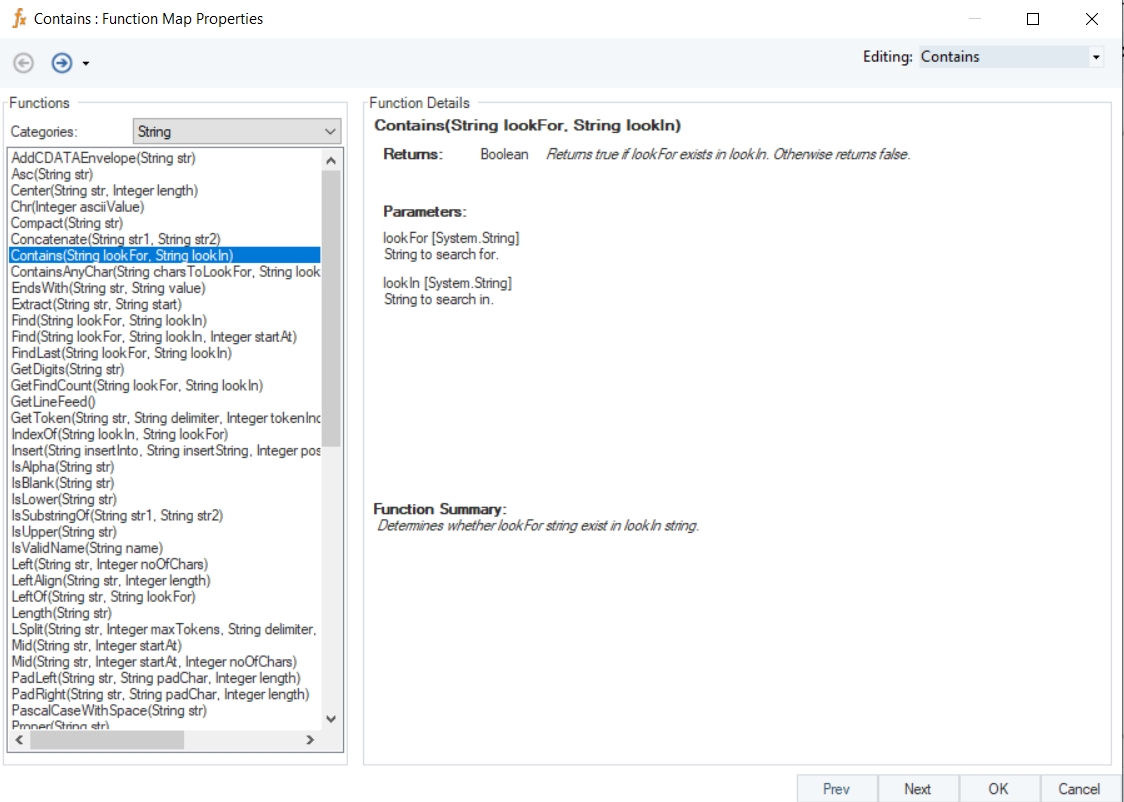
Contains
Syntax
Contains (String lookFor, String lookIn)
Purpose
To determine whether lookFor string exists in lookIn string.
Description
Returns true if the lookFor string exists within the lookIn string. Otherwise returns false. Note: This function is case sensitive.
Return Type
Boolean
Parameters
lookFor [System.String] – String to search for
lookIn [System.String] – String to search in
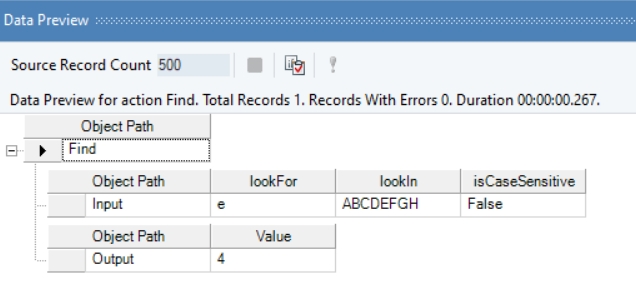
Example
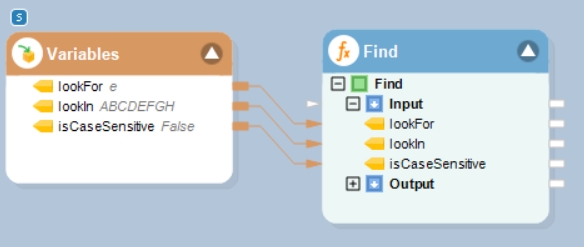
In this example, we are passing the required parameters to the function transformation object using a Variables object.
Where,
lookFor = e
lookIn = ABCDEFGH
isCaseSensitive = False
Right-click on the function transformation object and select Preview Output. You can see that Astera Data Stack has returned the integer value “4”, indicating that the lookFor value’s positional integer value in the lookIn string is “4”.
Name
Find
Syntax
Find (String lookFor, String lookIn)
Purpose
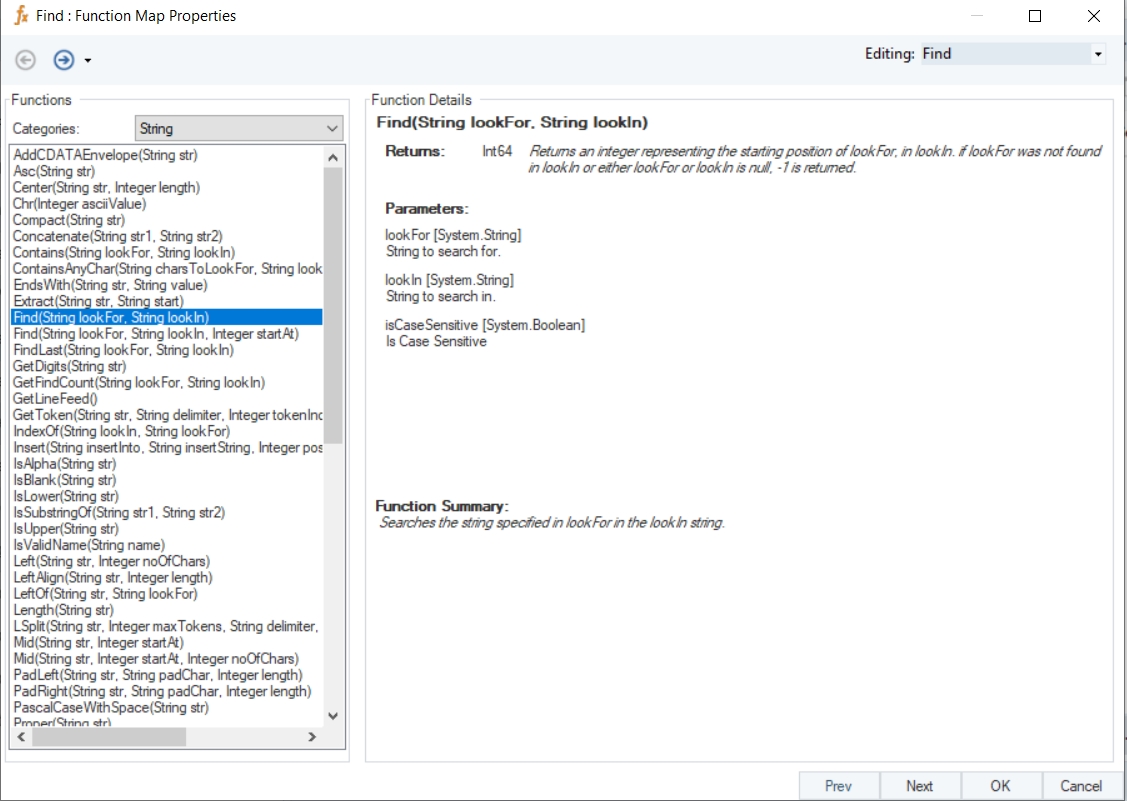
Searches the string specified in lookFor in the lookIn string.
Description
Returns an integer representing the starting position of lookFor, in lookIn. If lookFor was not found in lookIn or either lookFor or lookIn is null, -1 Is returned. Note: Counting is started with the integer value, “0”
Return Type
Int64
Parameters
lookFor [System.String] – String to search for
lookIn [System.String] – String to search in
isCaseSensitive [System.Boolean] – Is Case Sensitive
Example
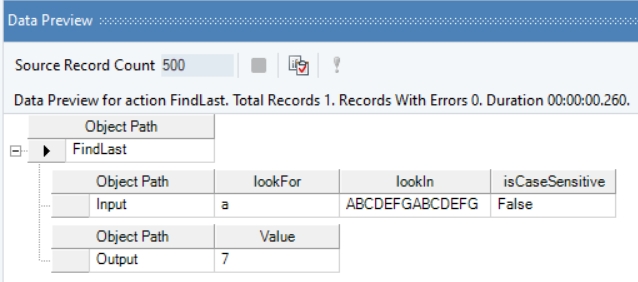
In this example, we are passing the required parameters to the function transformation object using a Variables object.
Where,
lookFor = a
lookIn = ABCDEFGABCDEFG
isCaseSensitive = False
Right-click on the function transformation object and select Preview Output. You can see that Astera Data Stack has returned the integer value “7”, indicating that last occurrence of the lookFor value was in the integer position, “7”.
Name
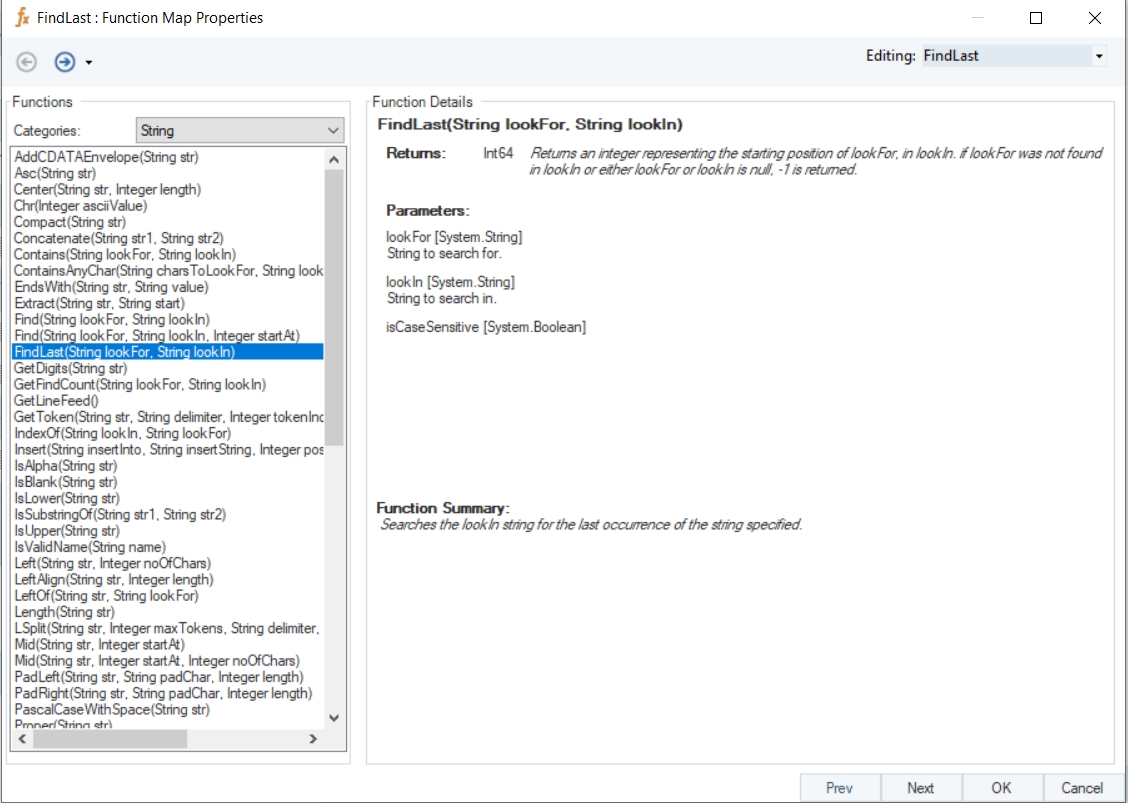
FindLast
Syntax
FindLast (String lookFor, String lookIn)
Purpose
To search the lookIn string for the last occurrence of the string specified.
Description
Returns an integer representing the starting position of lookFor, in lookIn. If lookFor was not found in lookIn or either lookFor or lookIn is null, -1 Is returned.
Return Type
Int64
Parameters
lookFor [System.String] – String to search for
lookIn [System.String] – String to search in
isCaseSensitive [System.Boolean]
Example
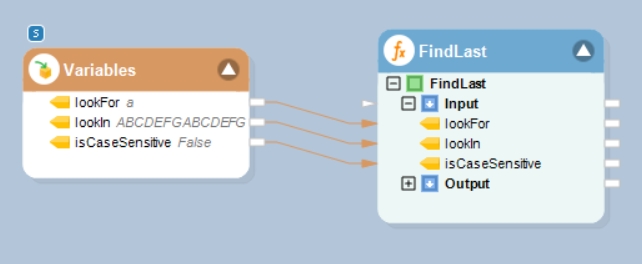
In this example, we are passing the required parameters to the function transformation object using a Variables object.
Where,
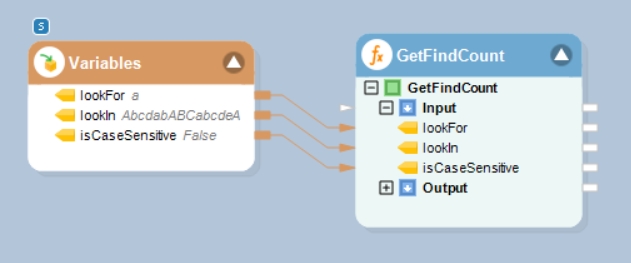
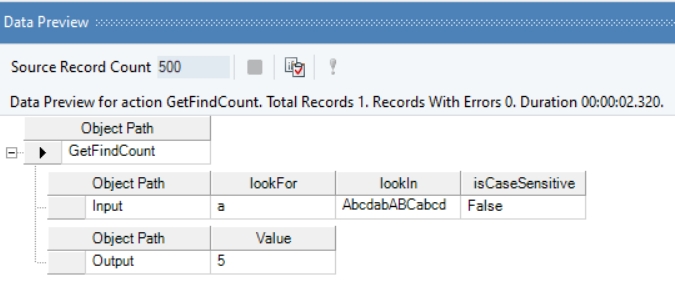
lookFor = a
lookIn = AbcdabABCabcdeA
isCaseSensitive = False
Right-click on the function transformation object and select Preview Output. You can see that Astera Data Stack has returned the integer value “5”, indicating that the lookFor value, “a”, occurs 5 times within the lookIn value.
Name
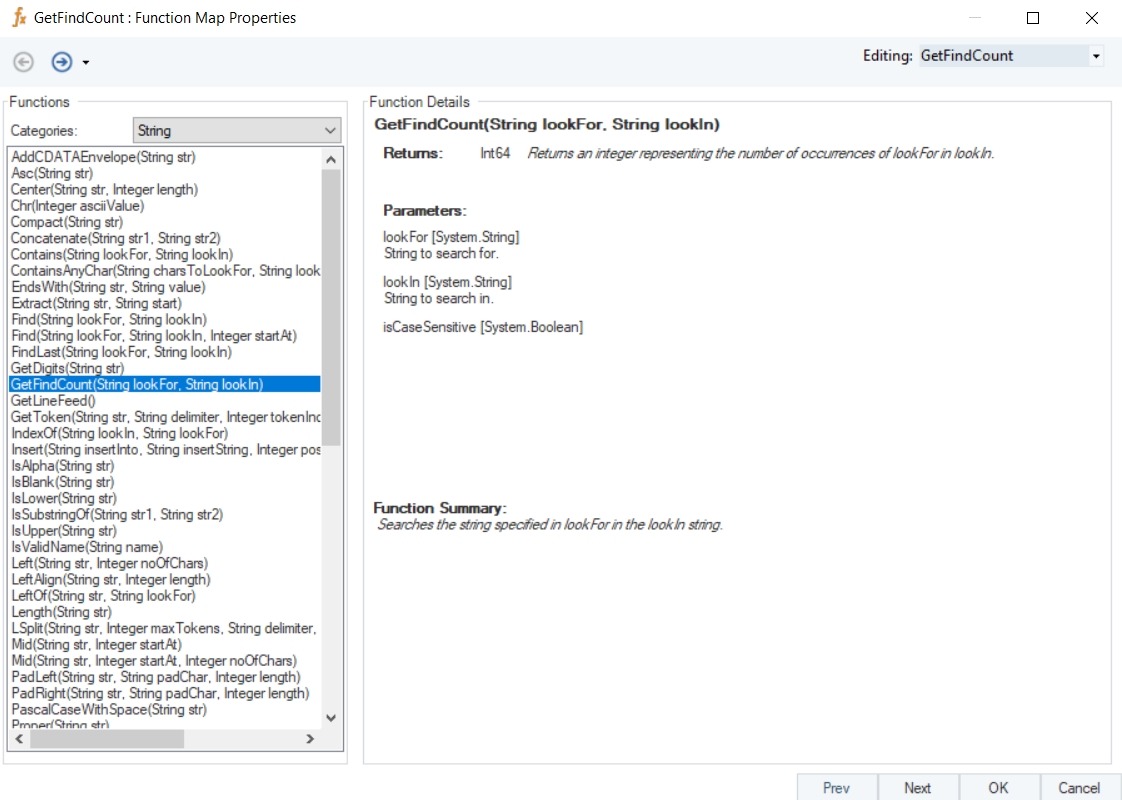
GetFindCount
Syntax
GetFindCount (String lookFor, String lookIn)
Purpose
To search and return an integer value indicating the number of occurrences of the specified lookFor string in the specified lookIn string.
Description
Returns an integer representing the number of occurrences of lookFor in lookIn
Return Type
Int64
Parameters
lookFor [System.String] – String to search for
lookIn [System.String] – String to search in
isCaseSensitive [System.Boolean]
Example
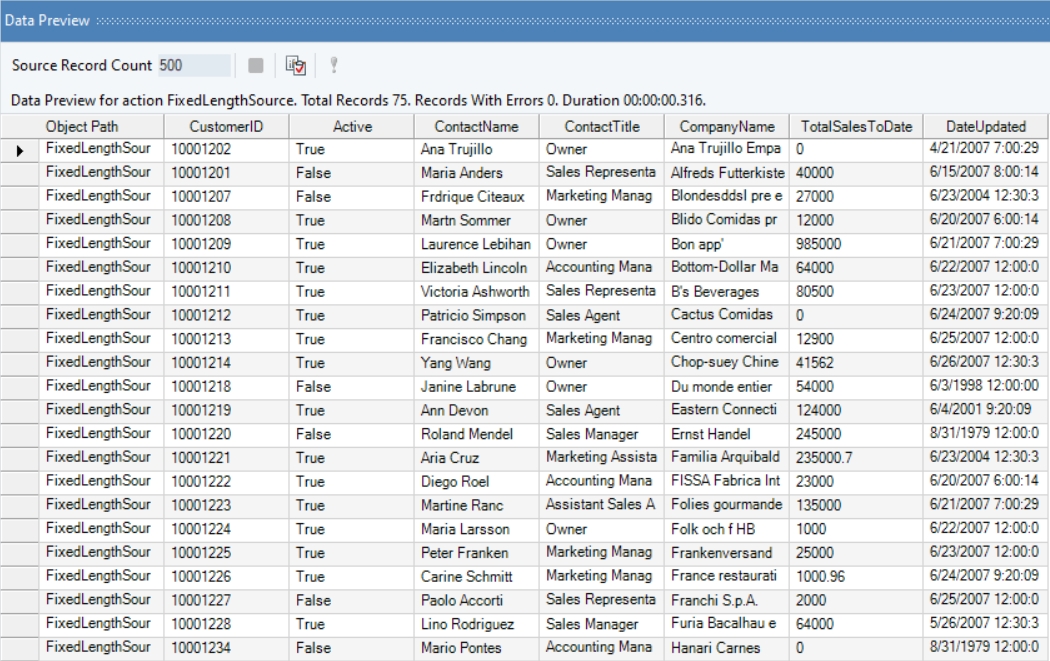
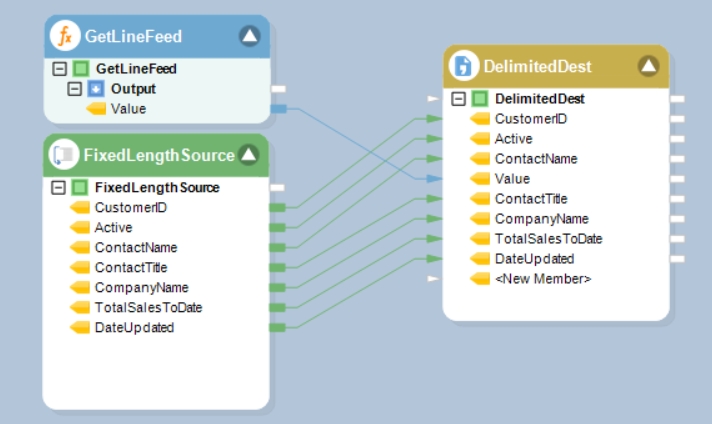
In this example, we will be manipulating an existing dataset by adding an empty column between fields, using the GetLineFeed Function Transformation object.
Our data is stored in a Fixed Length File Source object, and look like this:
Now, we will map source fields and the output value of the function transformation object to a Delimited File Destination.
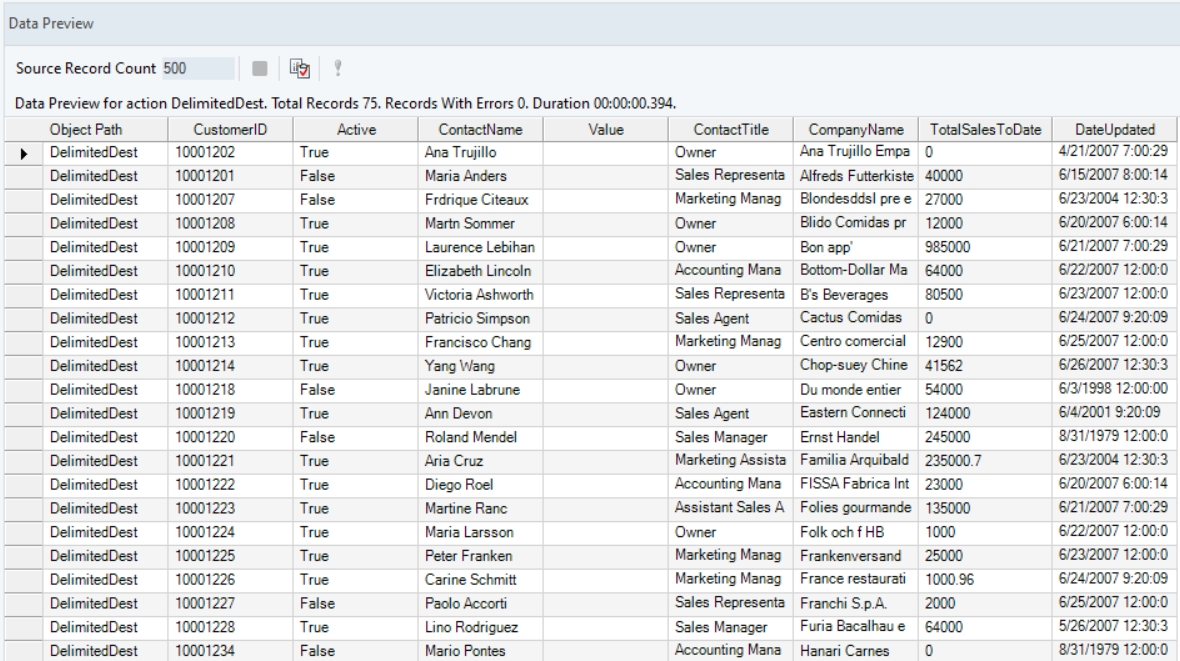
Upon previewing the destination output, you can see that Astera Data Stack has added a new value column, thus a new empty string field for each record present, using the GetLineFeed function transformation object.
Name
GetLineFeed
Syntax
GetLineFeed ()
Purpose
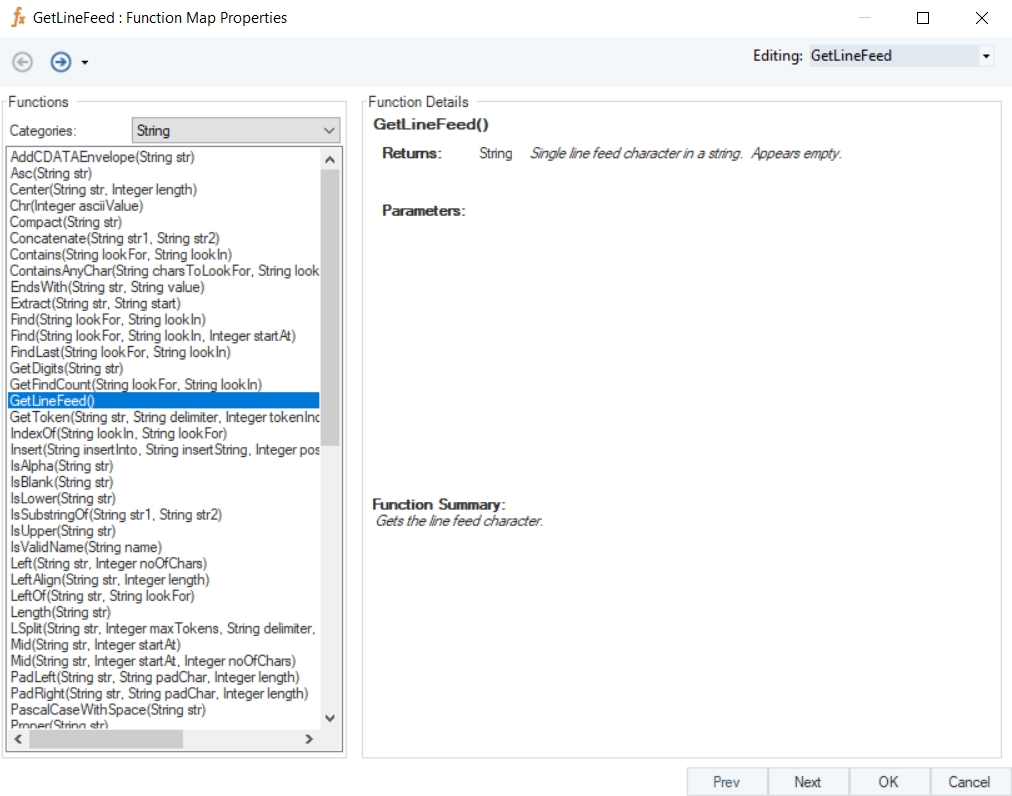
To get the line feed character.
Description
To get a single line feed character in a string. Appears empty.
Return Type
String
Parameters
-
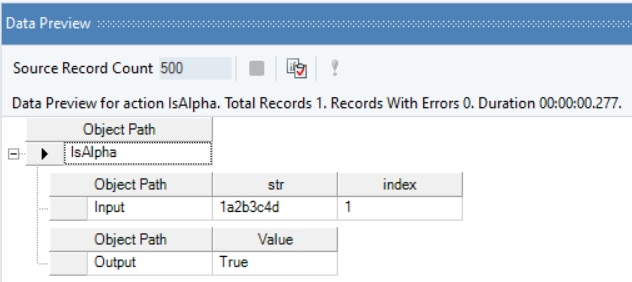
Example
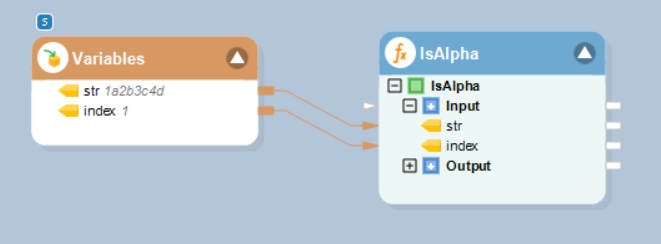
In this example, we are passing the required parameters to the function transformation object using a Variables object.
Where,
str = 1a2b3c4d
index = 1
Right-click on the function transformation object and select Preview Output. You can see that Astera Data Stack has returned “True”, as the character in the specified numerical position is alphabetical.
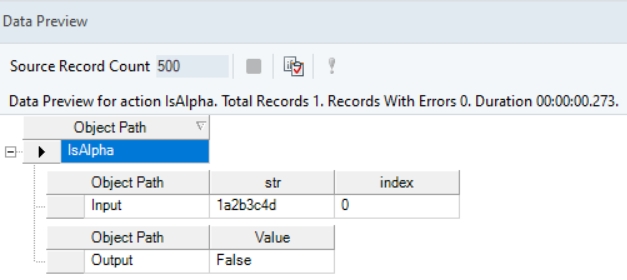
Conversely, if we replace the index value with “0”, the output value will return the boolean value, “False”, as shown below:
Name
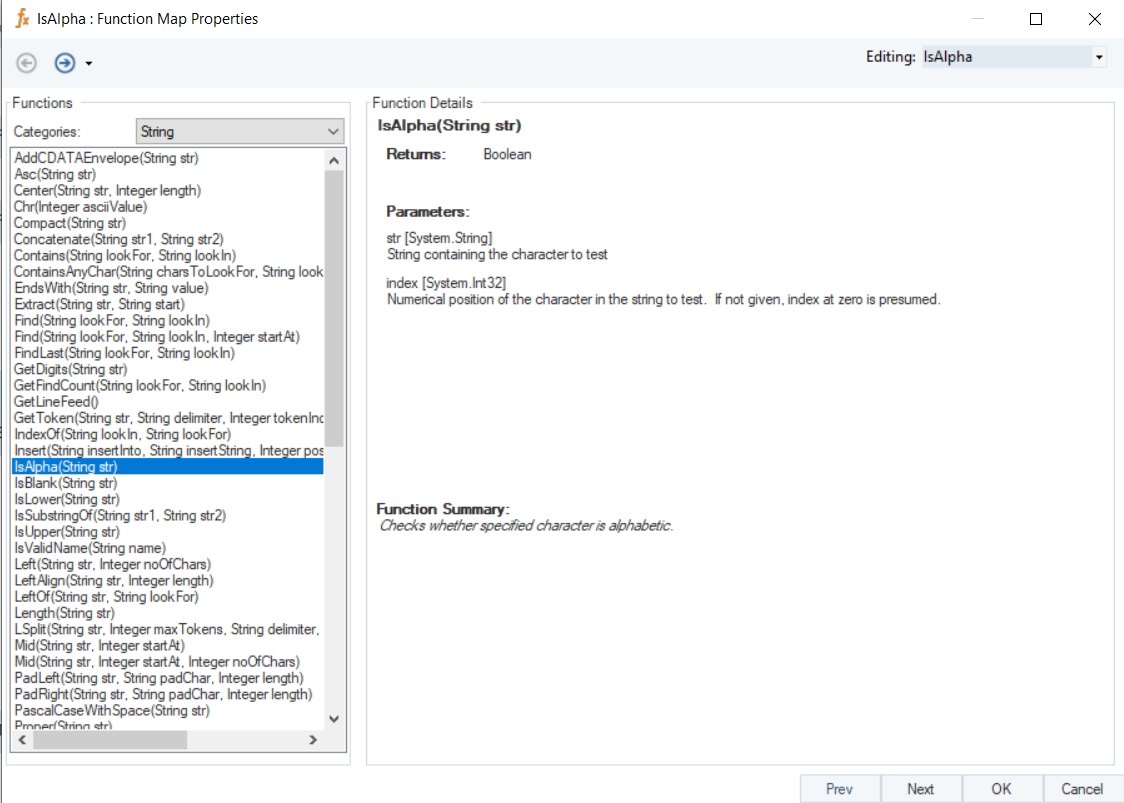
IsAlpha
Syntax
IsAlpha (String str)
Purpose
To check whether the specified character within a string, in the specified index position, is alphabetical.
Description
Checks whether specified character is alphabetic
Return Type
Boolean
Parameters
str [System.String] – String containing the character to test
index [System.Int32] – Numerical position of the character in the string to test. If not specified, index is presumed to be 0
Example
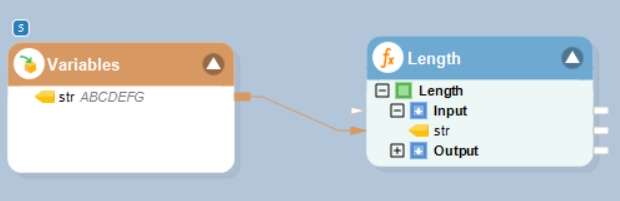
In this example, we are passing the required parameter to the function transformation object using a Variables object.
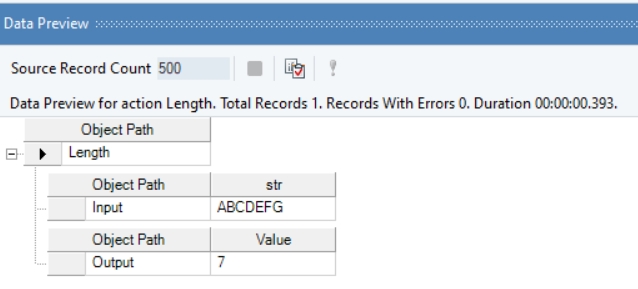
Where,
str = ABCDEFG
Right-click on the function transformation object and select Preview Output. You can see that Astera Data Stack has returned the value, “7”, indicating that the specified string consists of seven characters.
Name
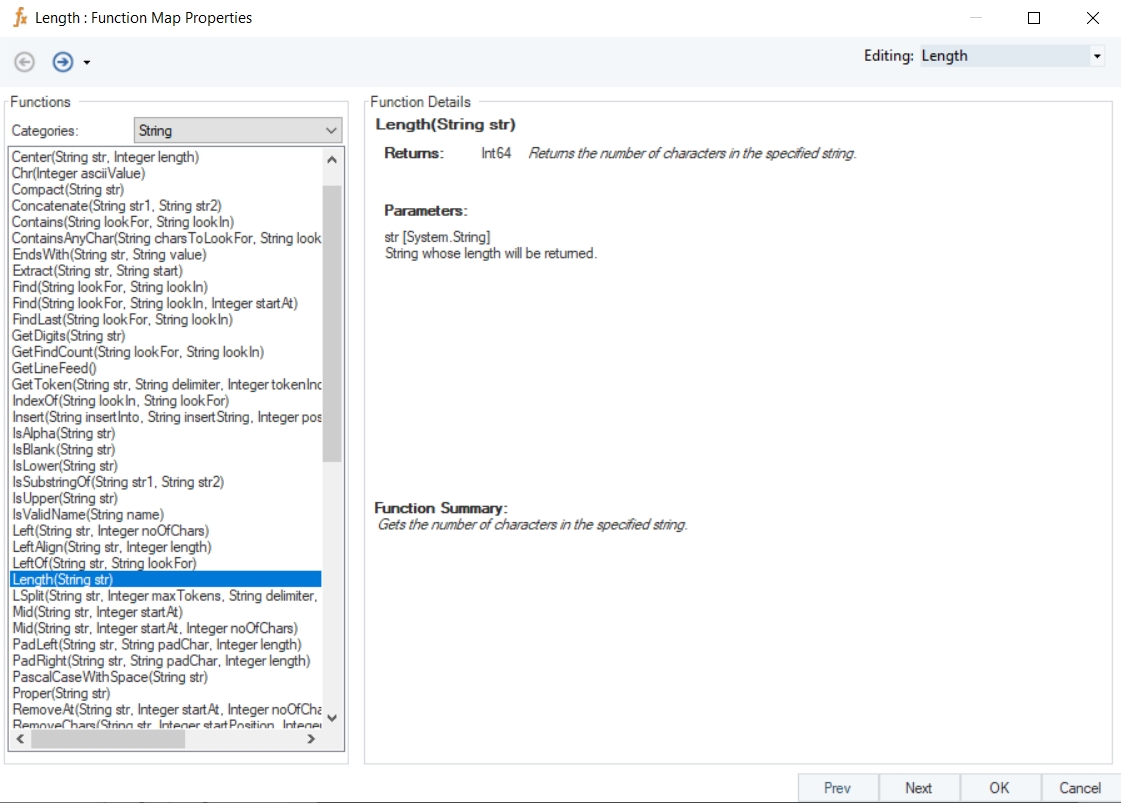
Length
Syntax
Length (String str)
Purpose
To return the number of characters in the specified string.
Description
Gets the number of characters in the specified string.
Return Type
Int64
Parameters
str [System.String] – value for which length will be returned
Example
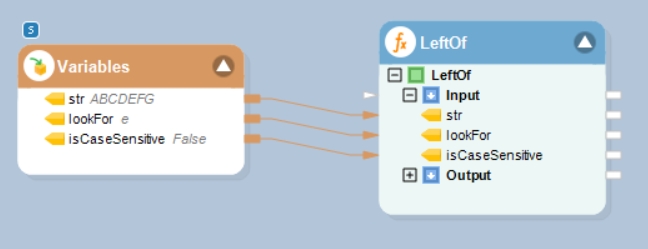
In this example, we are passing the required parameters to the function transformation object using a Variables object.
Where,
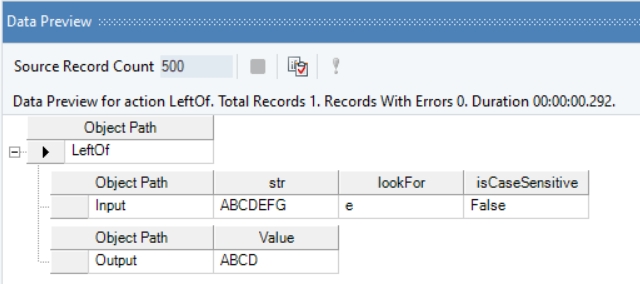
str = ABCDEFG
lookFor = e
isCaseSensitive = False
Right-click on the function transformation object and select Preview Output. You can see that Astera Data Stack has returned all the characters to the left of the specified string value.
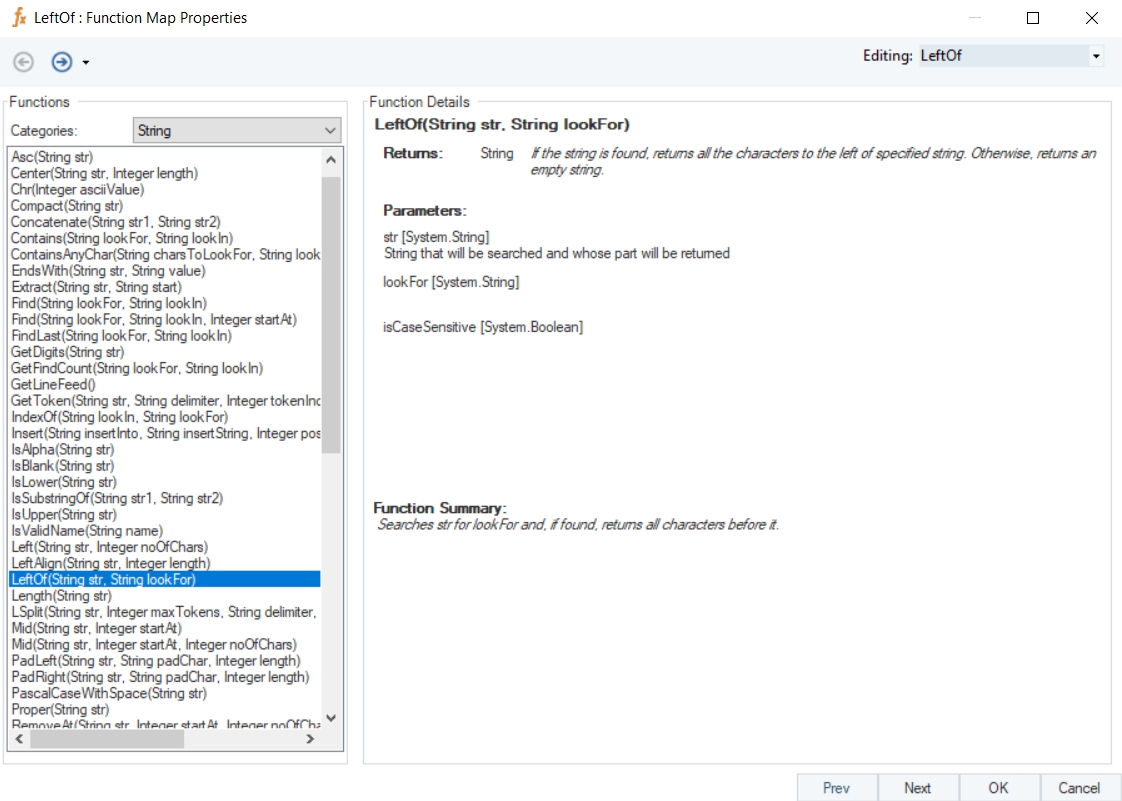
Name
LeftOf
Syntax
LeftOf (String str, String lookFor)
Purpose
To search str for lookFor and, if found, to return all characters before it.
Description
If the string is found, returns all the characters to the left of the specified string. Otherwise, returns an empty string.
Return Type
String
Parameters
str [System.String] – String that will be searched and whose part will be returned
lookFor [System.String]
isCaseSensitive [System.Boolean]
Example
In this example, we are passing the required parameter to the function transformation object using a Variables object.
Where,
name = ABCD_123
Right-click on the function transformation object and select Preview Output. You can see that Astera Data Stack has returned “True”, as the specified string is a valid object or element name.
Conversely, if we swap the input value with “ABC 123”, Astera Data Stack will return “False”, as the specified string value is not a valid object or element name.
Name
IsValidName
Syntax
IsValidName (String name)
Purpose
To check whether a specified string is a valid object or element name.
Description
Returns true if the specified string is a valid object or element name.
Return Type
Boolean
Parameters
name [System.String] – Name to check IsValid
Example
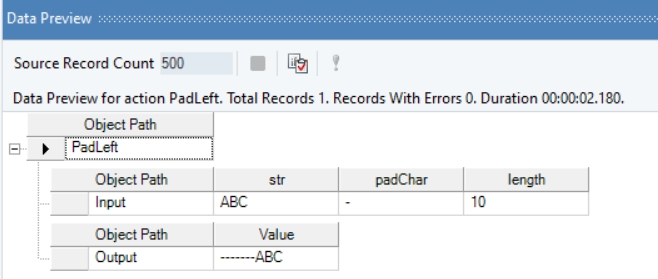
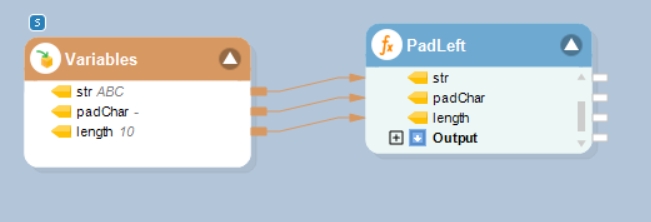
In this example, we are passing the required parameters to the function transformation object using a Variables object.
Where,
str = ABC
padChar = -
length = 10
Right-click on the function transformation object and select Preview Output. You can see that Astera Data Stack has returned the padded string of the specified length.
Name
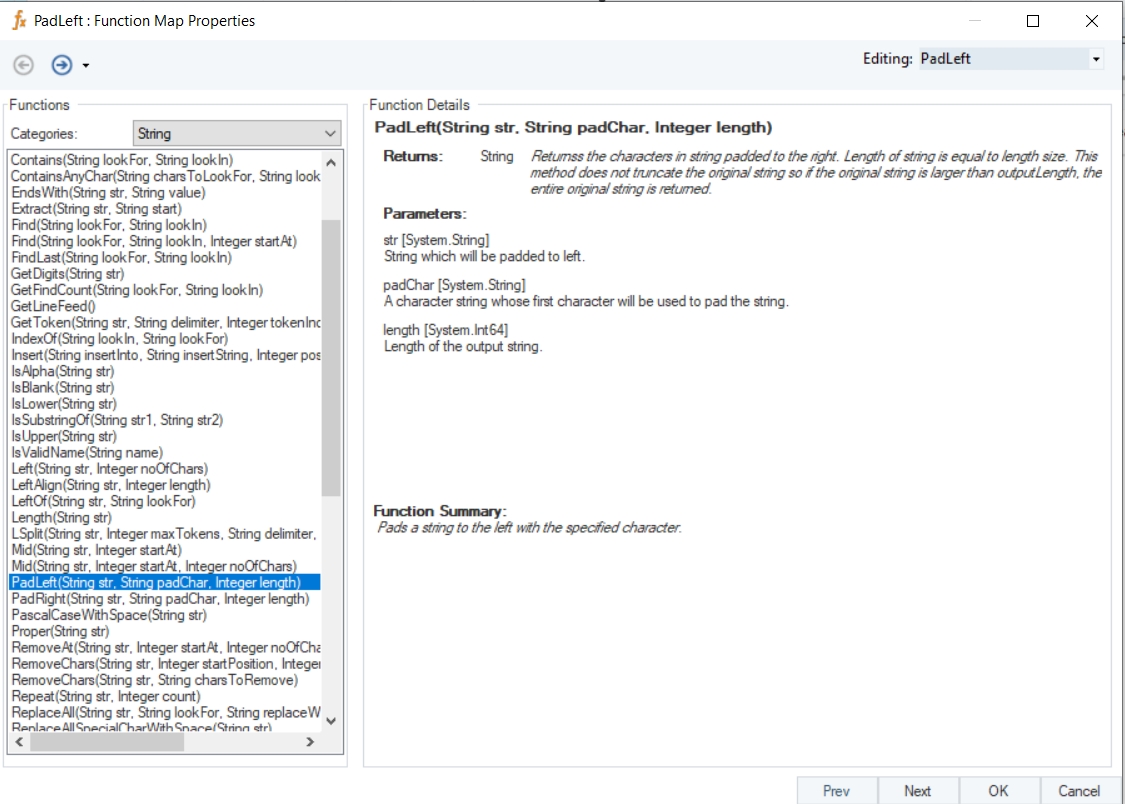
PadLeft
Syntax
PadLeft (String str, String padChar, Integer length)
Purpose
To pad a string to the left with the specified character.
Description
Returns the characters in string padded to the left. Length of string is equal to length size. This method does not truncate the original string so if the original string is larger than specified length, the entire original string is returned.
Return Type
String
Parameters
Str [System.String] – String which will be padded to the right
padChar [System.String] – A character string whose first character will be used to pad the string
length [System.Int64] – Length of the output string
Example
In this example, we are passing the required parameters to the function transformation object using a Variables object.
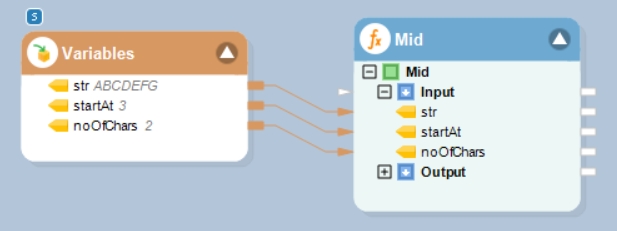
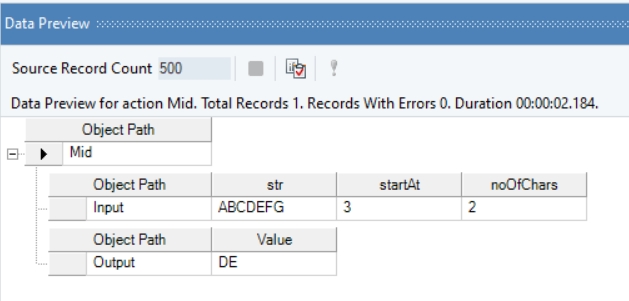
Where,
str = ABCDEFG
startAt = 3
noOfChars = 2
Right-click on the function transformation object and select Preview Output. You can see that Astera Data Stack has returned a string beginning from the specified startAt position, and of specified noOfChars length.
Name
Mid
Syntax
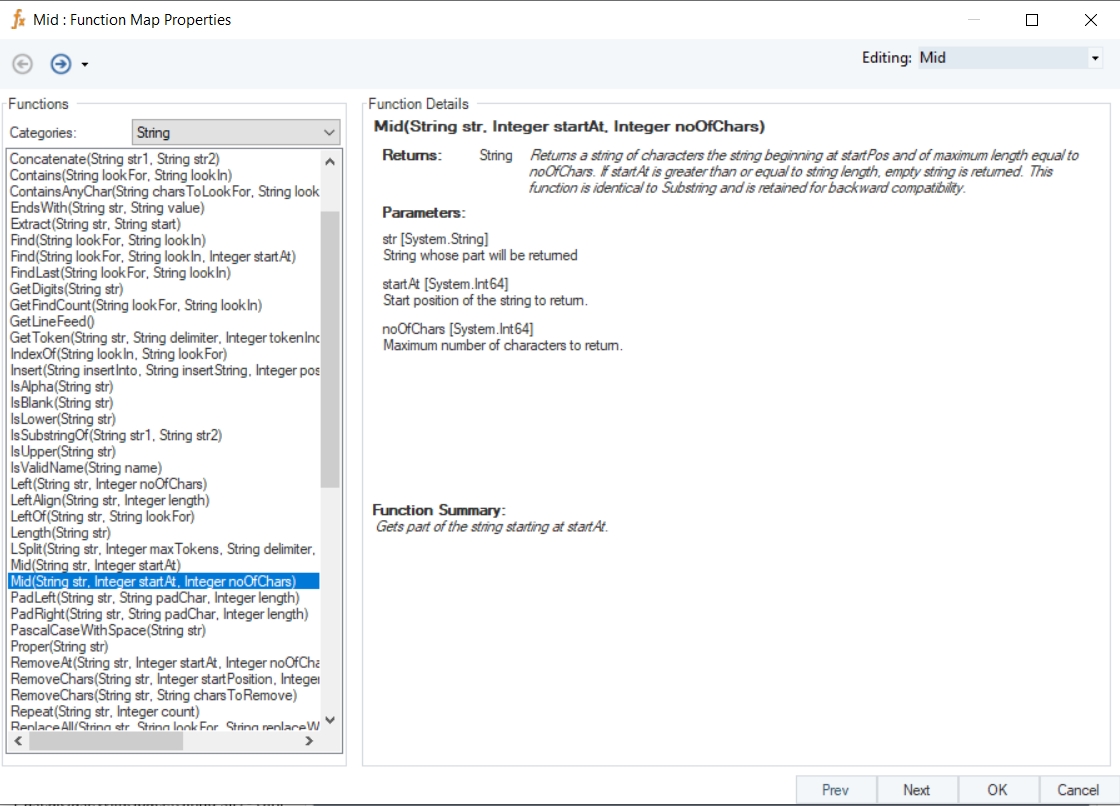
Mid (String str, Integer startAt, Integer noOfChars)
Purpose
To get part of the string starting at startAt and of a specified length.
Description
Returns a string of characters from the string beginning at startAt and of maximum length equal to noOfChars. If startAt is greater than or equal to string length, empty string is returned.
Note: This function is identical to Substring and is retained for backward compatibility.
Return Type
String
Parameters
str [System.String] – Value for which length will be returned
startAt [System.Int64] – Start position of the string to return
noOfChars [System.Int64] – Maximum number of characters to return
Example
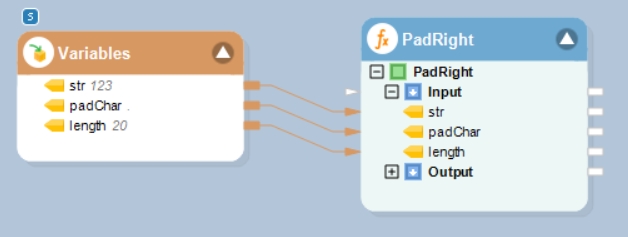
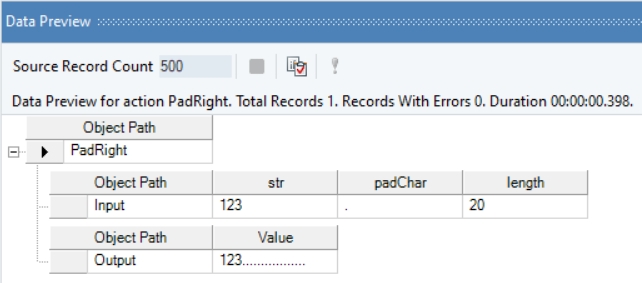
In this example, we are passing the required parameters to the function transformation object using a Variables object.
Where,
str = ABC
padChar = .
length = 20
Right-click on the function transformation object and select Preview Output. You can see that Astera Data Stack has returned the padded string of the specified length.
Name
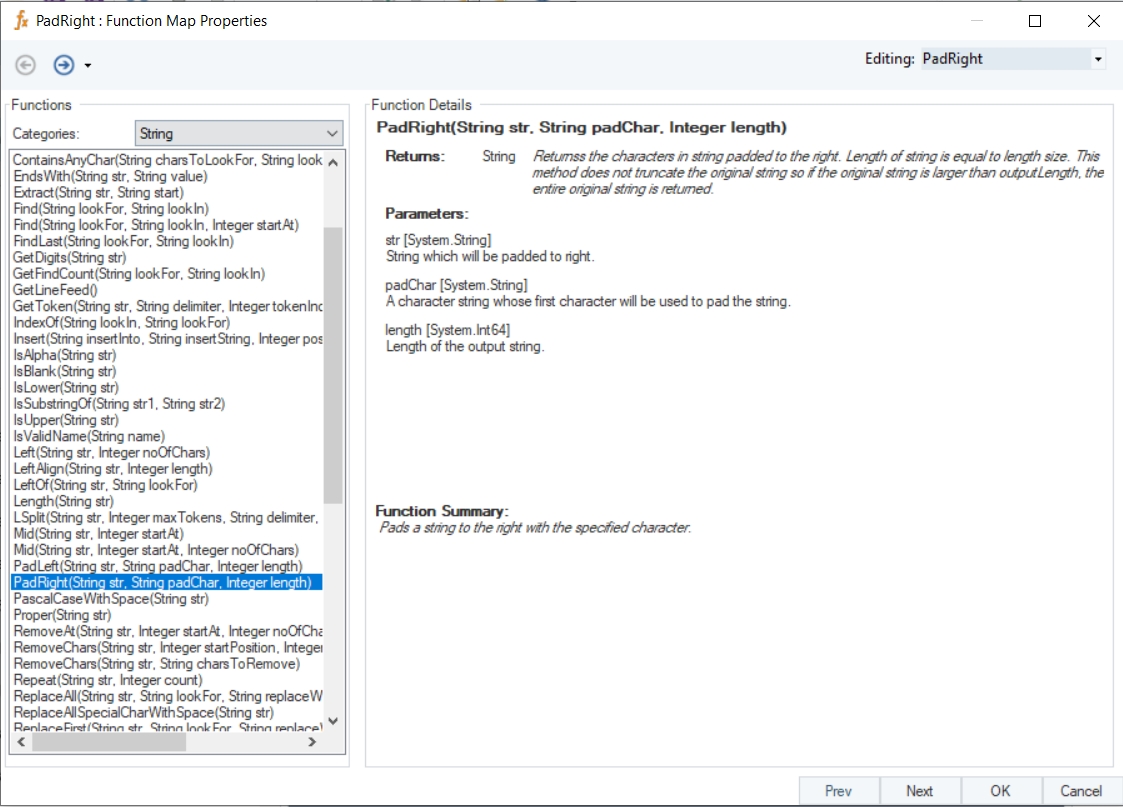
PadRight
Syntax
PadRight (String str, String padChar, Integer length)
Purpose
To pad a string to the right with the specified character.
Description
Returns the characters in string padded to the right. Length of string is equal to length size. This method does not truncate the original string so if the original string is larger than specified length, the entire original string is returned.
Return Type
String
Parameters
Str [System.String] – String which will be padded to the right
padChar [System.String] – A character string whose first character will be used to pad the string
length [System.Int64] – Length of the output string
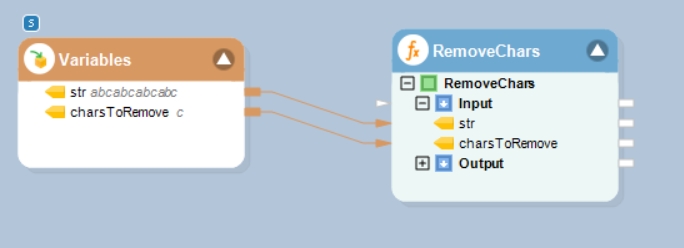
Example
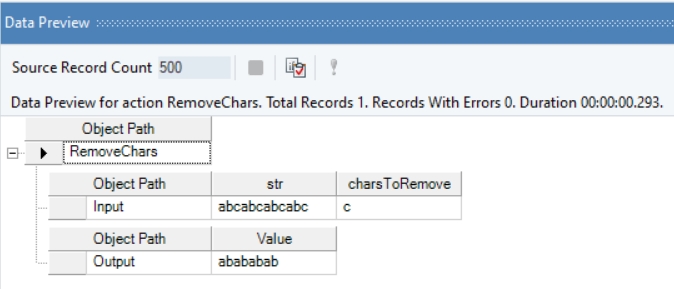
In this example, we are passing the required parameters to the function transformation object using a Variables object.
Where,
str = abcabcabcabc
charsToRemove = c
Right-click on the function transformation object and select Preview Output. You can see that Astera Data Stack has returned a string with all occurrences of the specified string removed.
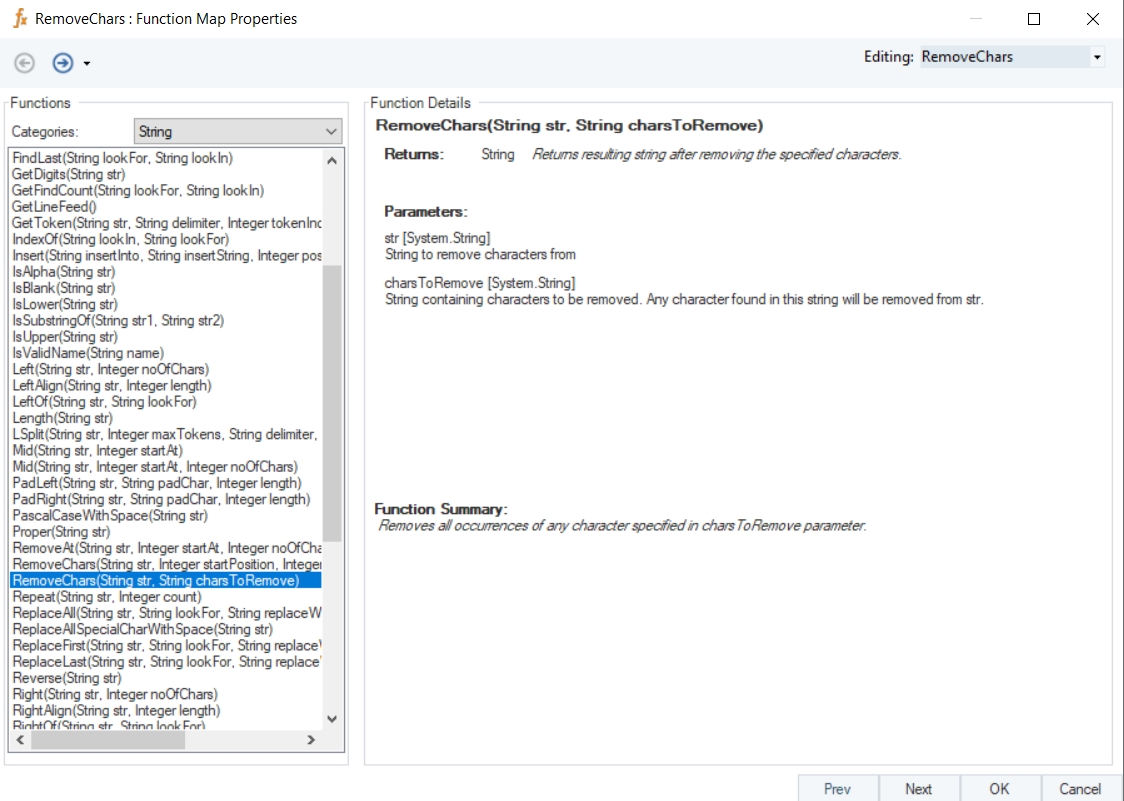
Name
RemoveChars
Syntax
RemoveChars (String str, String charsToRemove)
Purpose
To remove all occurrences of any character specified in charsToRemove parameter.
Description
Returns resulting string after removing the specified characters.
Return Type
String
Parameters
Str [System.String] – String to remove characters from
charsToRemove [System.String] – String containing characters to be removed. Any character found in this string will be removed from str
Example
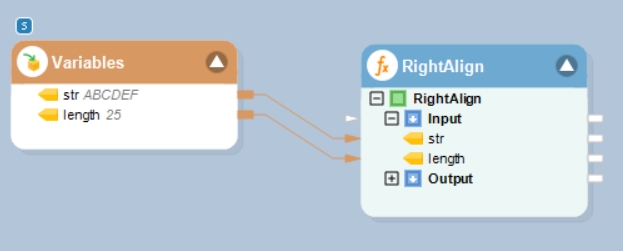
In this example, we are passing the required parameters to the function transformation object using a Variables object.
Where,
str = ABCDEF
length = 25
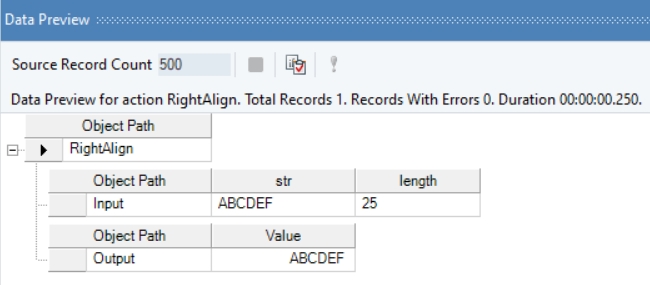
Right-click on the function transformation object and select Preview Output. You can see that Astera Data Stack has returned the specified string, aligned to the right, and of the specified length.
Name
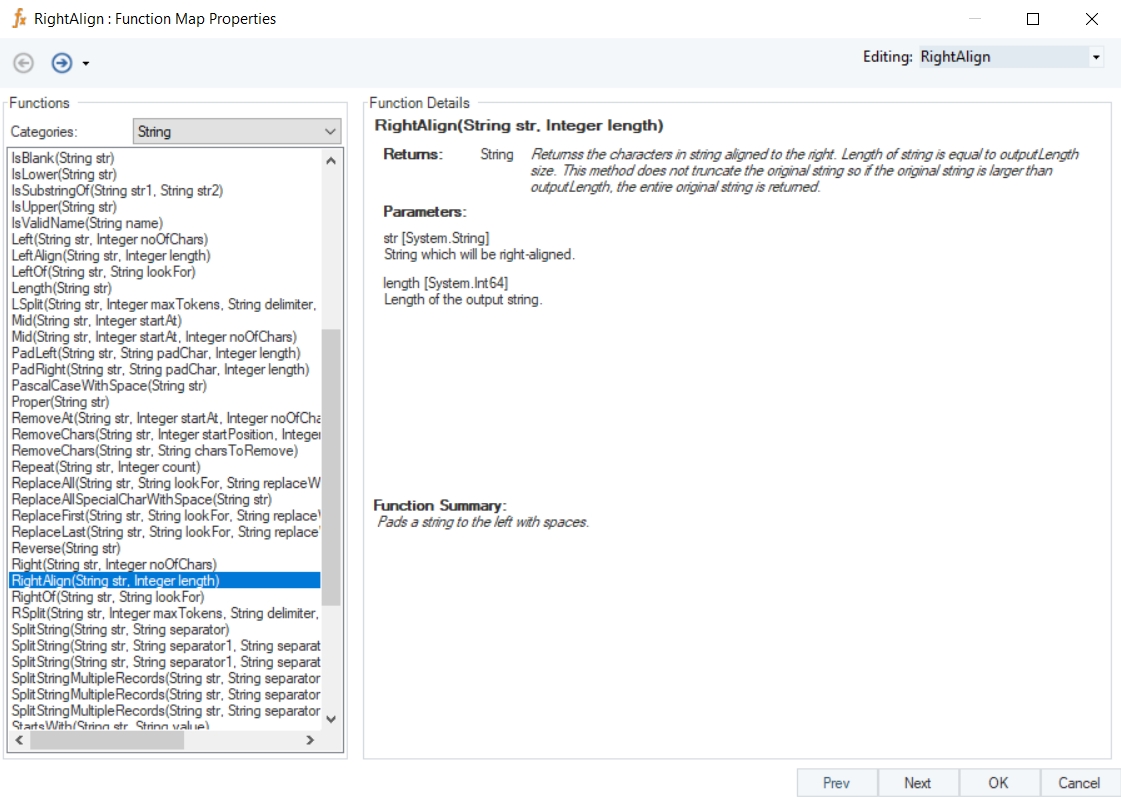
RightAlign
Syntax
RightAlign (String str, Integer length)
Purpose
To pad a string to the left with spaces.
Description
Returns the characters in a string, aligned to the right. Length of string is equal to output length size. This method does not truncate the original string, so if the original string is larger than the output length, the entire original string is returned.
Return Type
String
Parameters
Str [System.String] – String which will be right-aligned
Length [System.Int64] – Length of the output string
Example
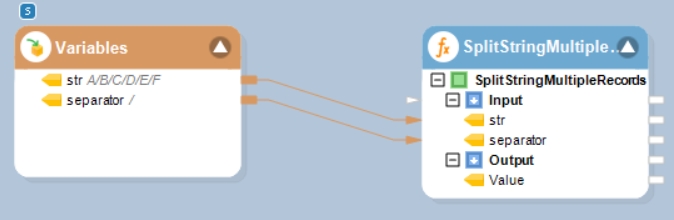
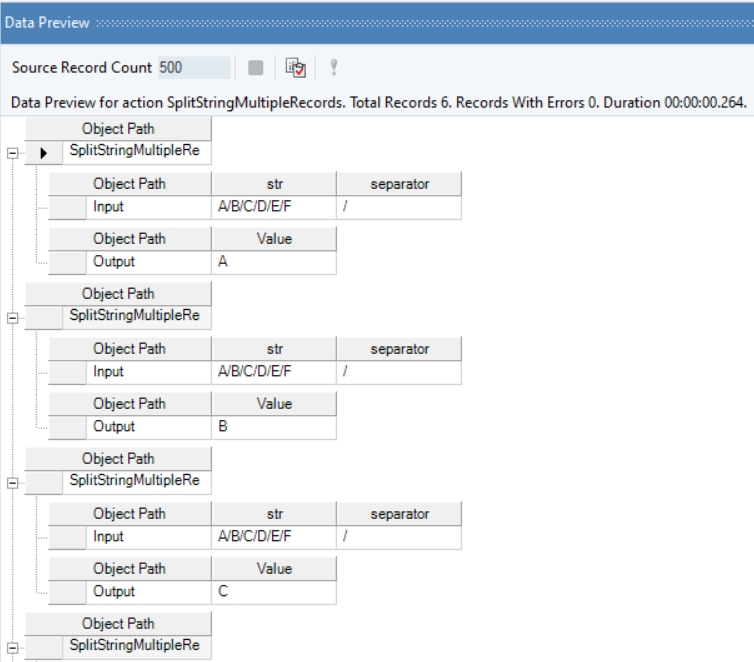
In this example, we are passing the required parameters to the function transformation object using a Variables object.
Where,
str: A/B/C/D/E/F
separator = /
Right-click on the function transformation object and select Preview Output. You can see that Astera Data Stack has returned the different parts of the split string as separate records, on the basis of the specified delimiter (separator) value.
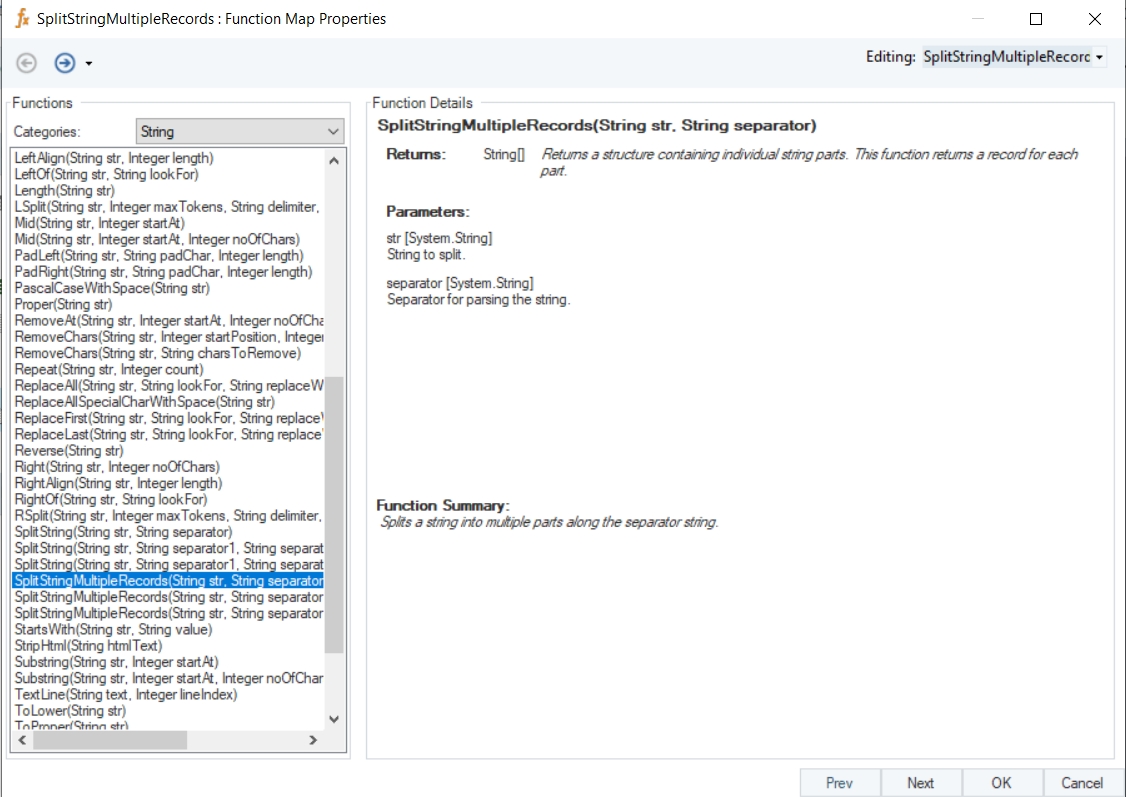
Name
SplitStringMultipleStrings
Syntax
SplitStringMultipleStrings (String str, String separator)
Purpose
To split a string into multiple parts along the specified separator strings and return results as separate records.
Description
Returns a structure containing individual string parts. This function returns a record for each part.
Return Type
String
Parameters
str [System.String] – String to split
separator [System.String] – Separator for parsing the string
Example
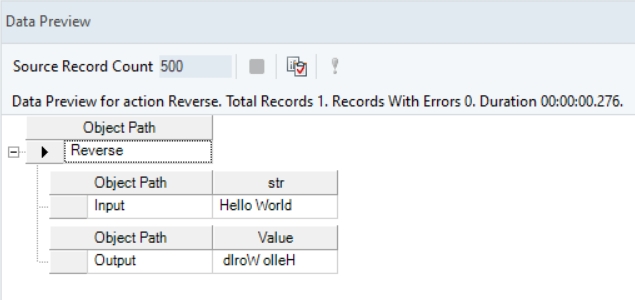
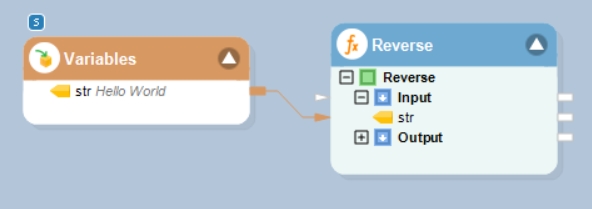
In this example, we are passing the required parameters to the function transformation object using a Variables object.
Where,
str = Hello World
Right-click on the function transformation object and select Preview Output. You can see that Astera Data Stack has returned the mirrored string in the output.
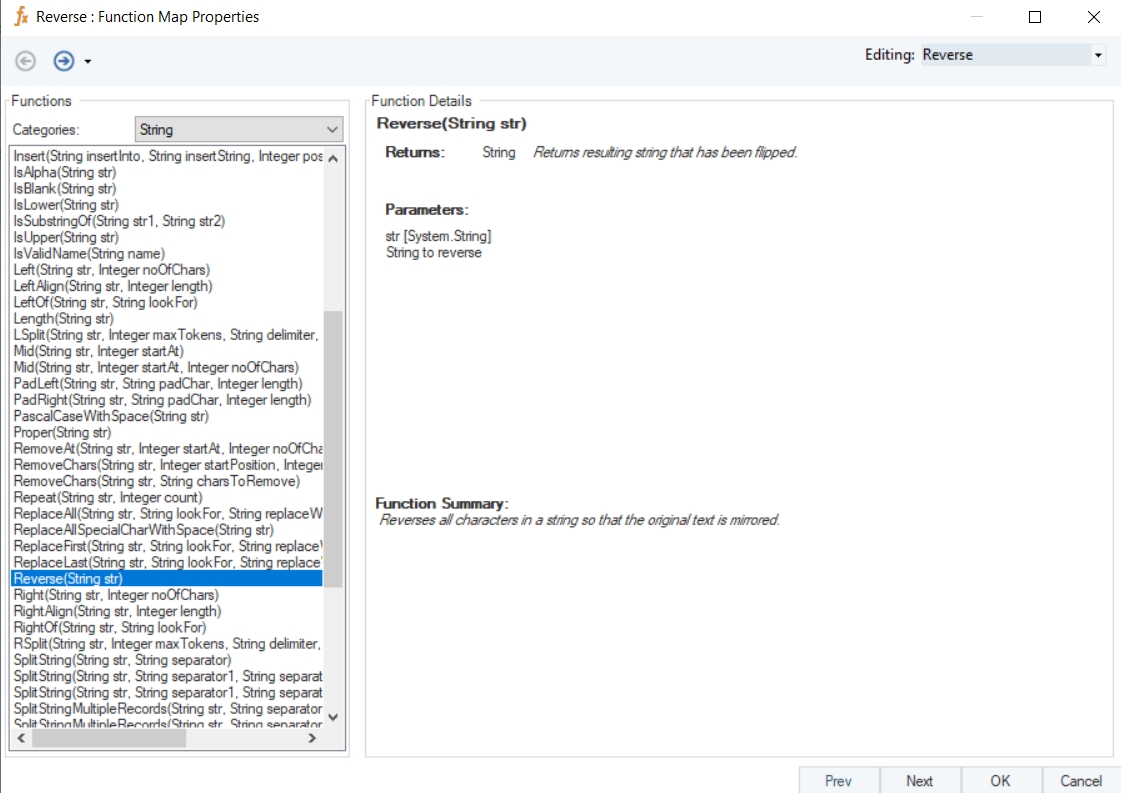
Name
Reverse
Syntax
Reverse (String str)
Purpose
To return the flipped form of a specified string.
Description
Reverses all characters in a string so that the original text is mirrored.
Return Type
String
Parameters
Str [System.String] – String to reverse
Example
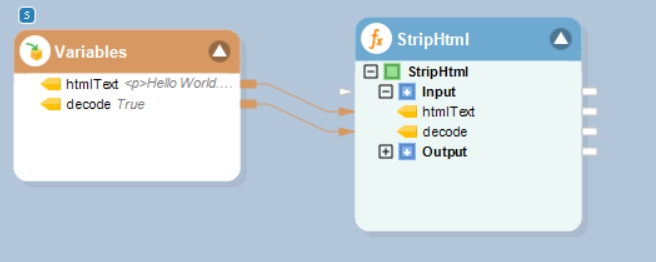
In this example, we are passing the required parameters to the function transformation object using a Variables object.
Where,
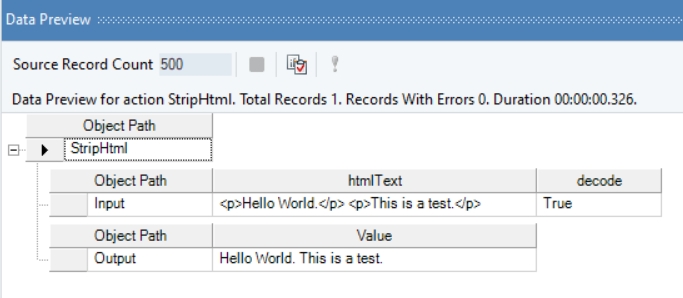
htmlText: <p>Hello World.</p> <p>This is a test.</p>
decode = True
Right-click on the function transformation object and select Preview Output. You can see that Astera Data Stack has returned a string values, stripped of HTML tags.
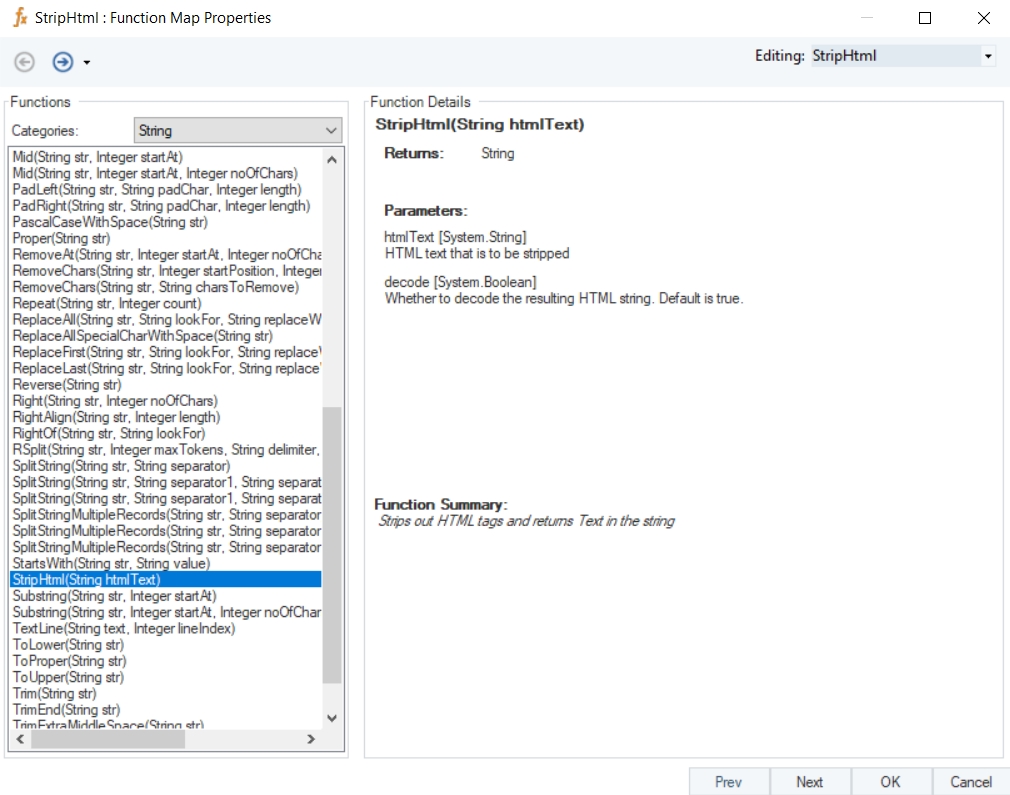
Name
StripHtml
Syntax
StripHtml (String htmlText)
Purpose
To strip a string’s HTML tags and return text.
Description
Strips out HTML tags and returns text in the string.
Return Type
String
Parameters
htmlText [System.String] – HTML text that is to be stripped
decode [System.Boolean] – whether to decode the resulting HTML string. Default is true
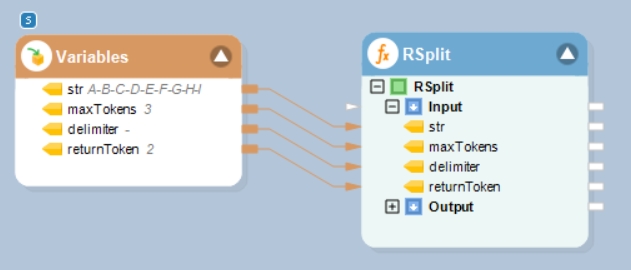
Example
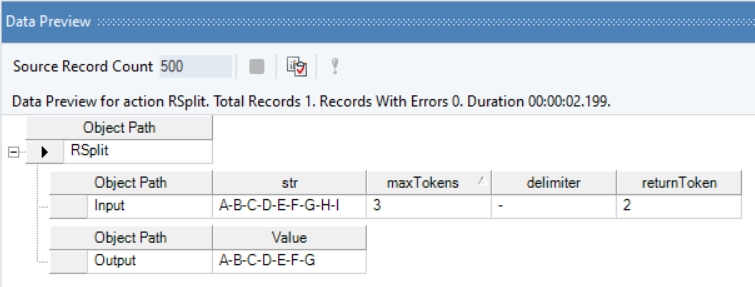
In this example, we are passing the required parameters to the function transformation object using a Variables object.
Where,
str: A-B-C-D-E-F-G-H-I
maxTokens = 3
delimiter = - (Note: Since the string values in our case are separated using “-”, our delimiter value will also be “-”. This value can be replaced with other delimiters, depending on the data format)
returnToken = 2 (Note: We are using the value 2, as we want to return the third part of the split string, from the right)
Right-click on the function transformation object and select Preview Output. You can see that Astera Data Stack has returned the third part of the split string, counting from the right.
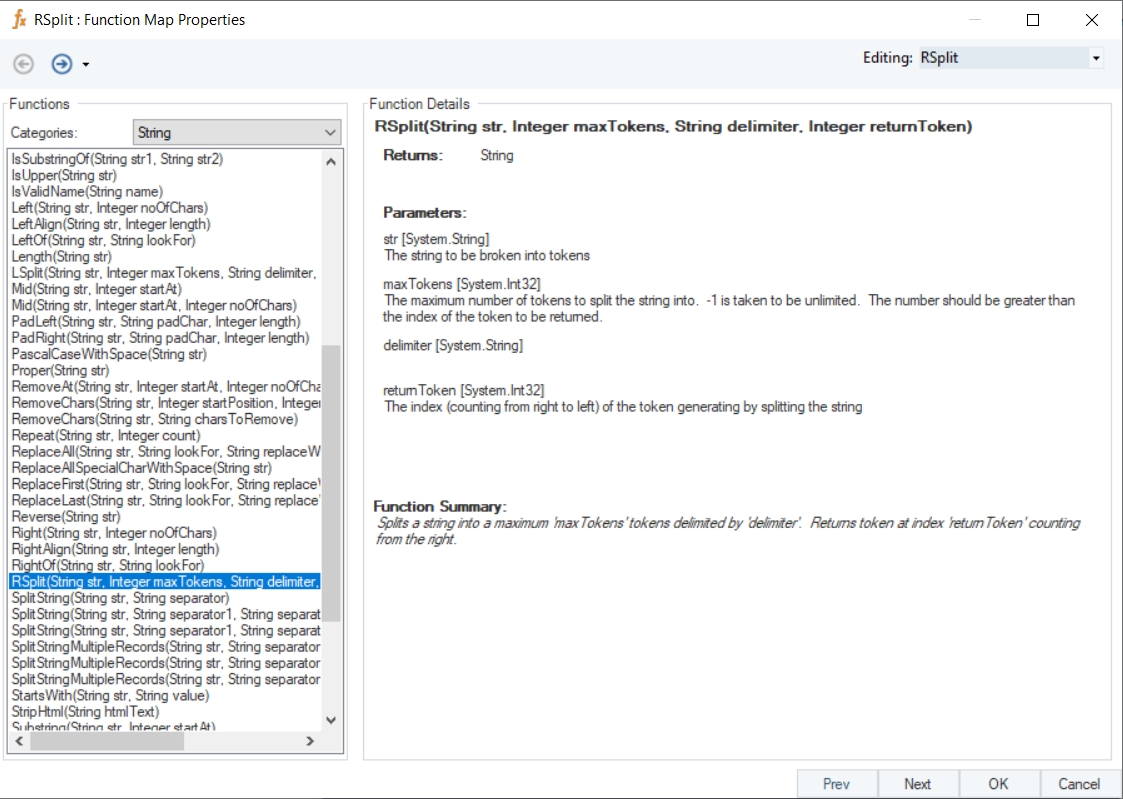
Name
RSplit
Syntax
RSplit (String str, Integer maxTokens, String delimiter, Integer returnToken)
Purpose
To split a string into chunks, specified by an integer value of a ‘maxTokens’ variable, and delimited by a ‘delimiter’ string value. Returns specified token at index ‘returnToken’, counting from the right. (Note: The integer value, 0, will return the first split chunk)
Description
Splits a string into a maximum ‘maxTokens’ tokens delimited by ‘delimiter’. Returns token at index ‘returnToken’ counting from the right.
Return Type
String
Parameters
str [System.String] – The string to be broken into tokens
maxTokens [System.Int32] – The maximum number of tokens to split the string into. -1 is taken to unlimited. The number should be greater than the index of the token to be returned
delimiter [System.String]
returnToken [System.Int32] – The index (Counting from right to left) of the token generating by splitting the string
Example
In this example, we are passing the required parameters to the function transformation object using a Variables object.
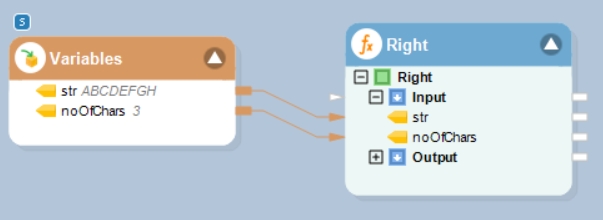
Where,
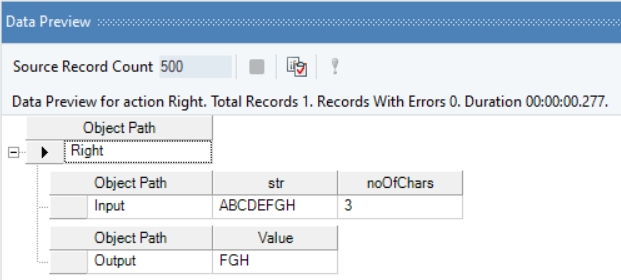
str = ABCDEFGH
noOfChars = 3
Right-click on the function transformation object and select Preview Output. You can see that Astera Data Stack has returned a string of the specified noOfChars, from the right.
Name
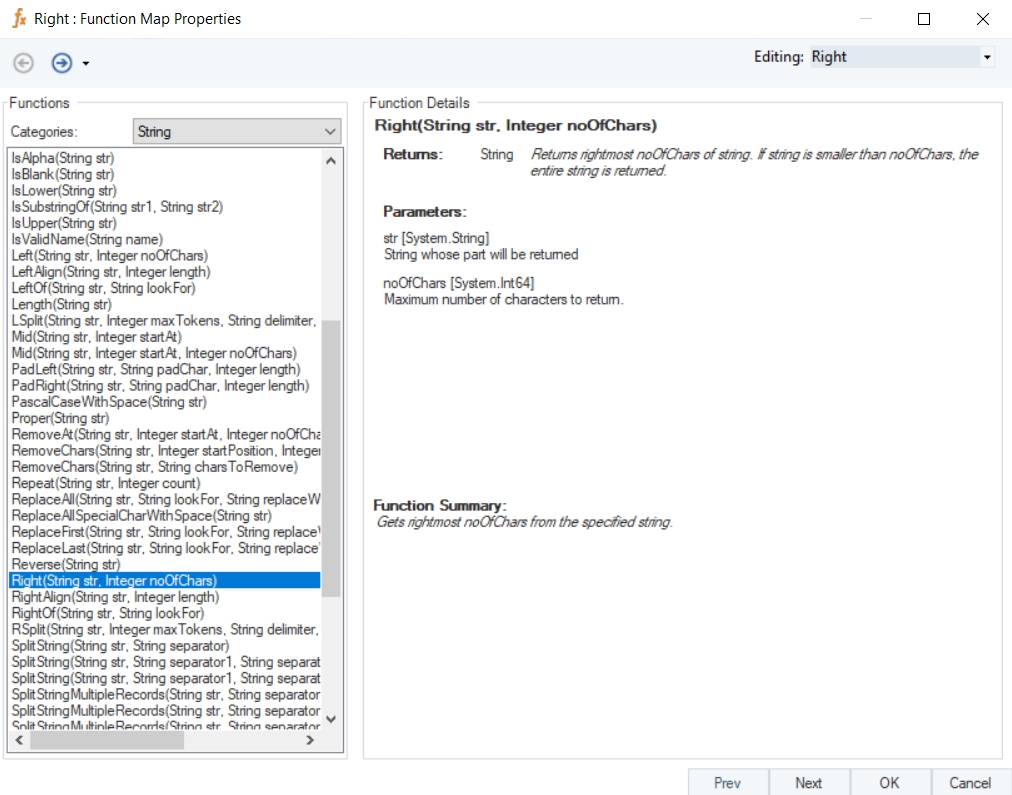
Right
Syntax
String
Purpose
To get the rightmost noOfChars from the specified string.
Description
Returns rightmost noOfChars of string. If string is smaller than noOfChars, the entire string is returned.
Return Type
String
Parameters
Str [System.String] – String whose part will be returned
noOfChars [System.Int64] – Maximum number of characters to return
Example
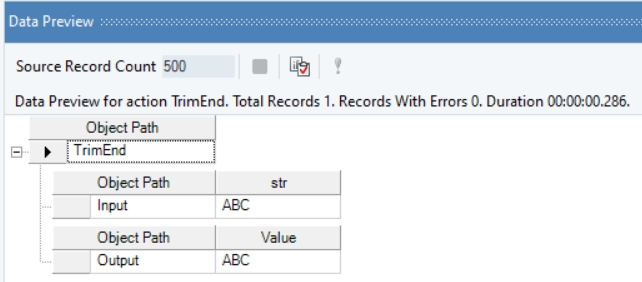
In this example, we are passing the required parameters to the function transformation object using a Variables object.
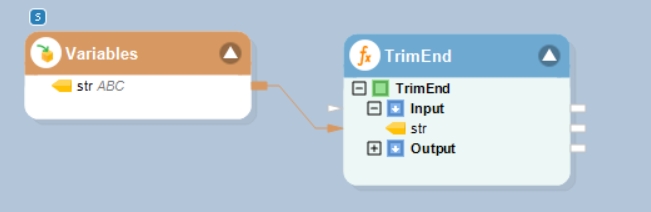
Where,
str: ABC
Right-click on the function transformation object and select Preview Output. You can see that Astera Data Stack has returned a string value, with trimmed trailing whitespace characters.
Name
TrimEnd
Syntax
TrimEnd (String str)
Purpose
To return a string after removing any trailing white space characters from the specified string.
Description
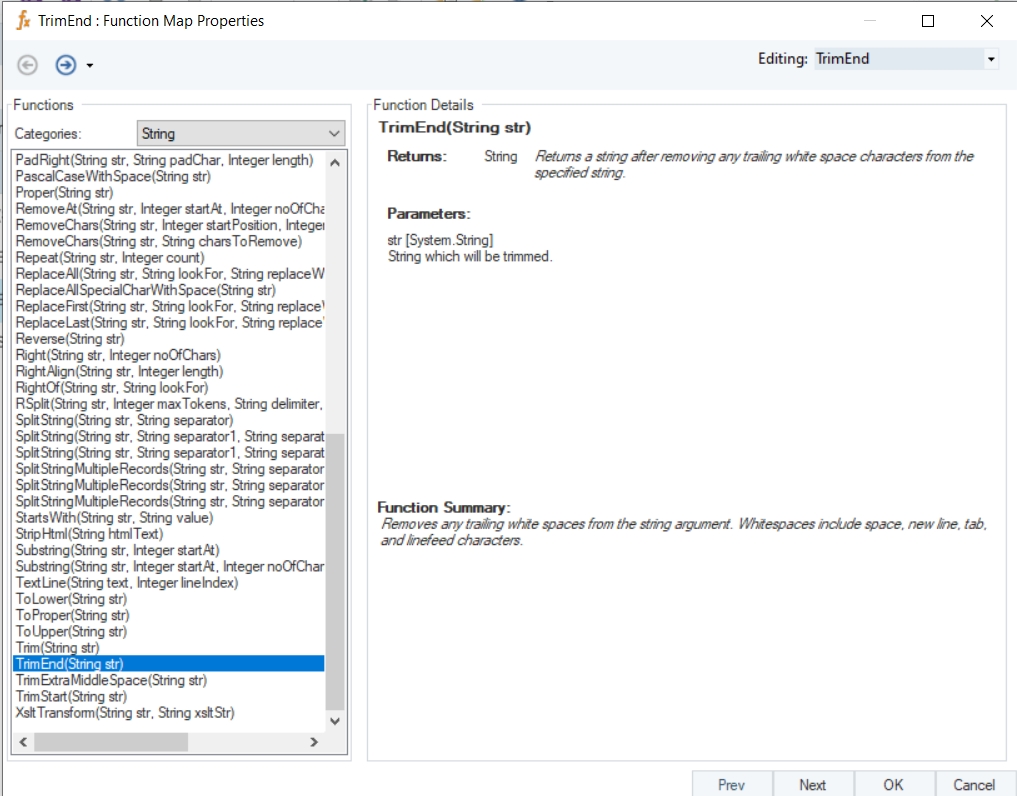
Removes any trailing white spaces from the string argument. Whitespaces include space, new line, tab, and linefeed characters.
Return Type
String
Parameters
str [System.String] – String which will be trimmed
Example
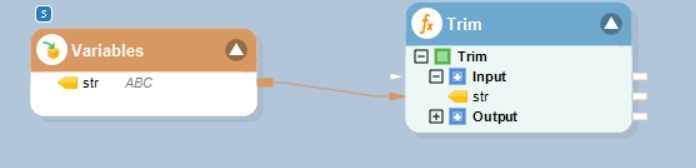
In this example, we are passing the required parameters to the function transformation object using a Variables object.
Where,
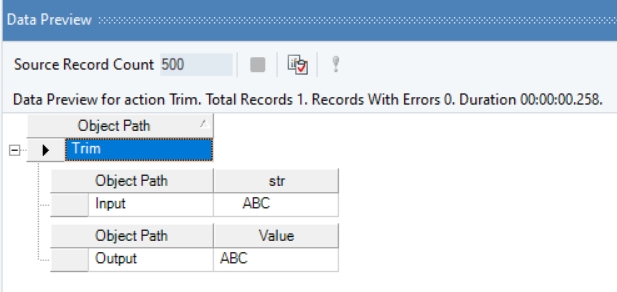
Str: ABC
Right-click on the function transformation object and select Preview Output. You can see that Astera Data Stack has returned a string value, with trimmed leading and trailing whitespace characters.
Name
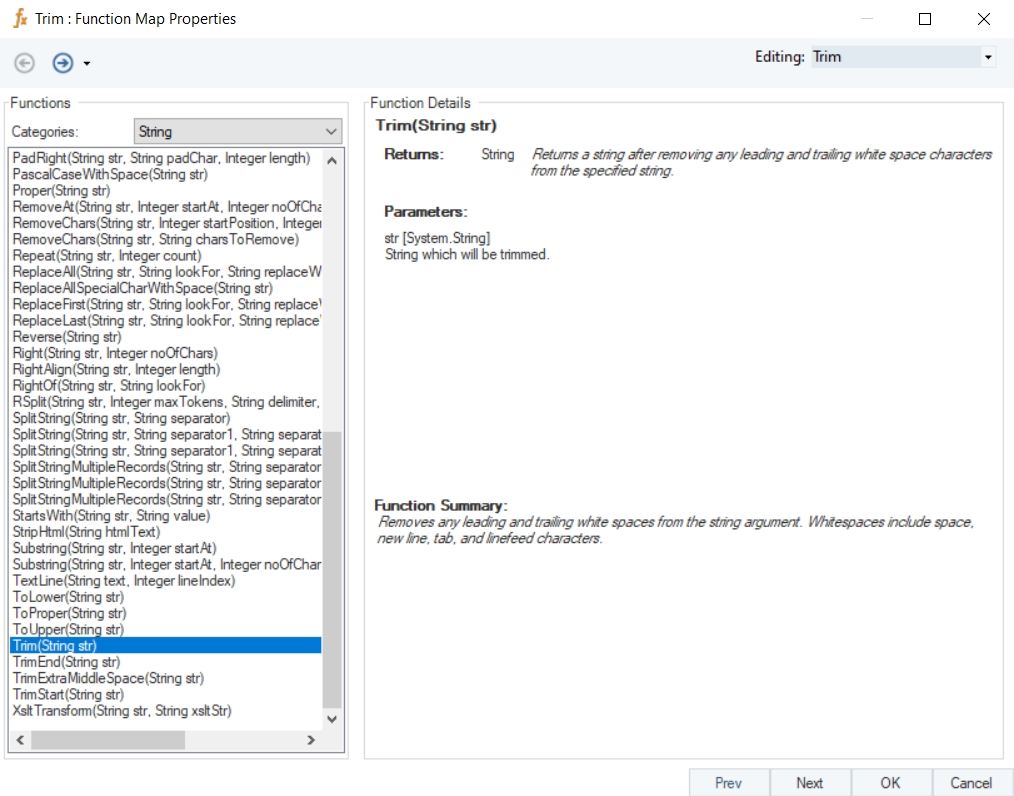
Trim
Syntax
Trim (String str)
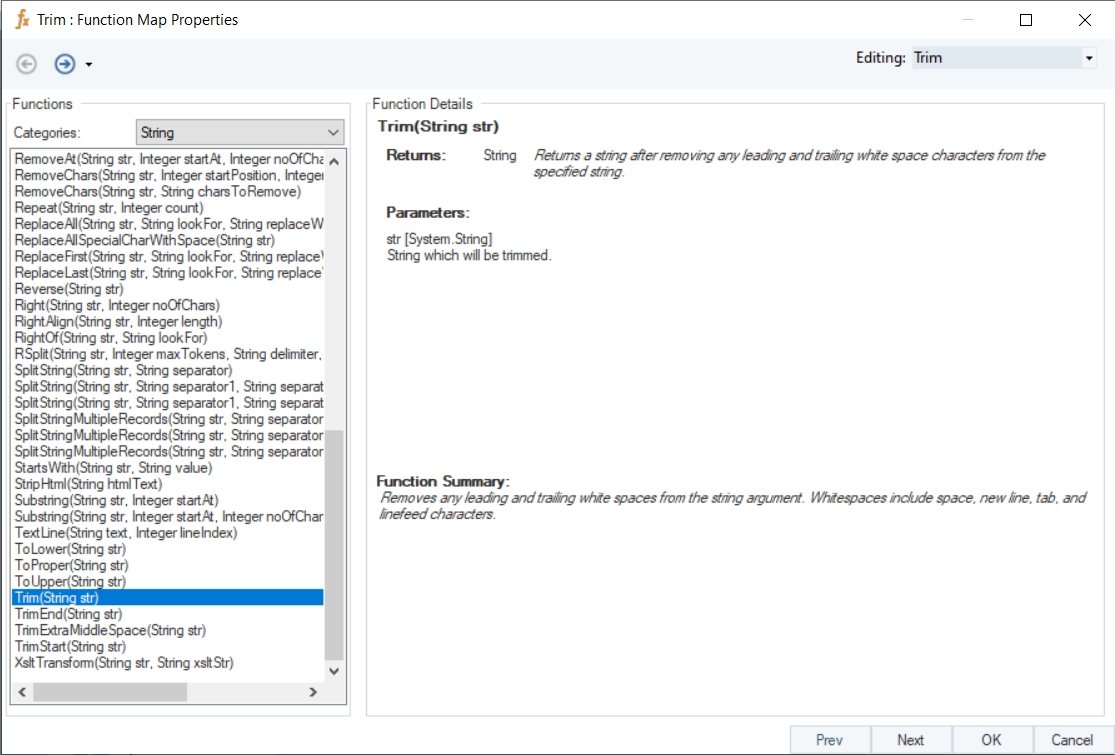
Purpose
To remove the leading and trailing white space characters from the specified string.
Description
Removes any leading and trailing white spaces from the string argument. Whitespaces include spaces, new lines, tabs, and linefeed characters.
Return Type
String
Parameters
str [System.String] – String which will be trimmed
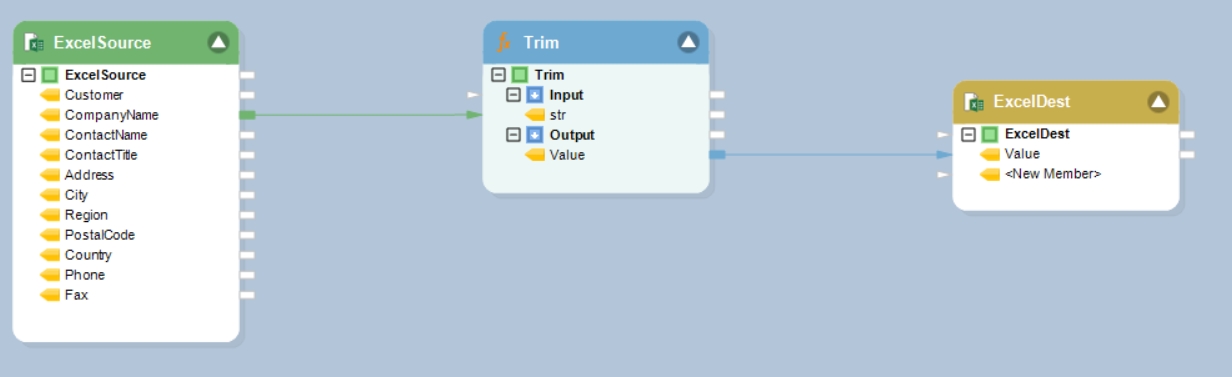
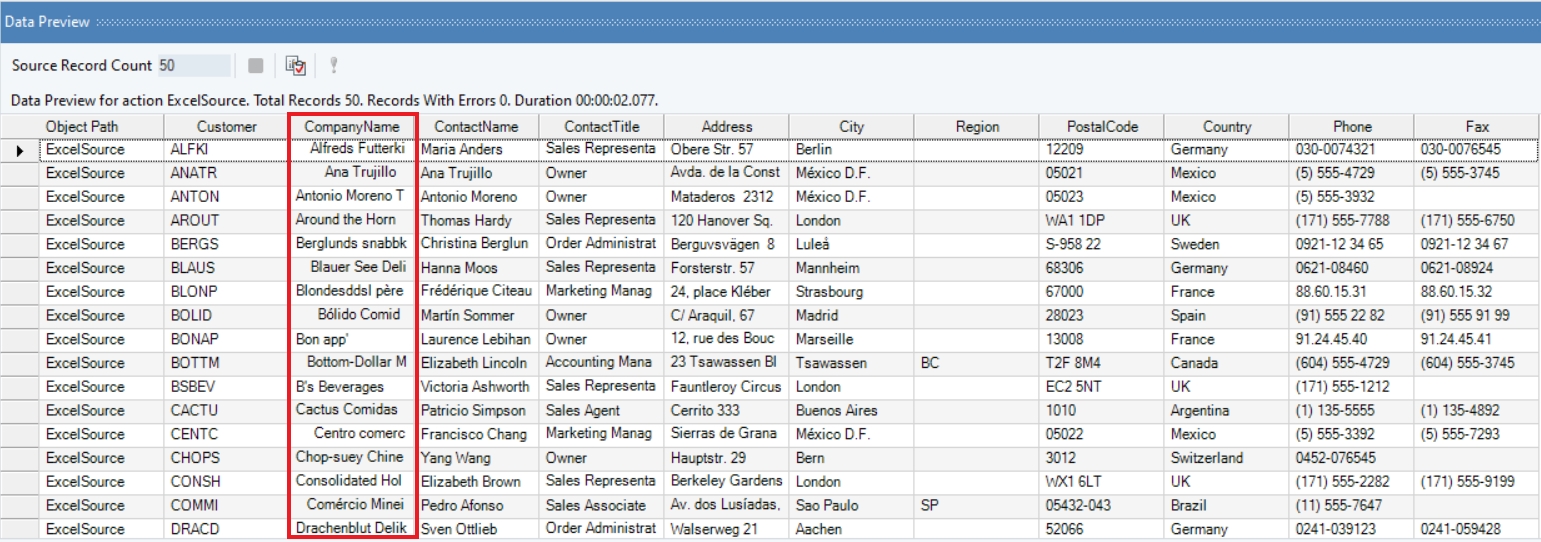
In this example, we have order details of customers residing in an Excel file. We want all the columns to be free of white spaces so that the data is more cleansed, presentable, and ready for further processing.
Map the CompanyName to the str data field under the Input node inside the function transformation object.
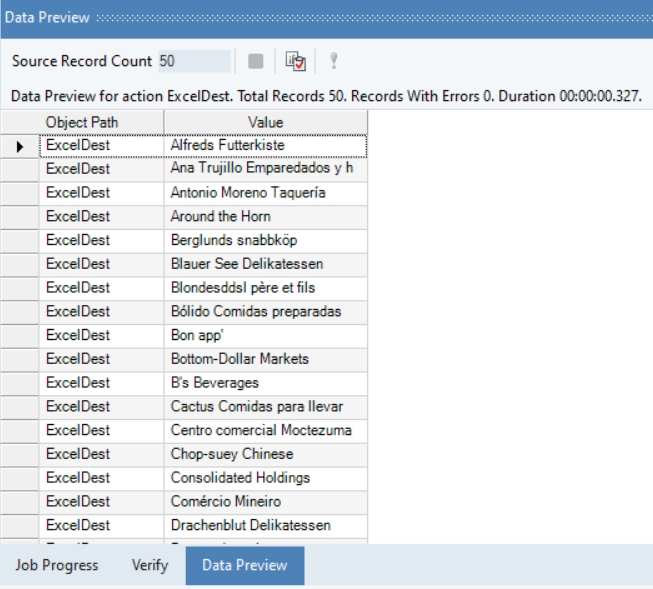
You can see that all the leading and trailing spaces have been removed from the data field.
Name
Trim
Applicable To (DataType)
String
Purpose
To remove any leading or trailing whitespaces.
Description
Removes any leading and trailing white spaces from the string argument. Whitespaces also include space, new line, tab, and linefeed characters.
Return Type
String
Syntax
str [System.String] – string which will be trimmed.
Example
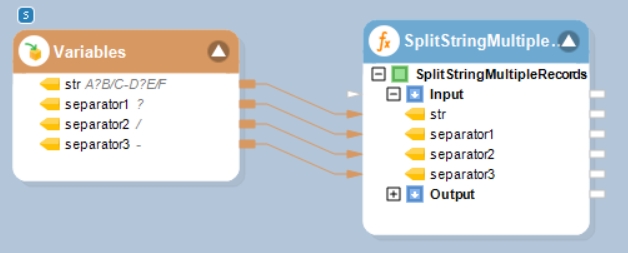
In this example, we are passing the required parameters to the function transformation object using a Variables object.
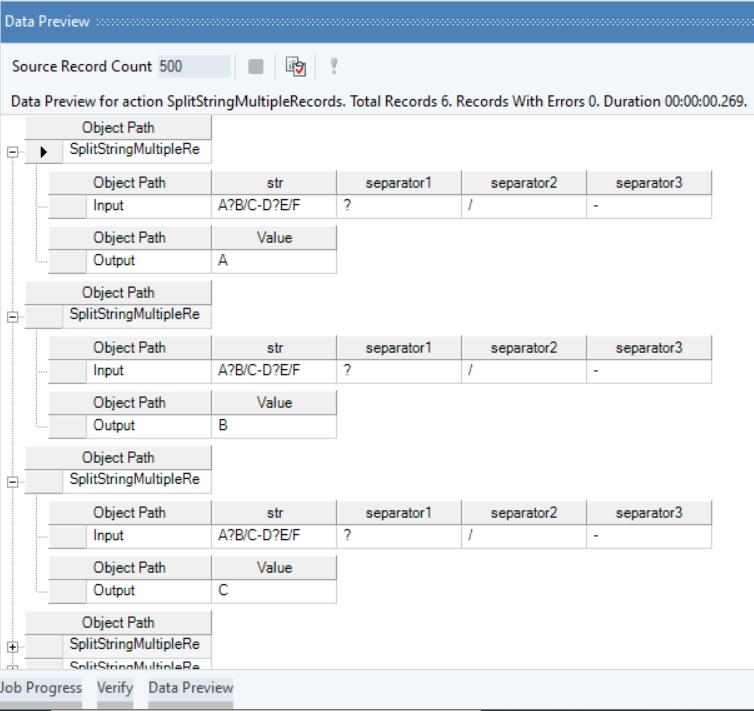
Where,
str: A?B/C-D?E/F
separator1 = ?
separator2 = /
separator3 = -
Right-click on the function transformation object and select Preview Output. You can see that Astera Data Stack has returned the different parts of the split string as separate records, on the basis of the specified delimiter (separator) values.
Name
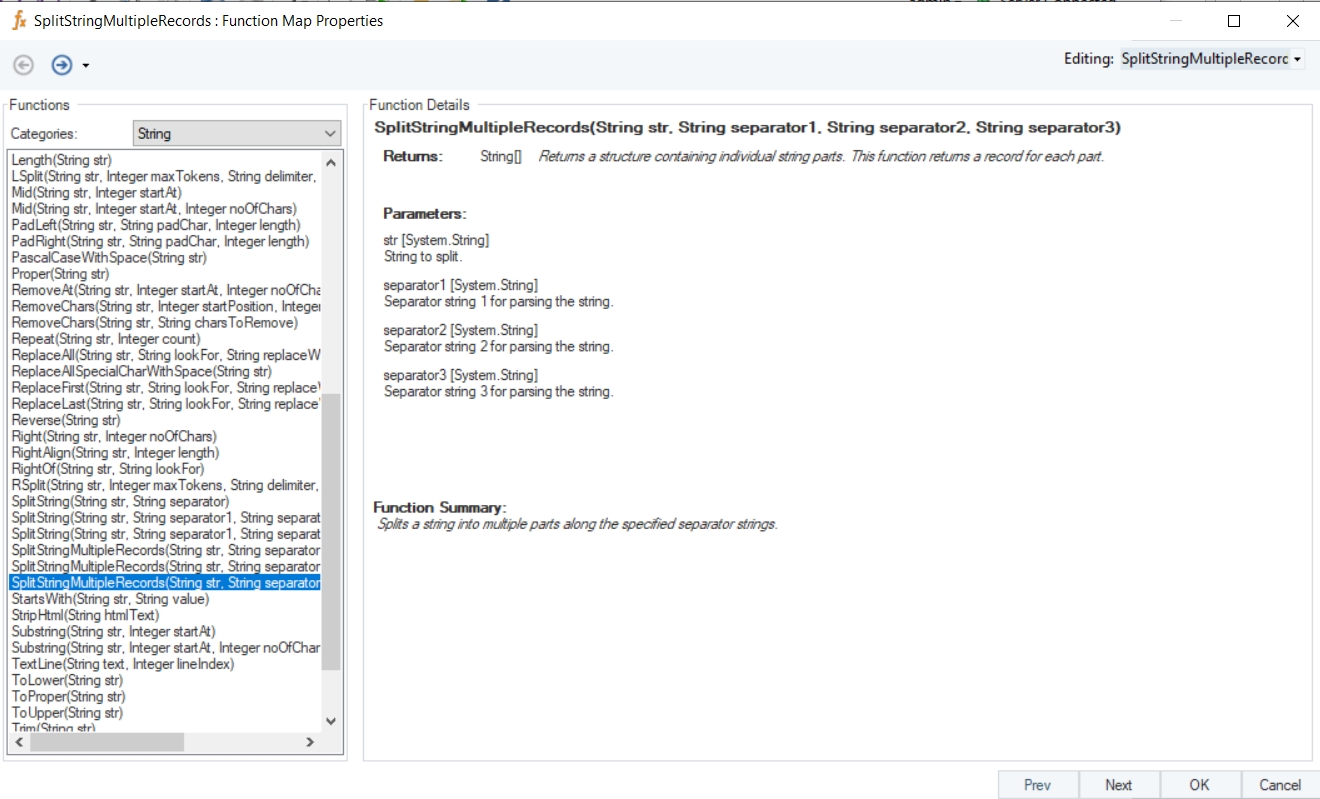
SplitStringMultipleStrings
Syntax
SplitStringMultipleStrings (String str, String separator1, String separator2, String separator3)
Purpose
To split a string into multiple parts along the specified separator strings and return results as separate records.
Description
Returns a structure containing individual string parts. This function returns a record for each part.
Return Type
String
Parameters
str [System.String] – String to split
separator1 [System.String] – Separator string 1 for parsing the string
separator2 [System.String] – Separator string 2 for parsing the string
separator3 [System.String] – Separator string 3 for parsing the string
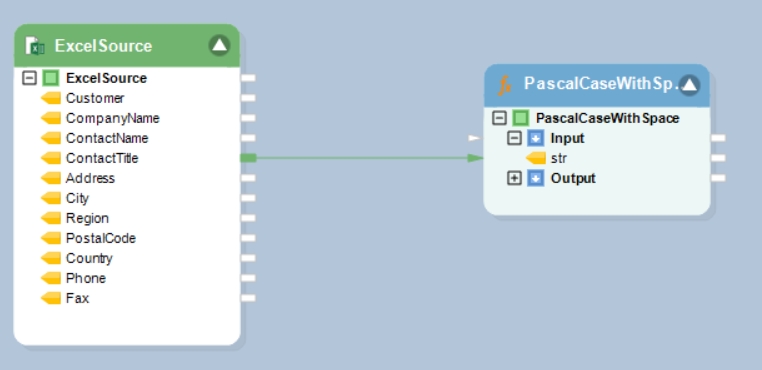
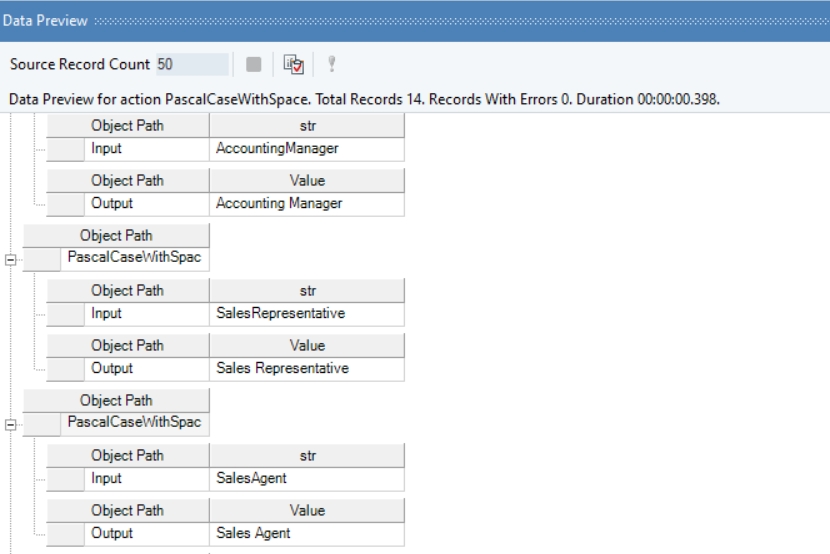
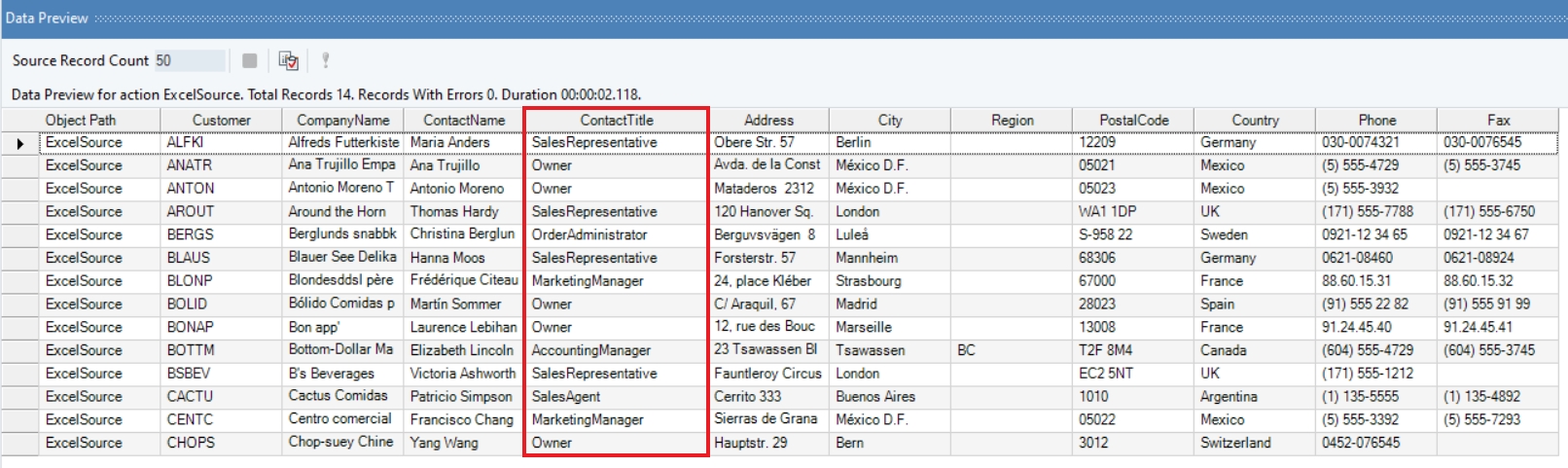
We have a customers' dataset in which the ContactTitle field is in pascal case. Our goal is to add spaces between the characters in this field.
We will map the ContactTitle data field to the str under the Input node inside the Function transformation object.
In the output, you can see that the data inside the ContactTitle field has been converted to proper case.
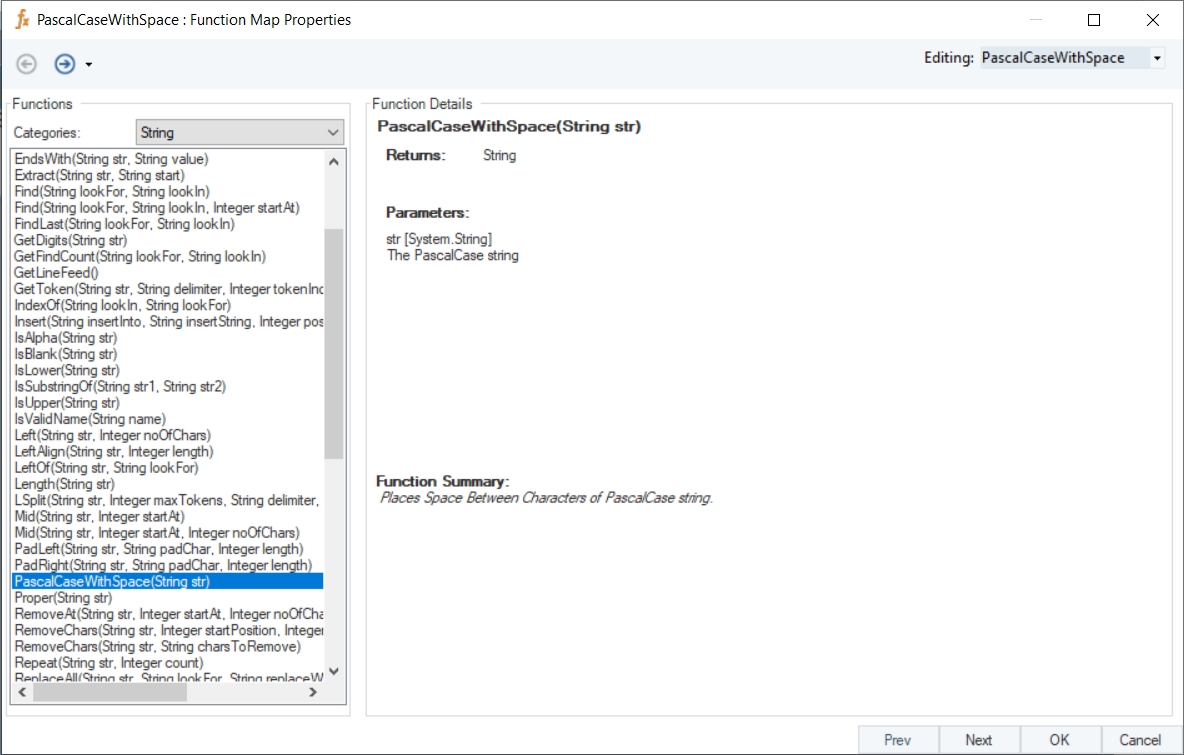
Name
PascalCaseWithSpace
Applicable To (DataType)
String
Purpose
To insert a space between a string written in PascalCase.
Description
Places a space between characters of PascalCase string.
Return Type
String
Syntax
str [System.String] – the PascalCase string
Example
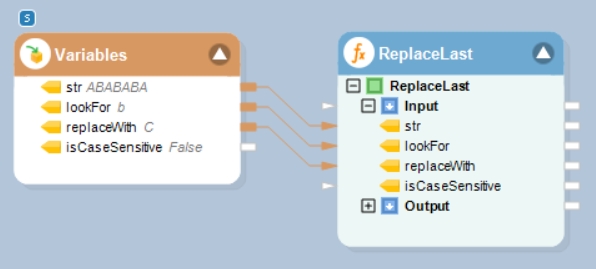
In this example, we are passing the required parameters to the function transformation object using a Variables object.
Where,
str = ABABABA
lookFor = b
replaceWith = C
charsToRemove = False
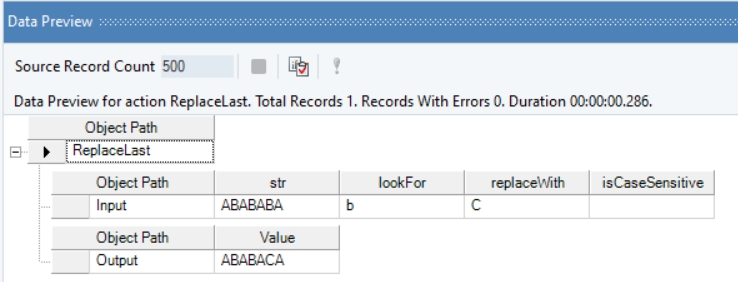
Right-click on the function transformation object and select Preview Output. You can see that Astera Data Stack has returned a string, having replaced the last occurrence of a specified string with another provided string.
Name
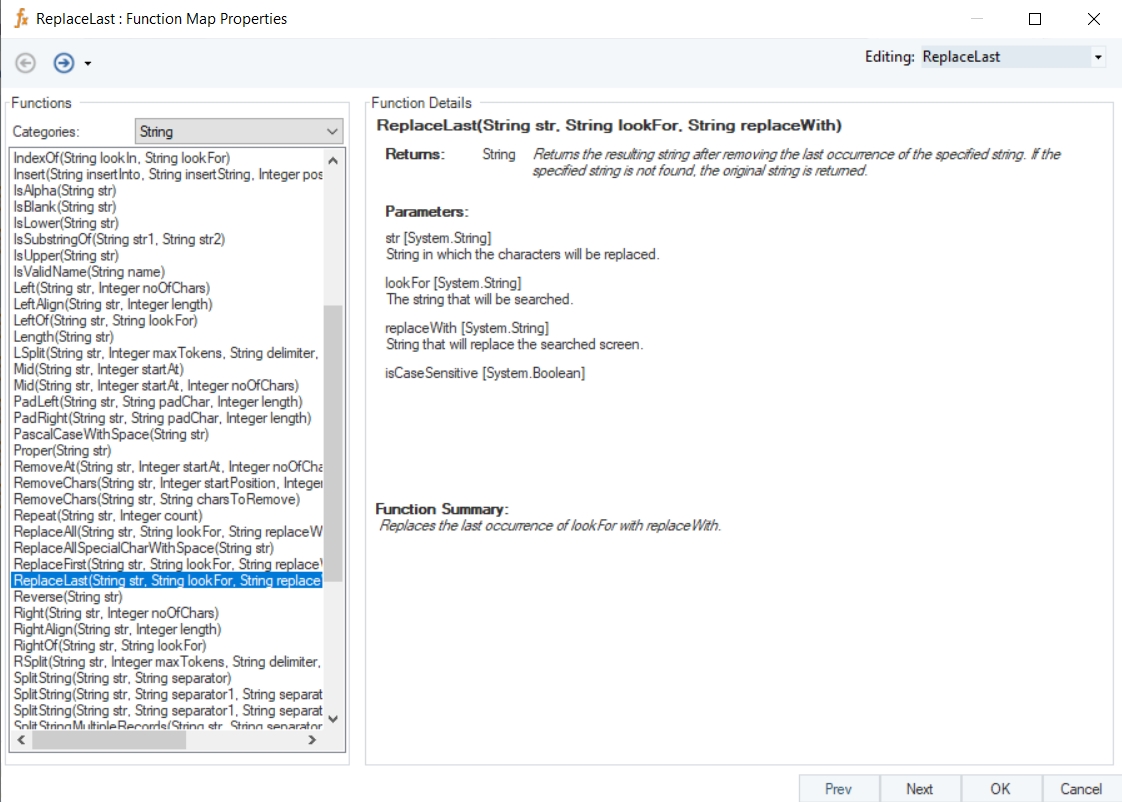
ReplaceLast
Syntax
ReplaceLast (String str, String lookFor, String replaceWith)
Purpose
To replace the last occurrence of lookFor with replaceWith.
Description
Returns the resulting string after removing the last occurrence of the specified string. If the specified string is not found, the original string is returned.
Return Type
String
Parameters
Str [System.String] – String in which the characters will be replaced
lookFor [System.String] – The string that will be searched
replaceWith [System.String] – String that will replace the searched string
isCaseSenitive [System.Boolean]
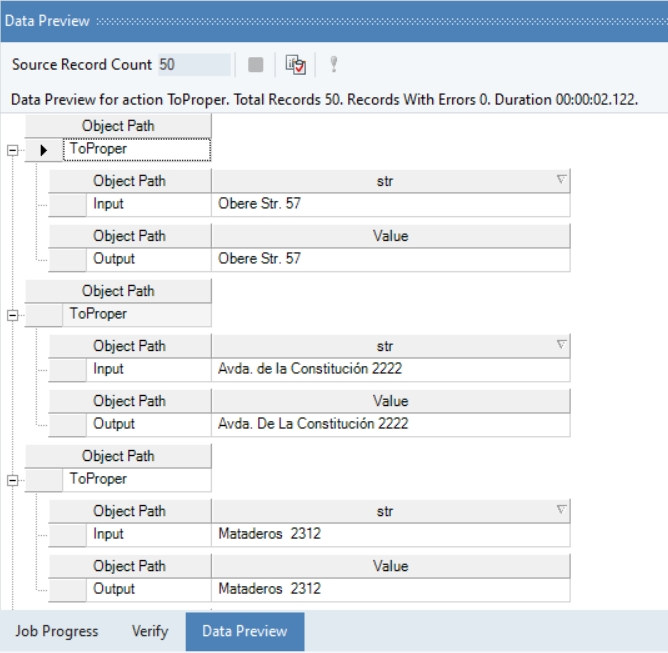
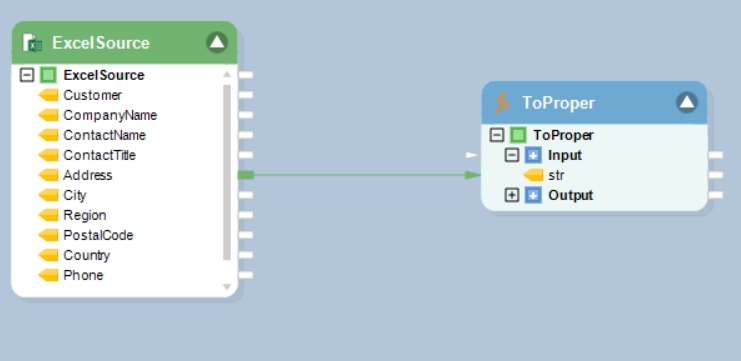
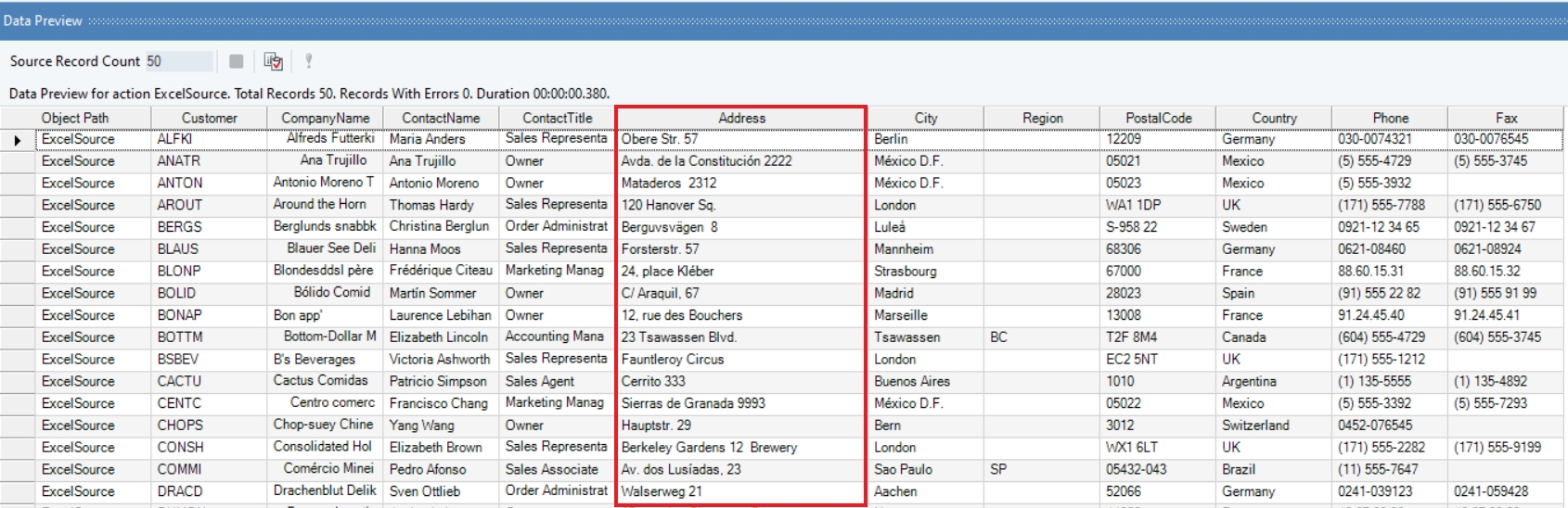
We have a customers data in which we want to convert the Address information into proper case.
We will map the Address data field to the str under the Input node inside the function transformation object.
You can see that the data inside the Address field has been converted to proper case.
Name
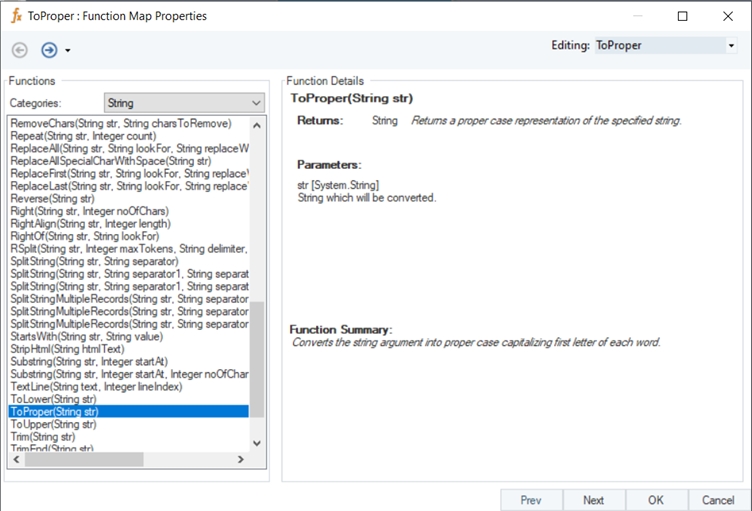
ToProper
Applicable To (DataType)
String
Purpose
To convert the information in the data field to proper case.
Description
Converts the string argument into proper case by capitalizing the first letter of each word.
Return Type
String
Syntax
str [System.String] – string which will be converted.
Example
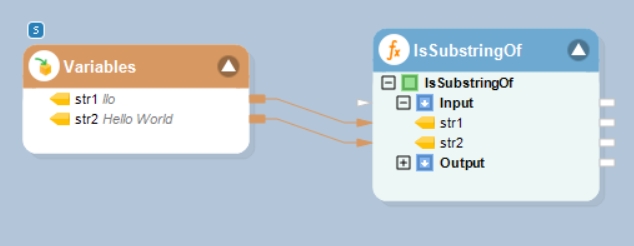
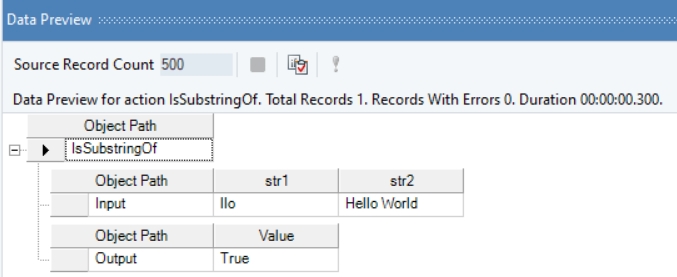
In this example, we are passing the required parameters to the function transformation object using a Variables object.
Where,
str1 = llo
str2 = Hello World
Right-click on the function transformation object and select Preview Output. You can see that Astera Data Stack has returned “True”, as the str1 value is a substring of the specified str2 value.
Name
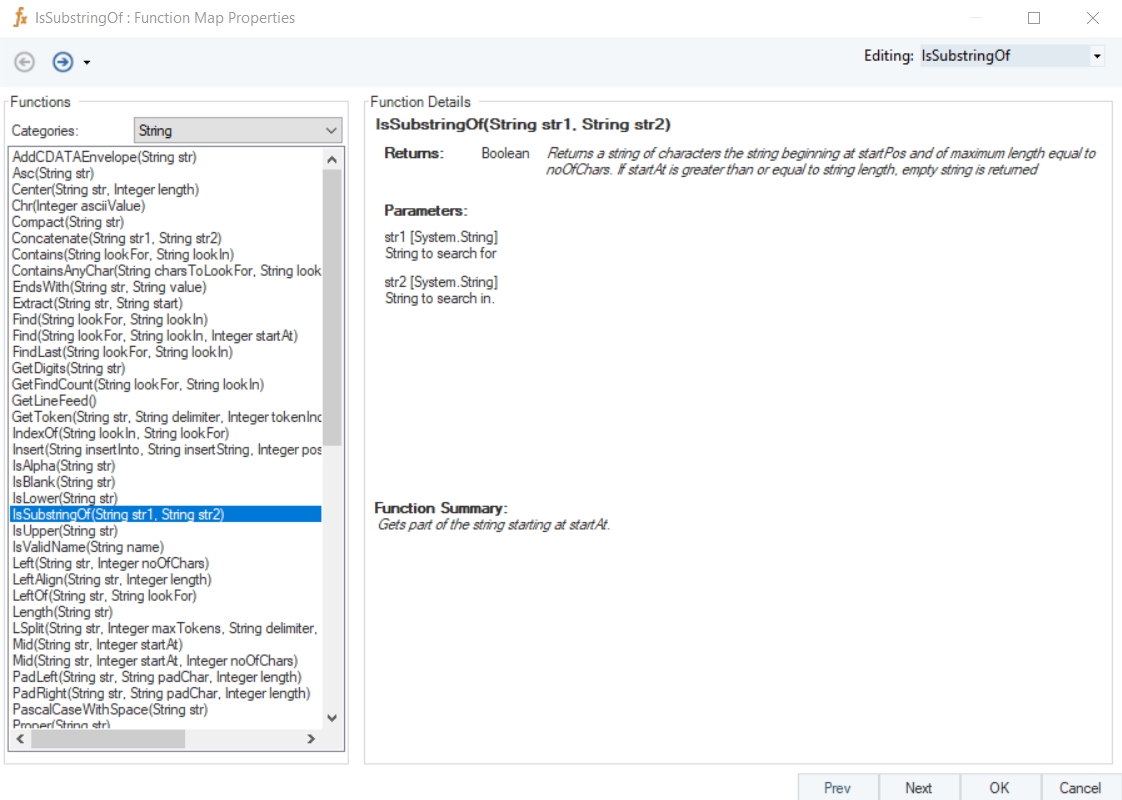
IsSubstringOf
Syntax
IsSubstringOf (String str1, String str2)
Purpose
To search specified string for another specified string value and return True if the latter is a substring of str2.
Description
Checks whether specified string is a substring of another string value. Note: Is case sensitive.
Return Type
Boolean
Parameters
str1 [System.String] – String to search for
str2 [System.String] – String to search in
Example
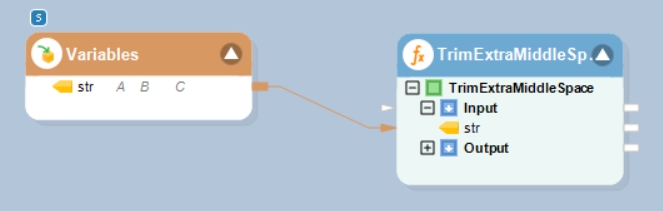
In this example, we are passing the required parameters to the function transformation object using a Variables object.
Where,
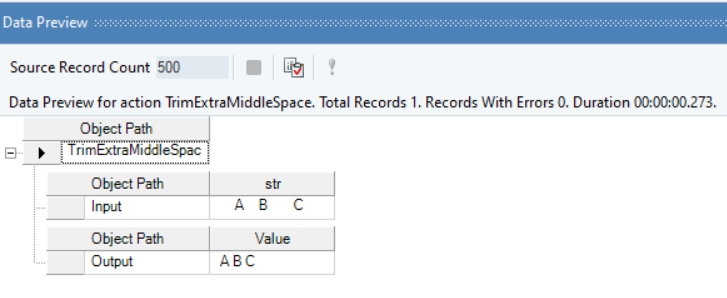
str: A B C
Right-click on the function transformation object and select Preview Output. You can see that Astera Data Stack has returned a string value, with any extra spaces removed.
Name
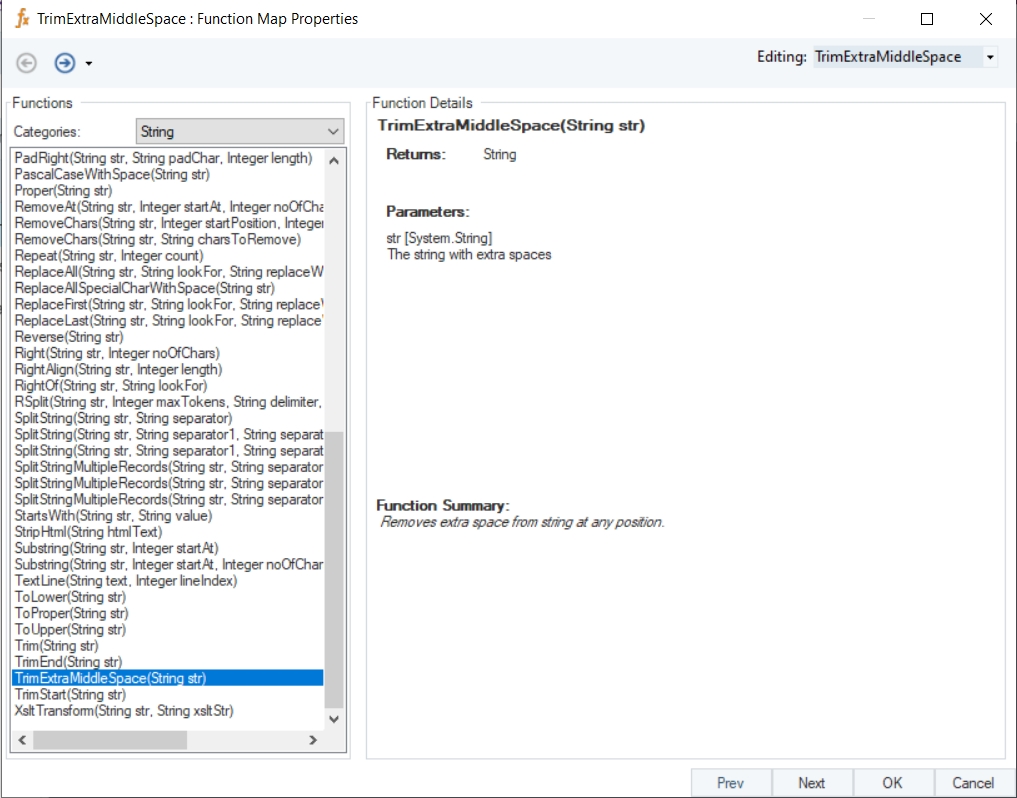
TrimExtraMiddleSpace
Syntax
TrimExtraMiddleSpace (String str)
Purpose
To return a string after removing any extra spaces in a string.
Description
Removes extra space from string at any position.
Return Type
String
Parameters
str [System.String] – The string with extra spaces
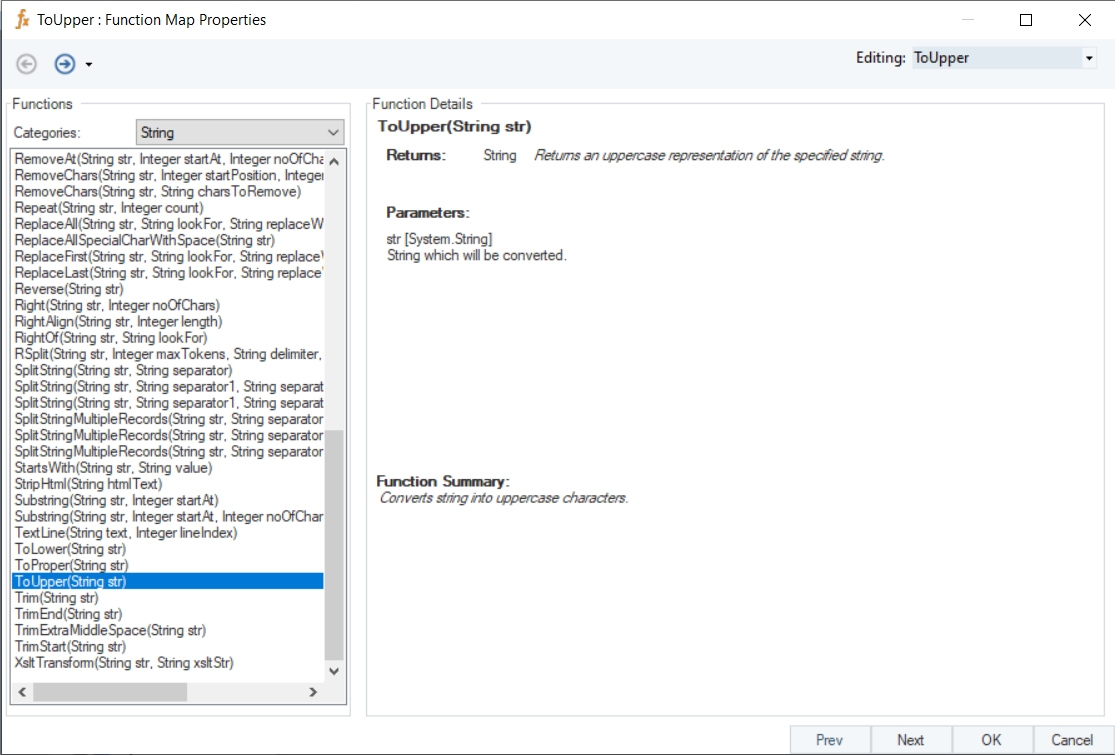
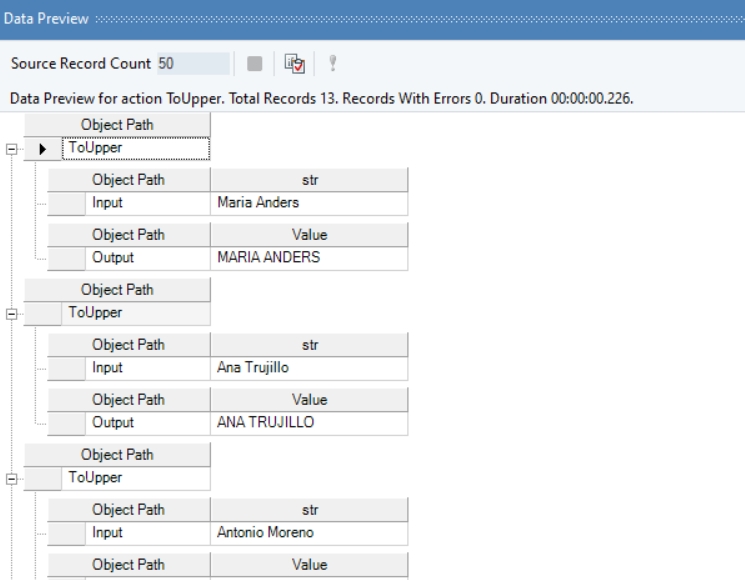
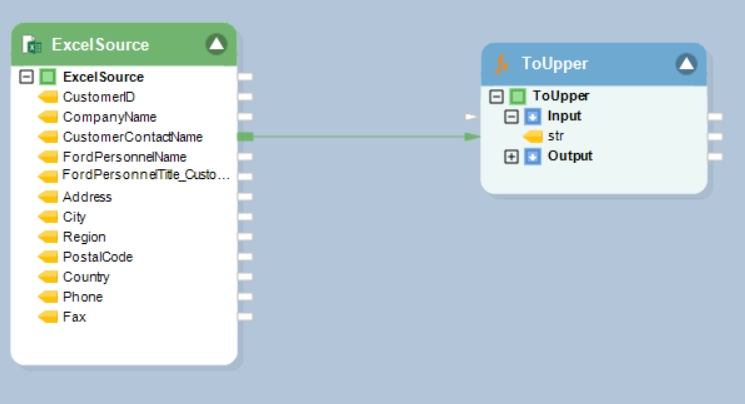
In this example, we have customers data stored in an Excel sheet. We want to convert CustomerContactName into uppercase. So, we will map the CustomerContactName data field to str data field under the Input node inside the function transformation object.
Right-click on the function transformation object and select Preview Output. You can see that the value inside the data field has been converted into uppercase.
Name
ToUpper
Applicable To (DataType)
String
Purpose
To convert the string into uppercase characters.
Description
Converts a string into uppercase characters.
Return Type
String
Syntax
str [System.String] – string which will be converted.
str [System.String] – String that will be searched
value [System.String] – Value that will be searched
lookFor [System.String] – String to search for
lookIn [System.String] – String to search in
startAt [System.Int32] – Position to start searching at. Zero indicates the first position
isCaseSensitive [System.Boolean] – Is Case Sensitive
str [System.String] – The string to search in
start [System.String] – The beginninh part of the string to search for
end [System.String] – The optional ending of the string to search for
isCaseSensitive [System.Boolean] – True to match
str [System.String] – String to remove non-numeric characters from
insertInto [System.String] – String in which the other string will be inserted
insertString [System.string] – String which will be inserted
position [System.Int64] – Position at which the string will be inserted
str [System.String] – a string
delimiter [System.String] – Delimited string (delimiter)
tokenIndex [System.Int32]
str [System.String] – String containing the character to test
index [System.Int32] – Numerical position of the character in the string to test. If not specified, index is presumed to be 0
lookIn [System.String] – String to search in
lookFor [System.String] – String to search for
isCaseSensitive [System.Boolean] – Is Case Sensitive
str [System.String] – String containing the character to test
index [System.Int32] – Numerical position of the character in the string to test. If not specified, index is presumed to be 0
str [System.String] – String containing the character to test
index [System.Int32] – Numerical position of the character in the string to test. If not specified, index is presumed to be 0
str [System.String] – Value for which length will be returned
startAt [System.Int64] – Start position of the string to return
Str [System.String] – The Input string
str [System.String] – String to split
separator1 [System.String] – Separator string 1 for parsing the string
separator2 [System.String] – Separator string 2 for parsing the string
separator3 [System.String] – Separator string 3 for parsing the string
Name
Left
Syntax
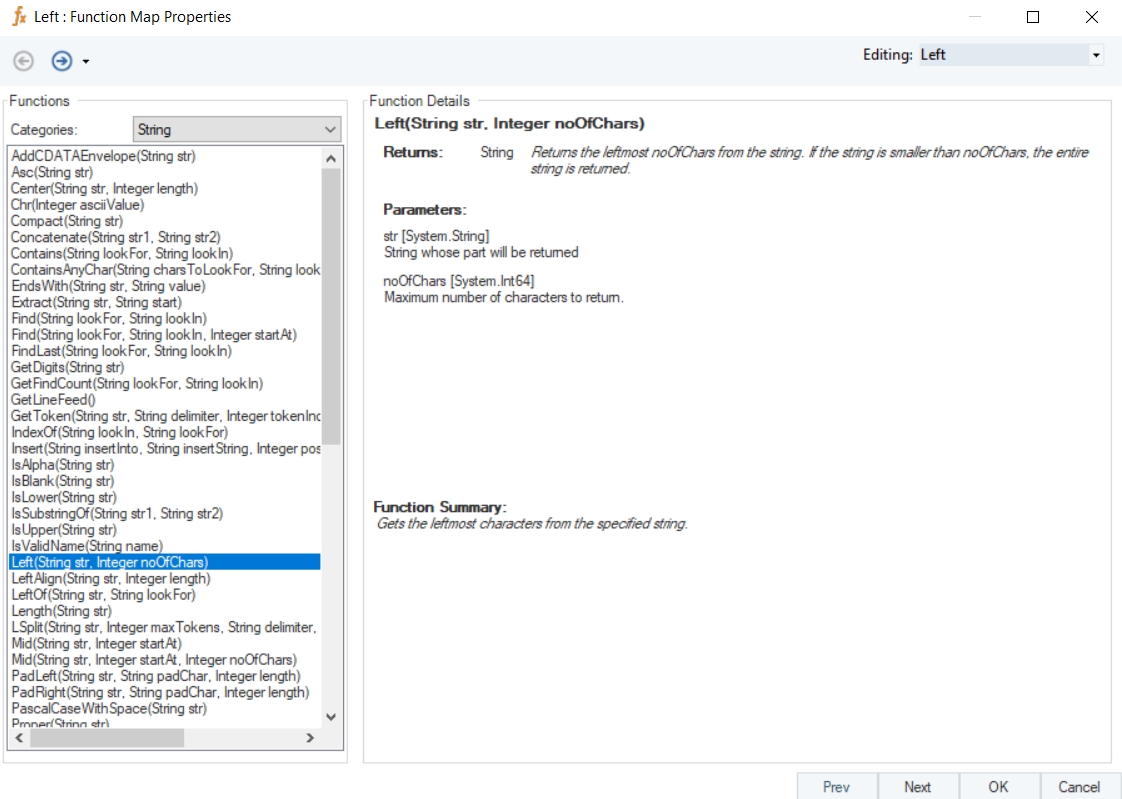
Left (String str, Integer noOfChars)
Purpose
To get the leftmost characters from the specified string.
Description
Returns the leftmost noOfChars from the string. If the string is smaller than noOfChars, the entire string is returned.
Return Type
String
Parameters
Example
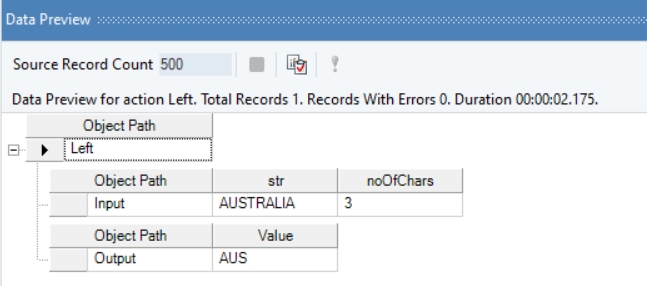
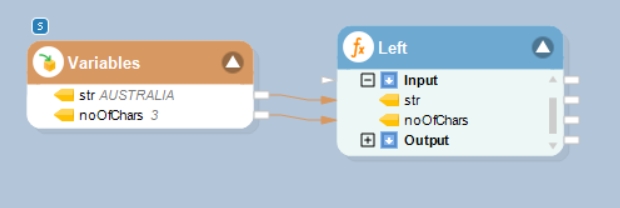
In this example, we are passing the required parameters to the function transformation object using a Variables object.
Where,
str = AUSTRALIA
noOfChars = 3
Right-click on the function transformation object and select Preview Output. You can see that Astera Data Stack has returned the first three characters of the specified string.
Name
SplitStringMultipleStrings
Syntax
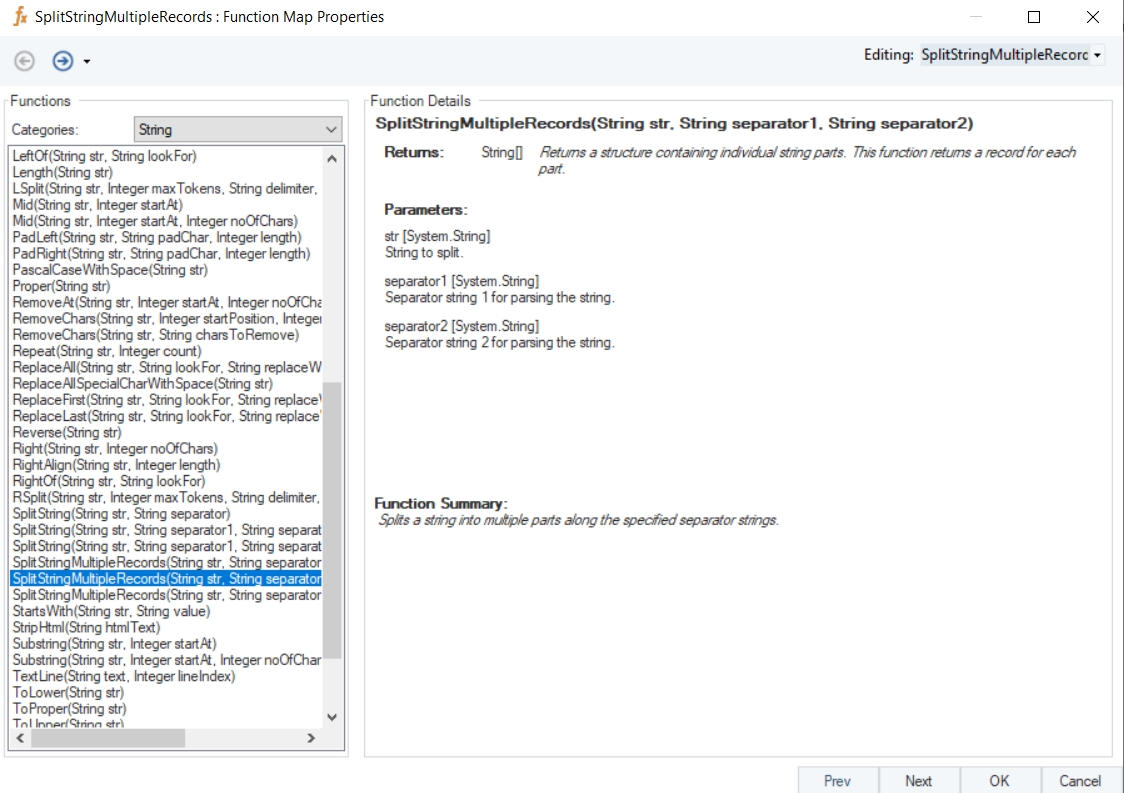
SplitStringMultipleStrings (String str, String separator1, String separator2)
Purpose
To split a string into multiple parts along the specified separator strings and return results as separate records.
Description
Returns a structure containing individual string parts. This function returns a record for each part.
Return Type
String
Parameters
Example
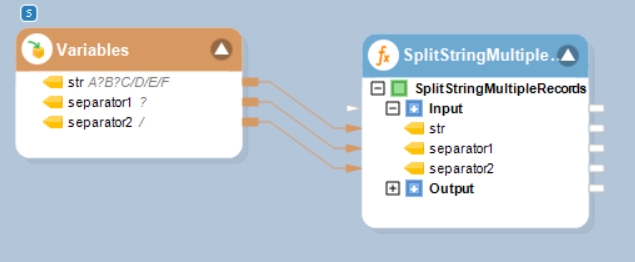
In this example, we are passing the required parameters to the function transformation object using a Variables object.
Where,
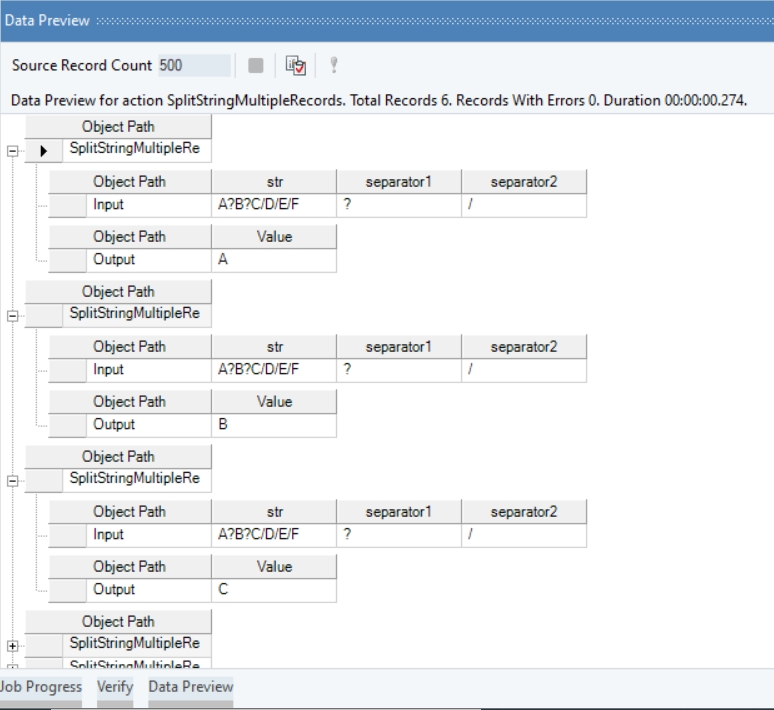
str: A?B?C/D/E/F
separator1 = ?
separator2 = /
Right-click on the function transformation object and select Preview Output. You can see that Astera Data Stack has returned the different parts of the split string as separate records, on the basis of the specified delimiter (separator) values.
Name
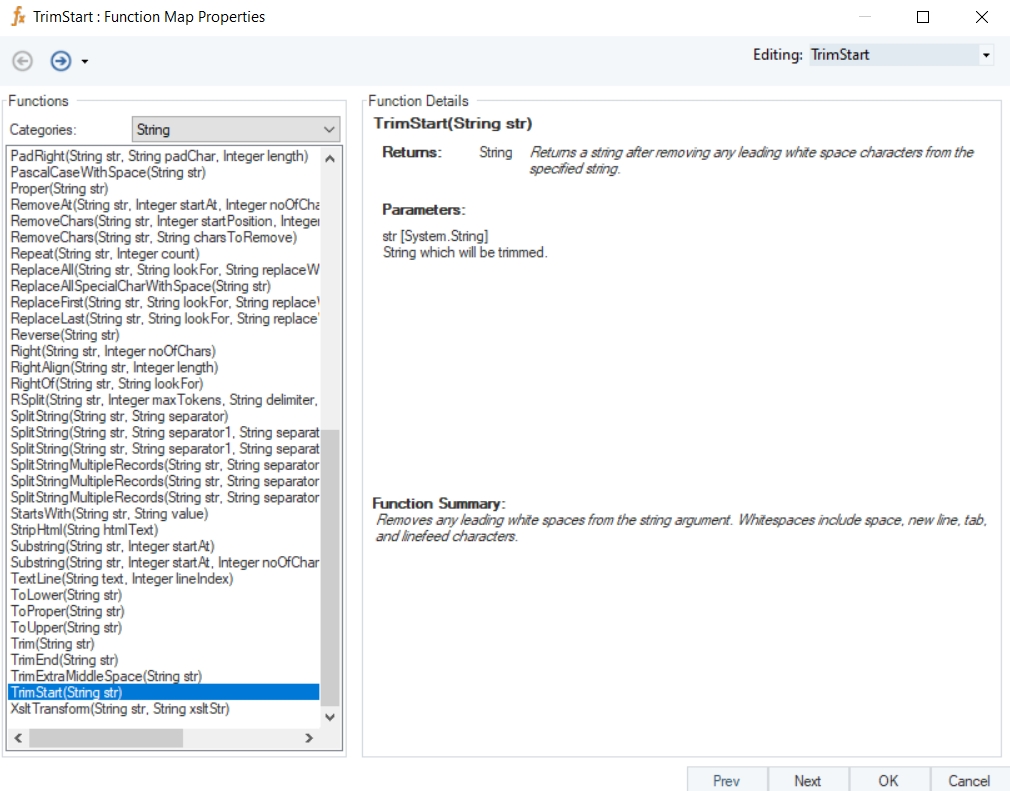
TrimStart
Syntax
TrimStart (String str)
Purpose
To return a string after removing any leading white space characters from the specified string.
Description
Removes any leading white spaces from the string argument. Whitespaces include space, new line, tab, and linefeed characters.
Return Type
String
Parameters
Example
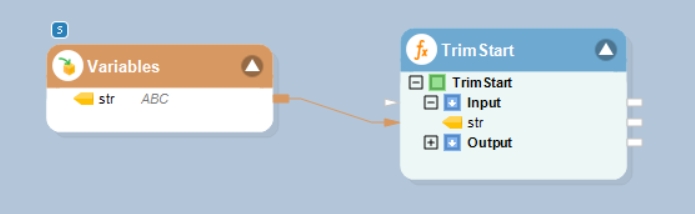
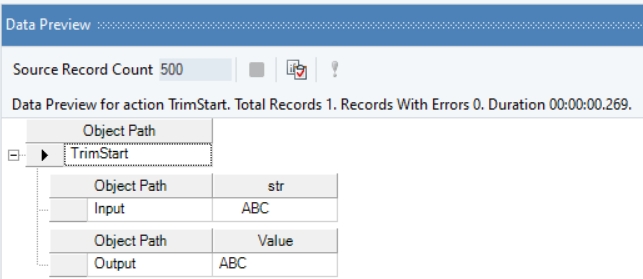
In this example, we are passing the required parameters to the function transformation object using a Variables object.
Where,
str: ABC
Right-click on the function transformation object and select Preview Output. You can see that Astera Data Stack has returned a string value, with trimmed leading whitespace characters.
Name
SplitString
Syntax
SplitString (String str, String separator)
Purpose
To split a string into multiple parts along the separator string.
Description
Returns a structure containing individual string parts. This function returns up to 10 parts.
Return Type
String
Parameters
Example
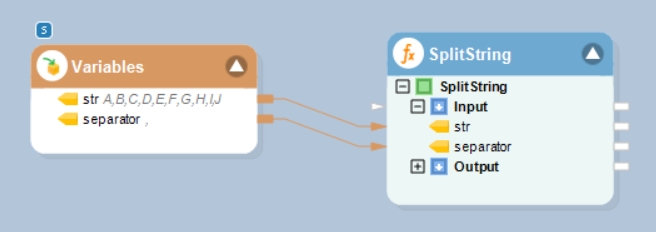
In this example, we are passing the required parameters to the function transformation object using a Variables object.
Where,
str = A,B,C,D,E,F,G,H,I,J
separator = ,
Right-click on the function transformation object and select Preview Output. You can see that Astera Data Stack has returned the split string.
Name
RemoveChars
Applicable To (DataType)
String
Purpose
To remove the occurrences of a character specified in charsToRemove parameter.
Description
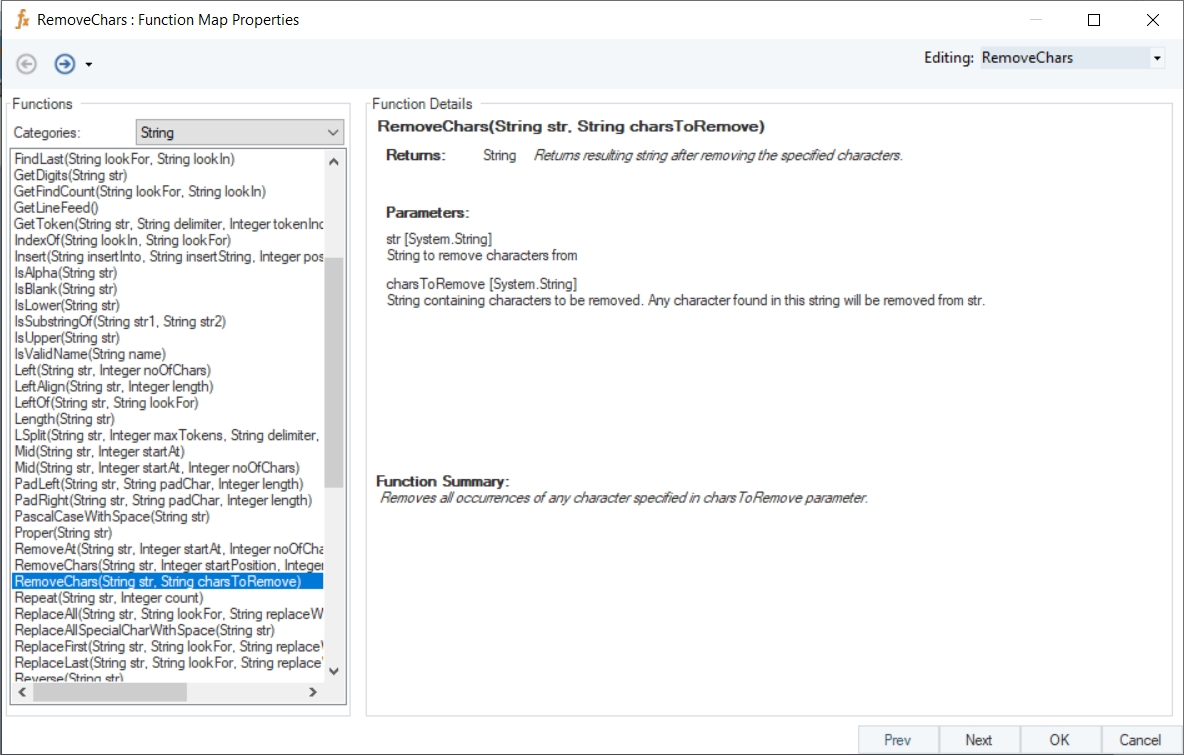
Removes all occurrences of any character specified in charsToRemove parameter.
Return Type
String
Syntax
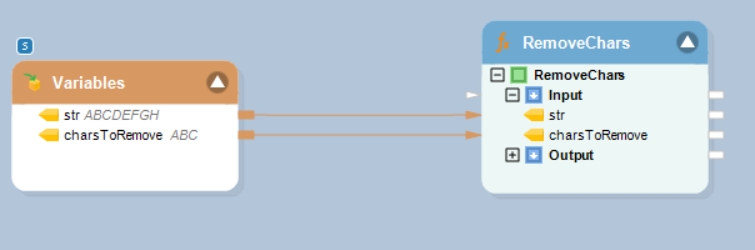
In this example, we have are passing the required parameters using a Variables object where:
str = ABCDEFGH
charsToRemove = ABC
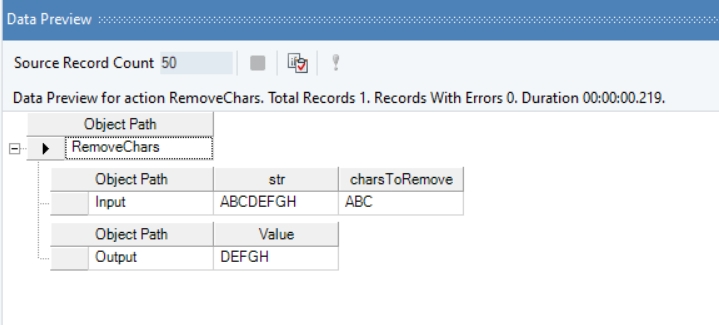
Right-click on the function transformation object and select Preview Output. You can see that the specified characters in charsToRemove have been removed.
Name
SplitString
Applicable To (DataType)
String
Purpose
To split a string into multiple parts.
Description
Splits a string into multiple parts along the specified separator string.
Return Type
String
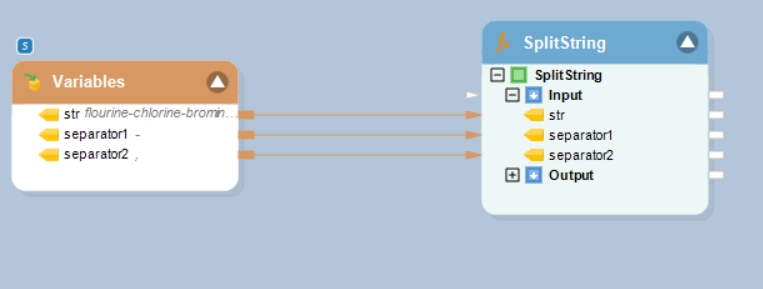
In this example, we are passing the required parameters by the function transformation through a Variables object.
Where,
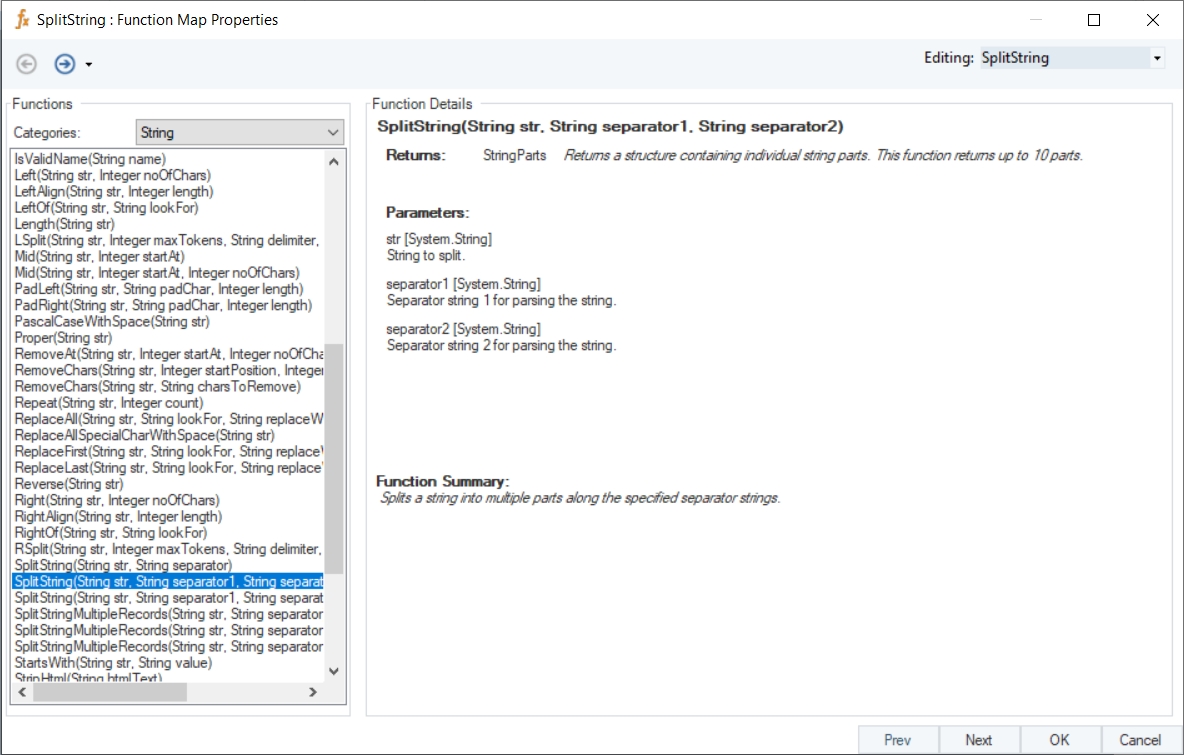
str = flourine-chlorine-bromine-iodine-astatine-helium-neon-argon,krypton,xenon
separator1 = -
separator2 = ,
Right-click on the function transformation object and select Preview Output. You can see that Astera Data Stack has split the string into 10 parts based on the given separators.
Name
ReplaceFirst
Applicable To (DataType)
String
Purpose
To replace the first occurrence of the string with your desired value.
Description
Replaces first occurrence of lookFor with replaceWith.
Return Type
String
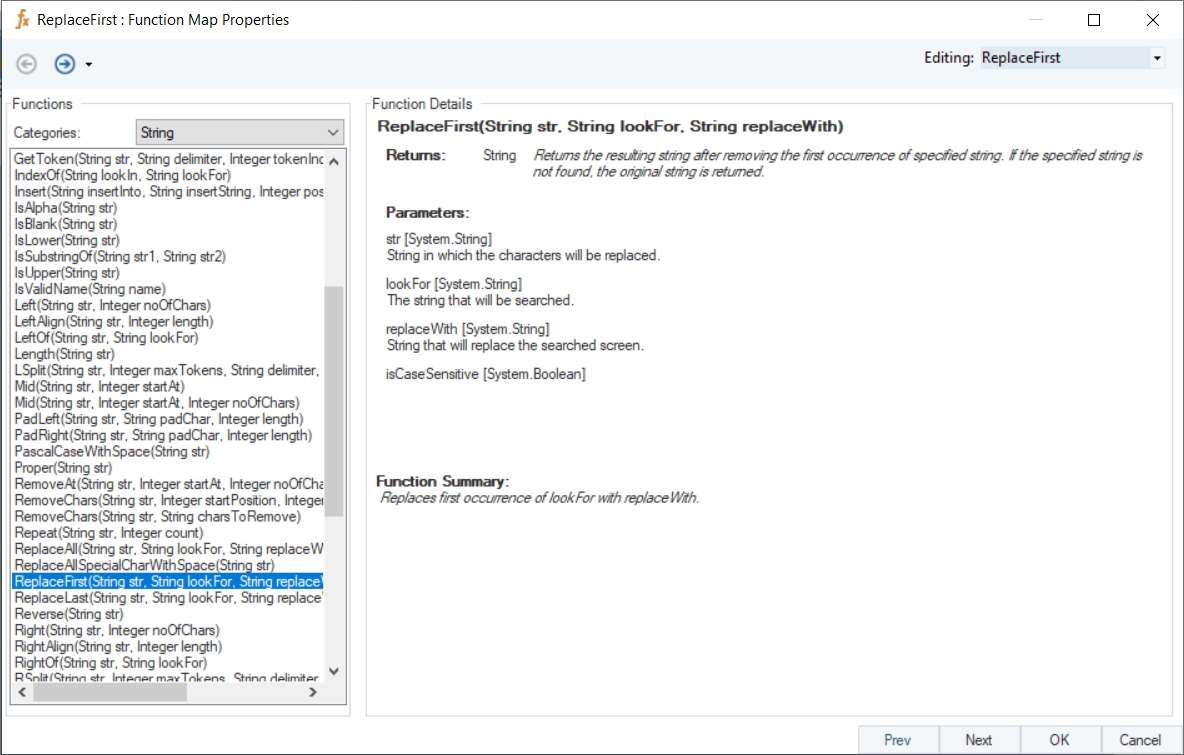
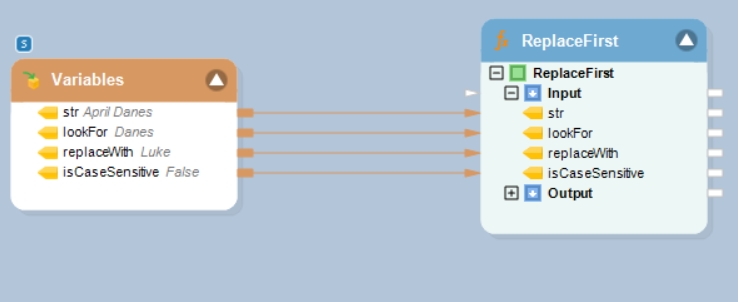
In this example, we are passing the required parameters to the data fields under the Input node inside the function transformation object.
Where,
str = April Danes
lookFor = Danes
replaceWith = Luke
isCaseSensitive = False
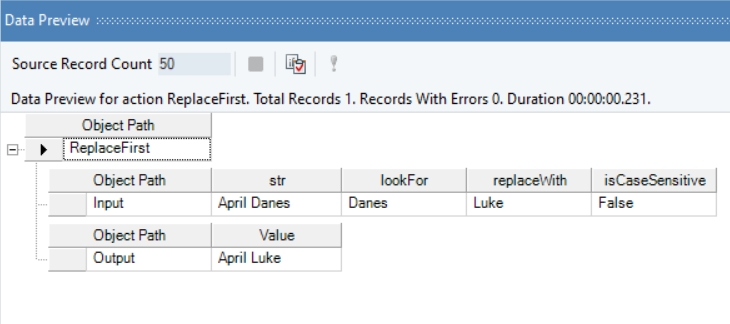
Right-click on the function transformation object and select Preview Output. You can see that the “Danes” has been replaced by “Luke” successfully.
Name
Proper
Applicable To (DataType)
String
Purpose
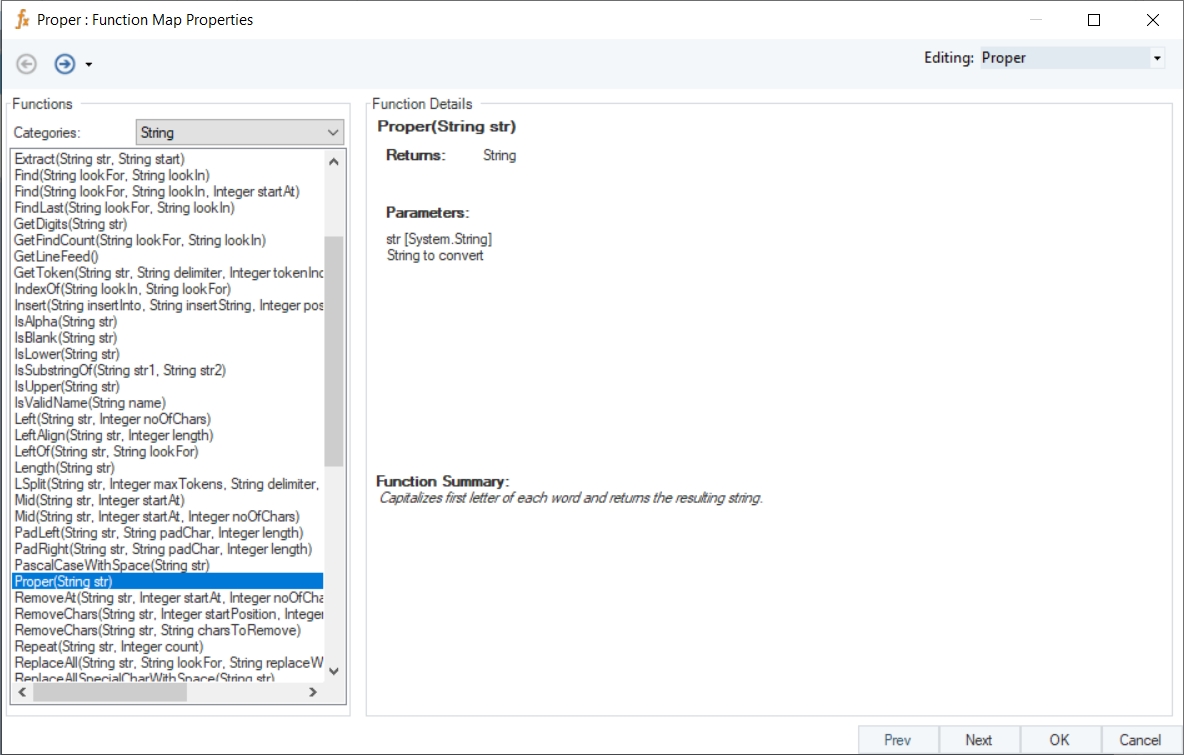
To capitalize the first letter of each word in a string.
Description
Capitalizes the first letter of each word and returns the resulting string.
Return Type
String
Syntax
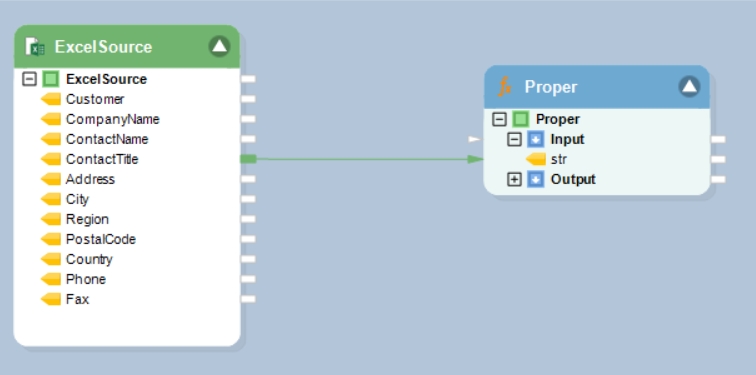
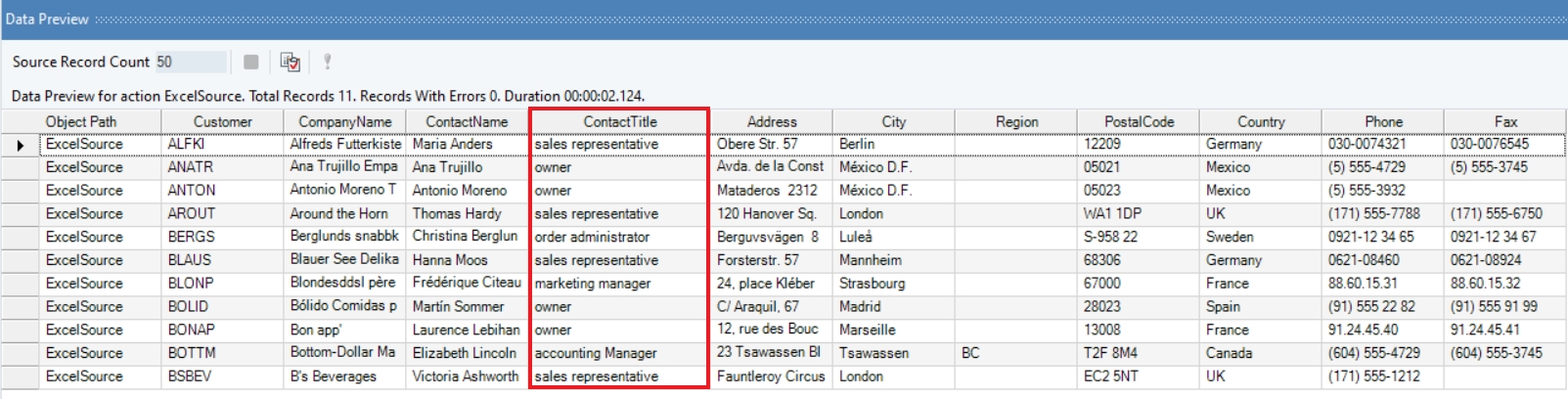
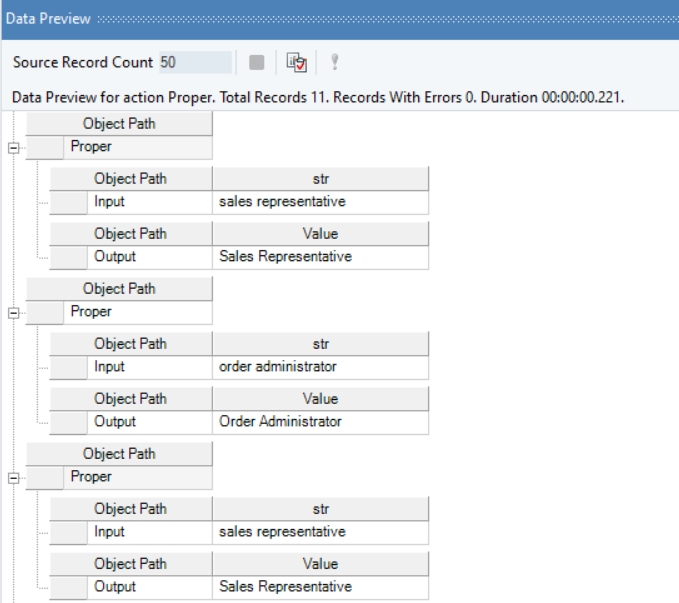
We have a customers' dataset in which we want to convert the ContactTitle field into proper case.
We will map the ContactTitle data field to the str under the Input node inside the function transformation object.
You can see that the data inside the ContactTitle data field has been converted to proper case.
Example
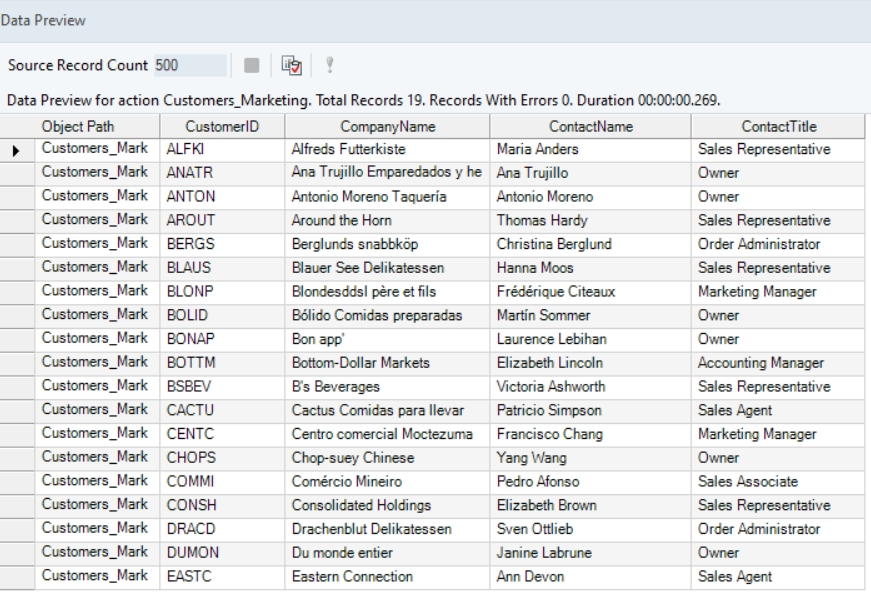
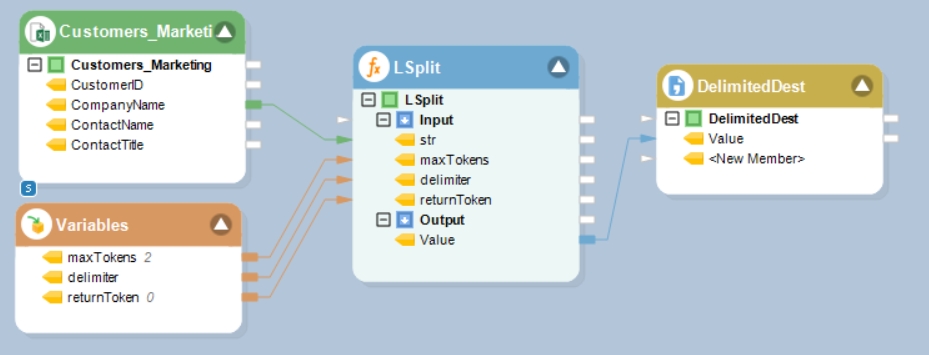
We have a sample Customers_Marketing dataset with the field CompanyName. In this example, we want to return the first part of each record in the CompanyName field.
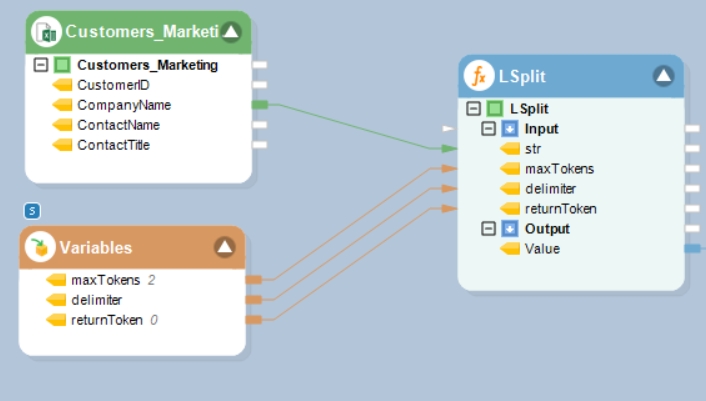
We will use the LSplit function and a Variables object to do this. We will map the CompanyName field from our source object to the str input node of the function transformation object. For the other required inputs of the function transformation object, we will use a Variables object.
Where,
maxTokens = 2
delimiter =
returnToken = 0
We will write the output to a Delimited Destination File object.
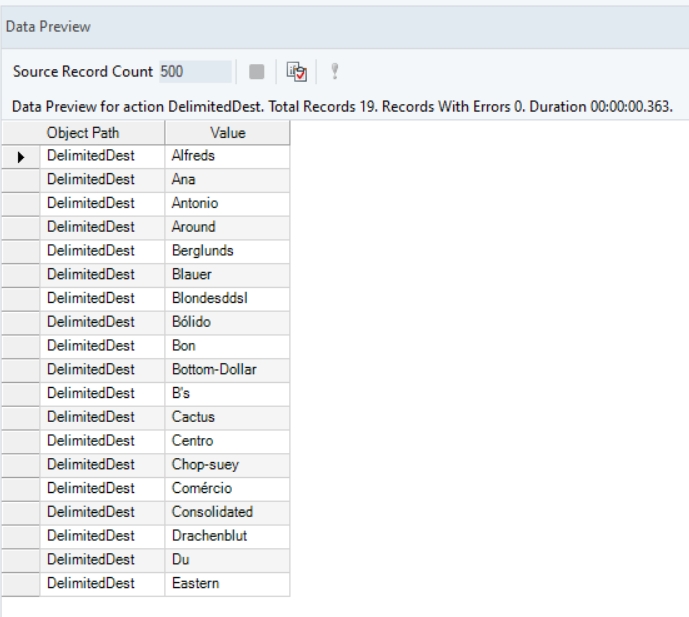
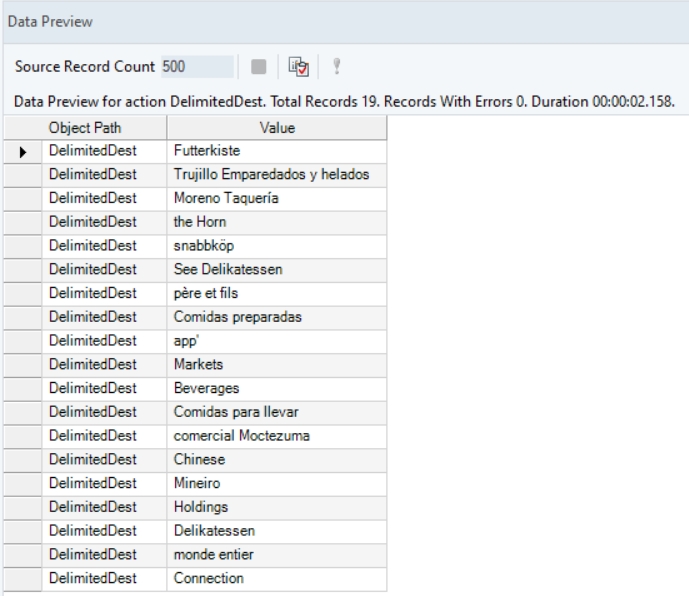
Now, to view the output, we will right-click on the destination object’s header and select Preview Output. You can see that Astera Data Stack has split the string values in the CompanyName field, and returned only the first part of the split string.
Similarly, if we change the returnToken value to “1”, the second chunk from the two will be returned, as shown below:
Name
LSplit
Syntax
LSplit (String str, Integer maxTokens, String delimiter, Integer returnToken)
Purpose
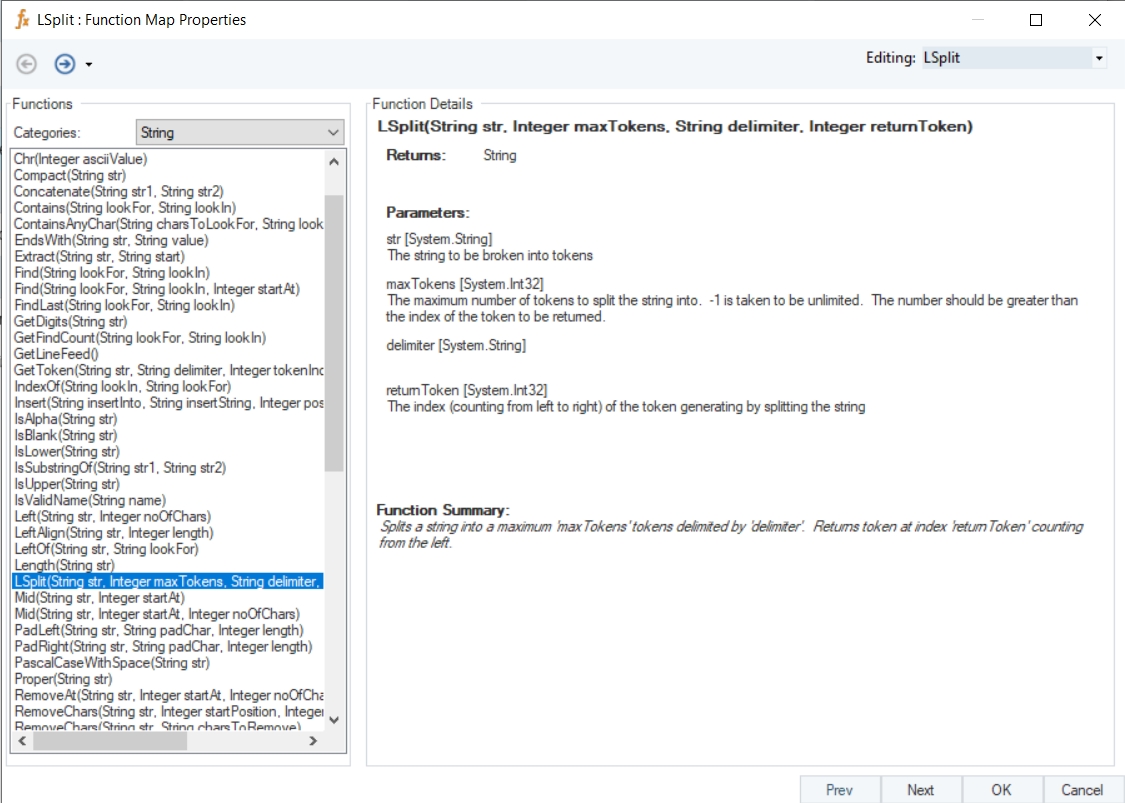
To split a string into chunks, specified by an integer value of a ‘maxTokens’ variable, and delimited by a ‘delimiter’ string value. Returns specified token at index ‘returnToken’, counting from the left. (Note: The integer value, 0, will return the first split chunk)
Description
Splits a string into a maximum ‘maxTokens’ tokens delimited by ‘delimiter’. Returns token at index ‘returnToken’ counting from the left.
Return Type
String
Parameters
str [System.String] – The string to be broken into tokens
maxTokens [System.Int32] – The maximum number of tokens to split the string into. -1 is taken to unlimited. The number should be greater than the index of the token to be returned
delimiter [System.String]
returnToken [System.Int32] – The index (Counting from left to right) of the token generating by splitting the string
value [System.String] – the given value
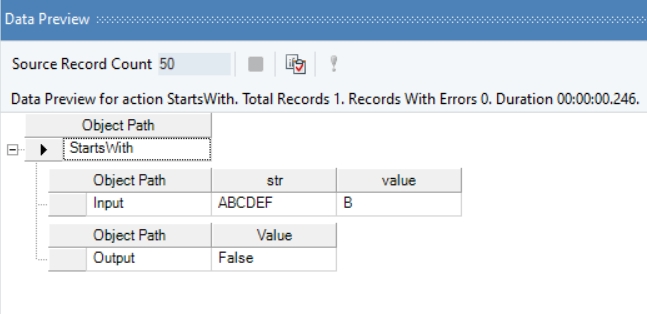
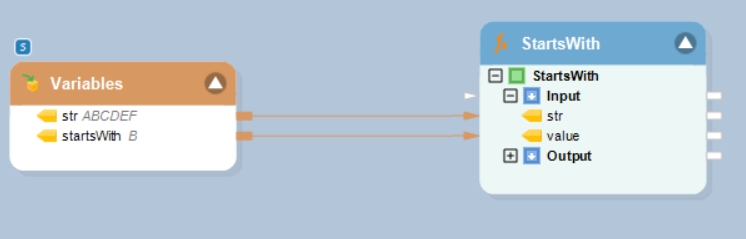
In this example, we are passing the required parameters to the function transformation object using a Variables object.
Where,
str = ABCDEF
startsWith = B
Right-click on the function transformation object and select Preview Output. You can see that Astera Data Stack has returned the Boolean value, False, which means the original string does not start with the given value.
Name
StartsWith
Applicable To (DataType)
String
Purpose
To find out if the given string starts with a given value.
Description
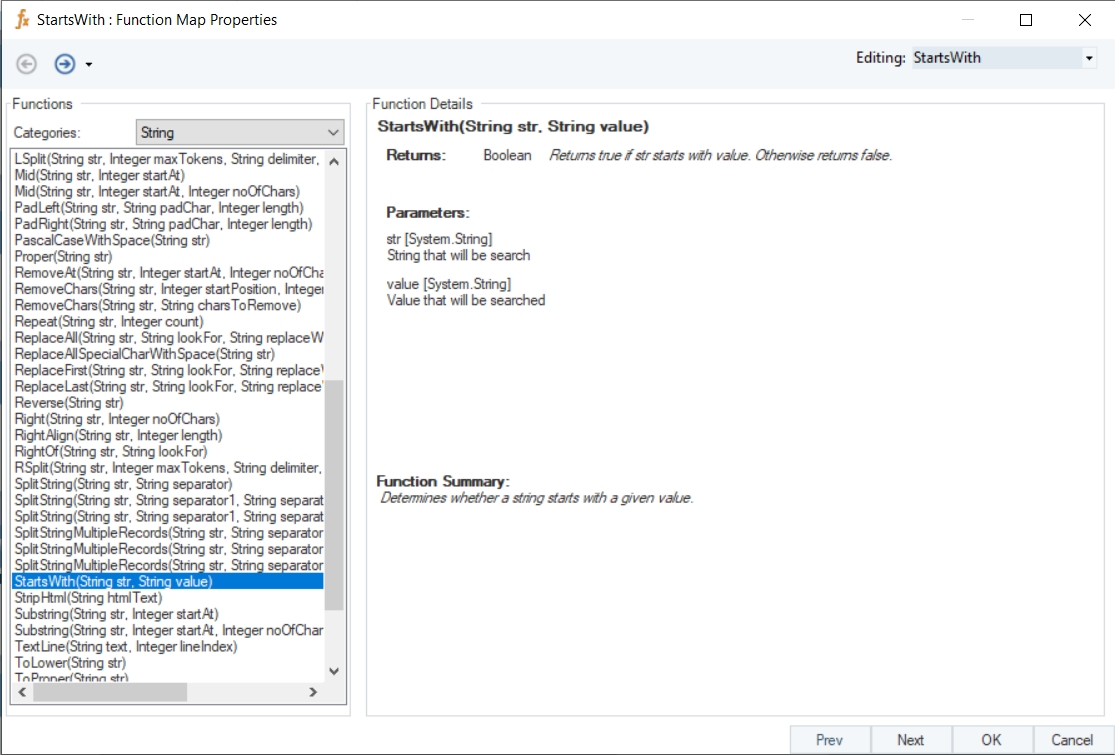
Determines whether a string starts with a given value.
Return Type
String
Syntax
str [System.String] – string that will be searched
str [System.String] – input string
startAt [System.Int64] – position of the first character to be removed.
noOfChars [System.Int64] – number of characters to be removed.
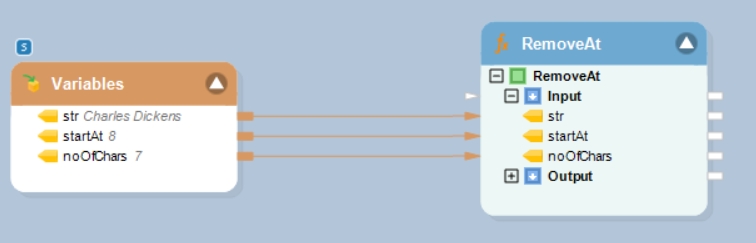
We have 3 parameters, str, startAt and noOfChars, in a Variables object in which we have specified the default values as:
str = Charles Dickens
startAt = 8
noOfChars = 7
Map the data fields from the Variables object to the respective data fields under the Input node inside the function object.
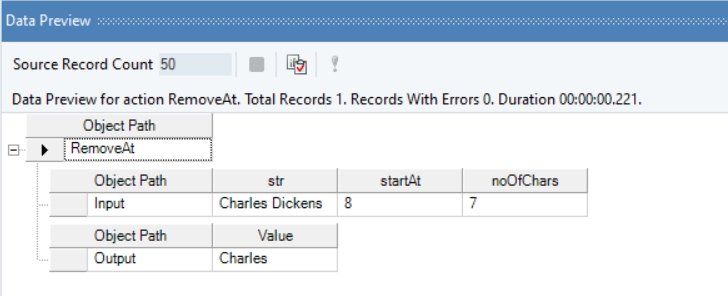
Now, right-click on the RemoveAt function transformation object and select Preview Output. You can see that starting from position 8, 7 characters have been removed from the string.
Name
RemoveAt
Applicable To (DataType)
String
Purpose
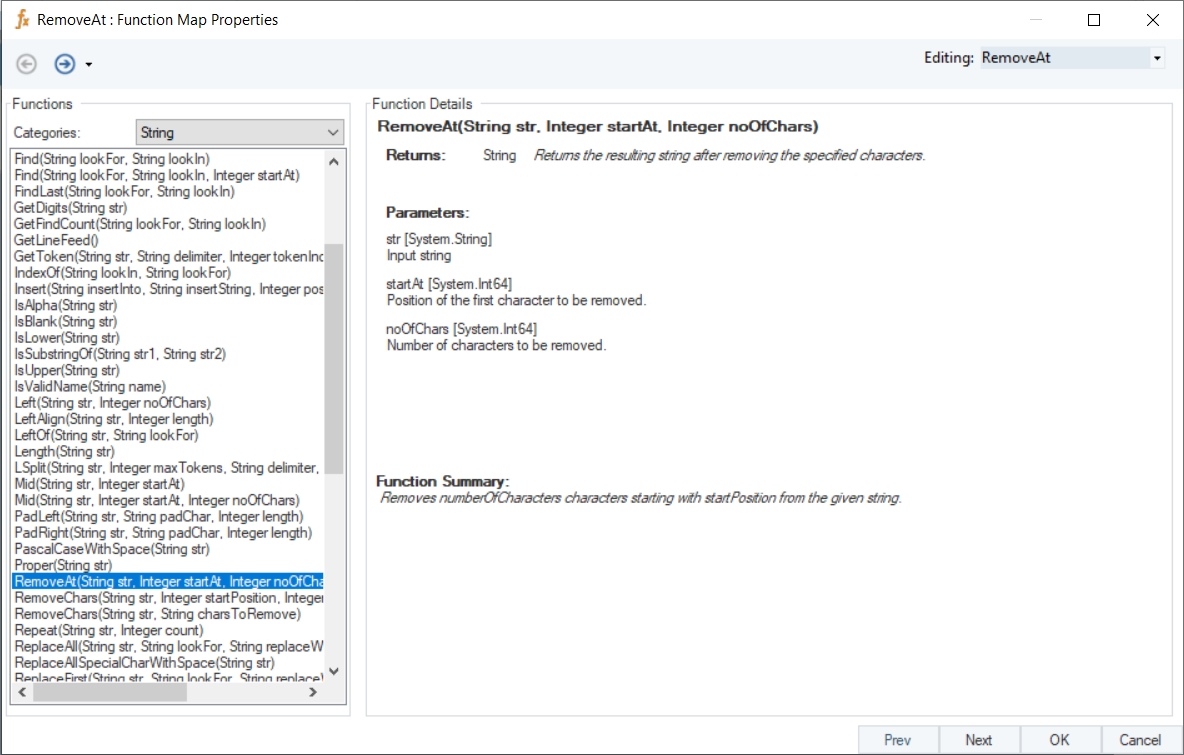
To remove the desired number of characters from a given string.
Description
Removes the number of characters starting with startPosition from the given string.
Return Type
String
Syntax
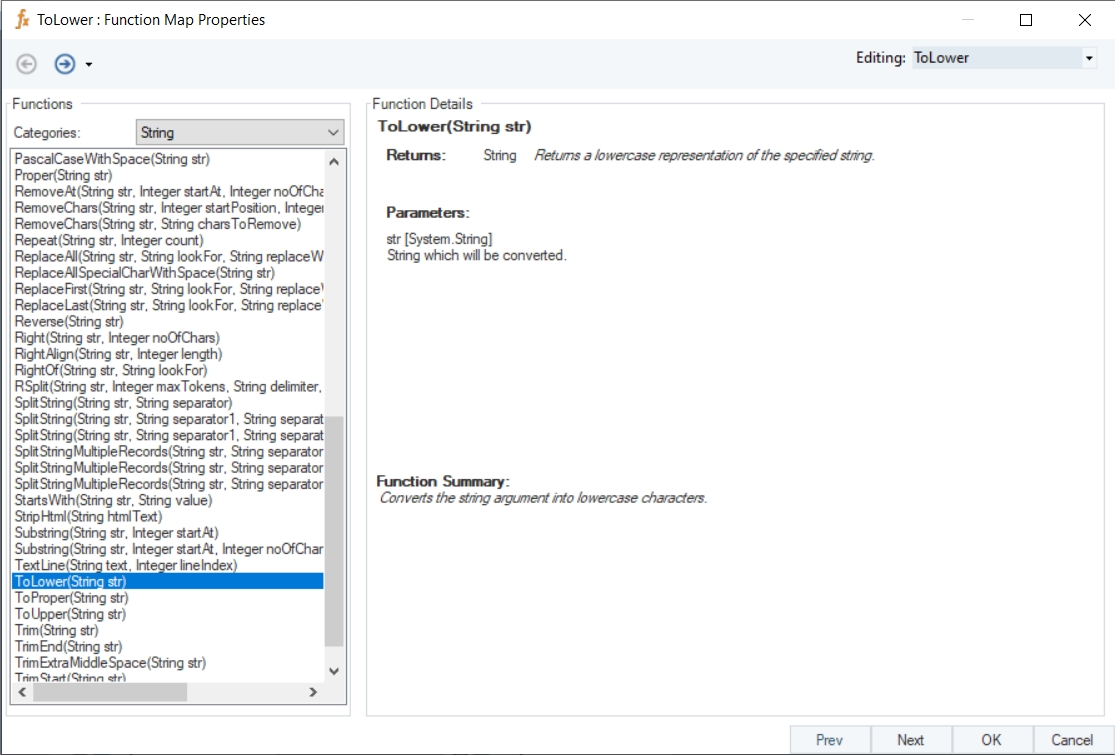
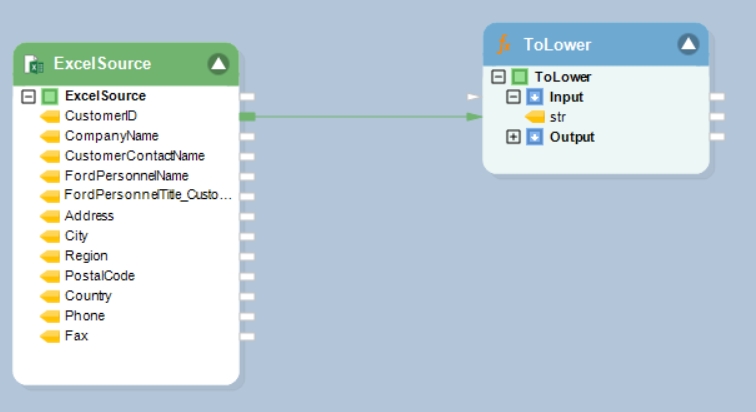
In this example, we have a customer’s data in which we want to convert the CustomerID information into lower case. Map the CustomerID to the str data field under the Input node inside the function transformation object.
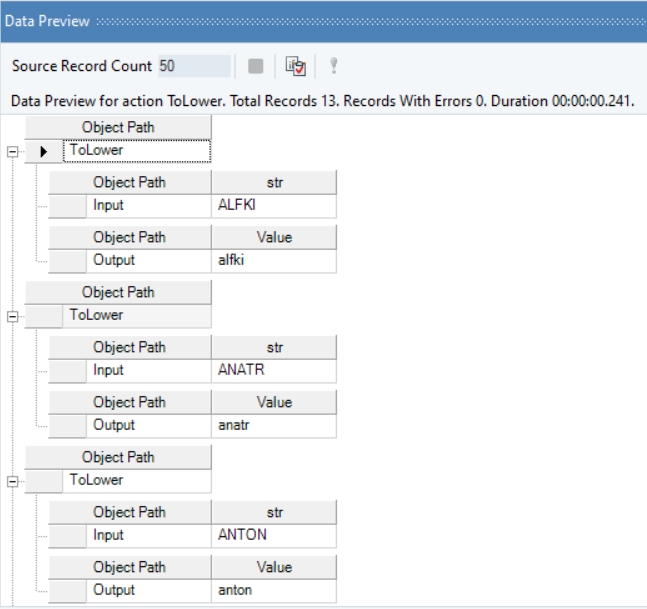
Right-click on the header of function transformation object and select Preview Output. You can see that all the CustomerIDs have been converted into lower case.
Name
ToLower
Applicable To (DataType)
String
Purpose
To convert the string argument into lowercase characters.
Description
Converts the string argument into lowercase characters.
Return Type
String
Syntax
str [System.String] – string which will be converted.
lookFor [System.String]
isCaseSensitive [System.Boolean]
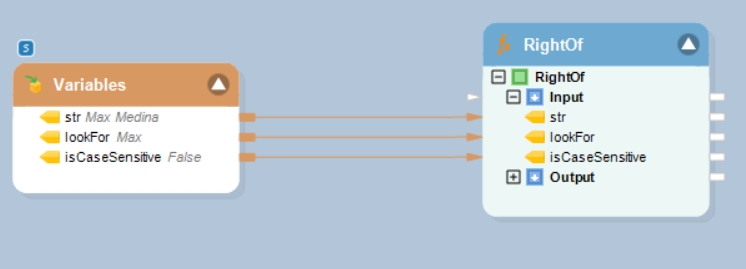
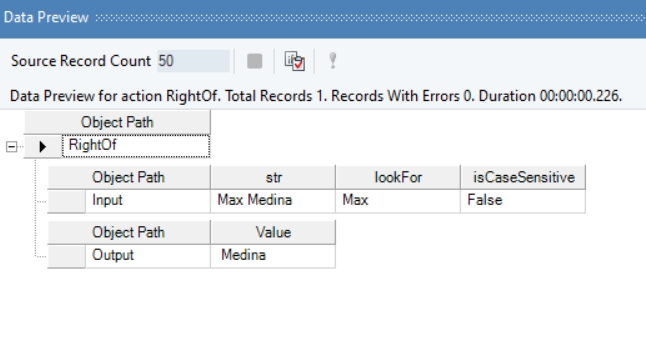
In this example, we are passing the required parameters by the function transformation through a Variables object.
Where,
str = Max Medina
lookFor = Max
isCaseSensitive = False
Right-click on the header of function transformation object and select Preview Output. You can see that Astera Data Stack has returned the value on the right of the string given in lookFor.
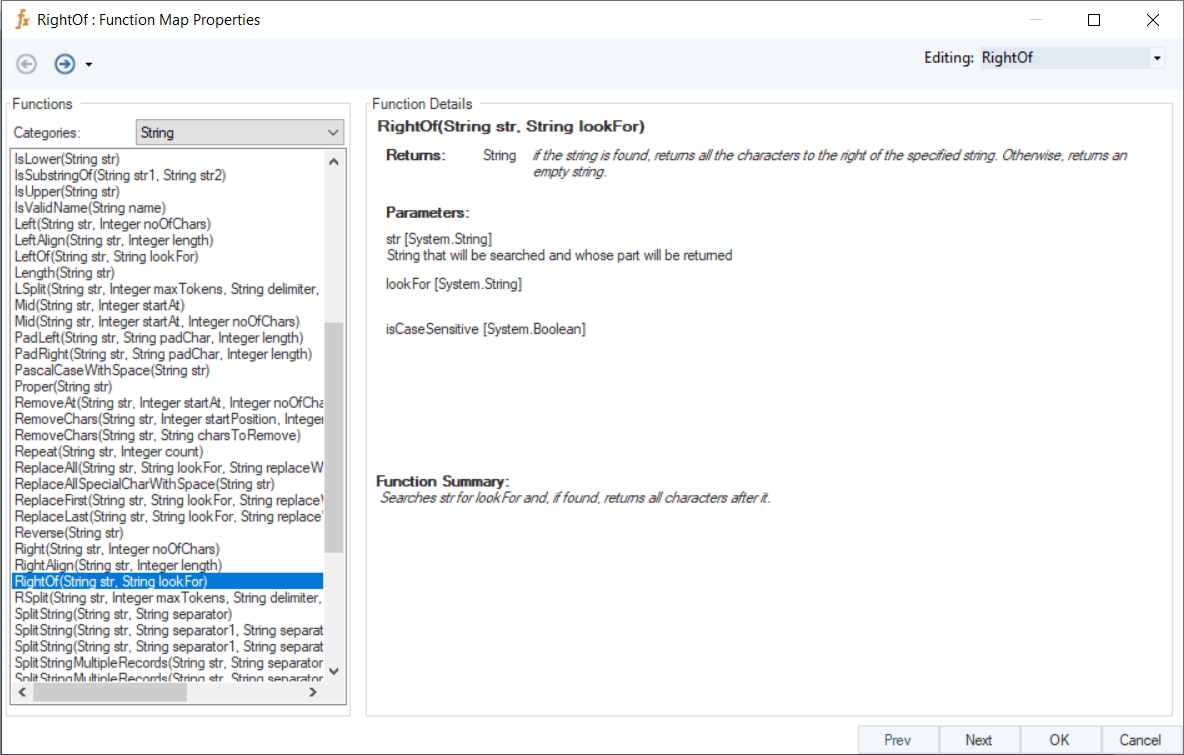
Name
RightOf
Applicable To (DataType)
String
Purpose
To return all the characters after the specified string.
Description
Searches str for lookFor and, if found, returns all characters after it.
Return Type
String
Syntax
str [System.String] – string that will be searched and part of which will be returned.
str [System.String] – String from which specified part will be returned
noOfChars [System.Int64] – Maximum number of characters to return
str [System.String] – String to split
separator1 [System.String] – Separator string 1 for parsing the string
separator2 [System.String] – Separator string 2 for parsing the string
str [System.String] – String which will be trimmed
str [System.String] – String to split
separator [System.String] – Separator for parsing the string
str [System.String] – string to remove characters from
charsToRemove [System.String] – string containing characters to be removed. Any character found in the string will be removed from str.
Syntax
str [System.String] – string to split.
separator1 [System.String] – separator string 1 for parsing the string.
separator2 [System.String] – separator string 2 for parsing the string.
Syntax
str [System.String] – the string in which the characters will be replaced.
lookFor [System.String] – the string that will be searched.
replaceWith [System.String] – the string that will replace the searched screen.
isCaseSensitive [System.Boolean]
str [System.String] – string to convert
Name
ReplaceAll
Applicable To (DataType)
String
Purpose
To replace the value of a string with your desired value.
Description
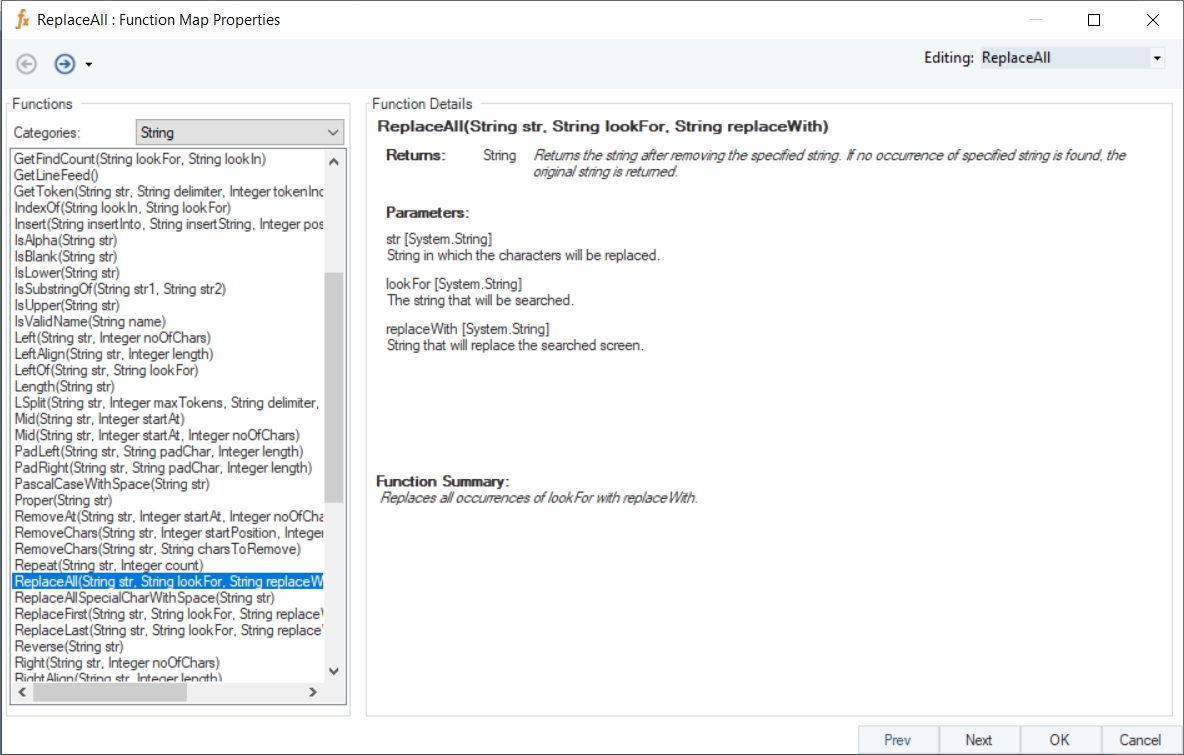
Replaces all occurrences of lookFor with replaceWith.
Return Type
String
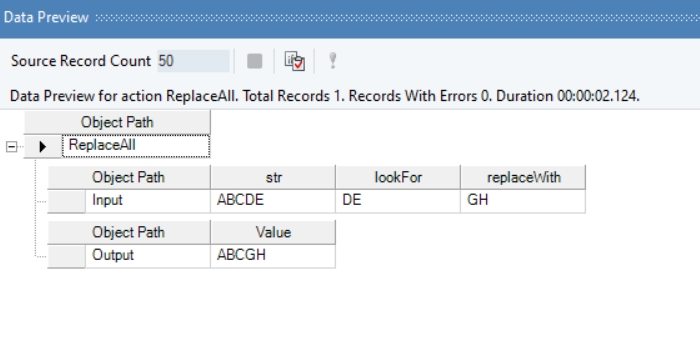
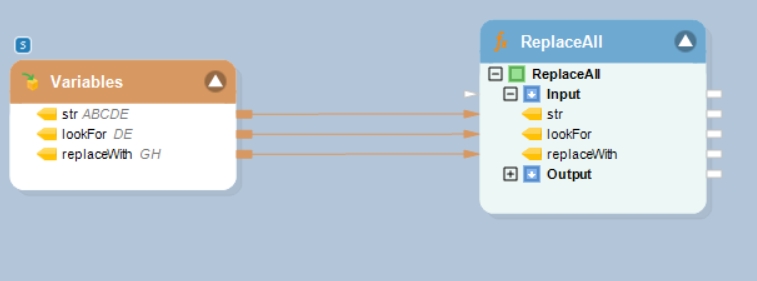
In this example, we are passing the required parameters from the Variables object to the function transformation object.
Where,
str = ABCDE
lookFor = DE
replaceWith = GH
Right-click on the function transformation object and select Preview Output. You can see that characters 'DE' have been replaced by 'GH'.
Name
Repeat
Applicable To (DataType)
String
Purpose
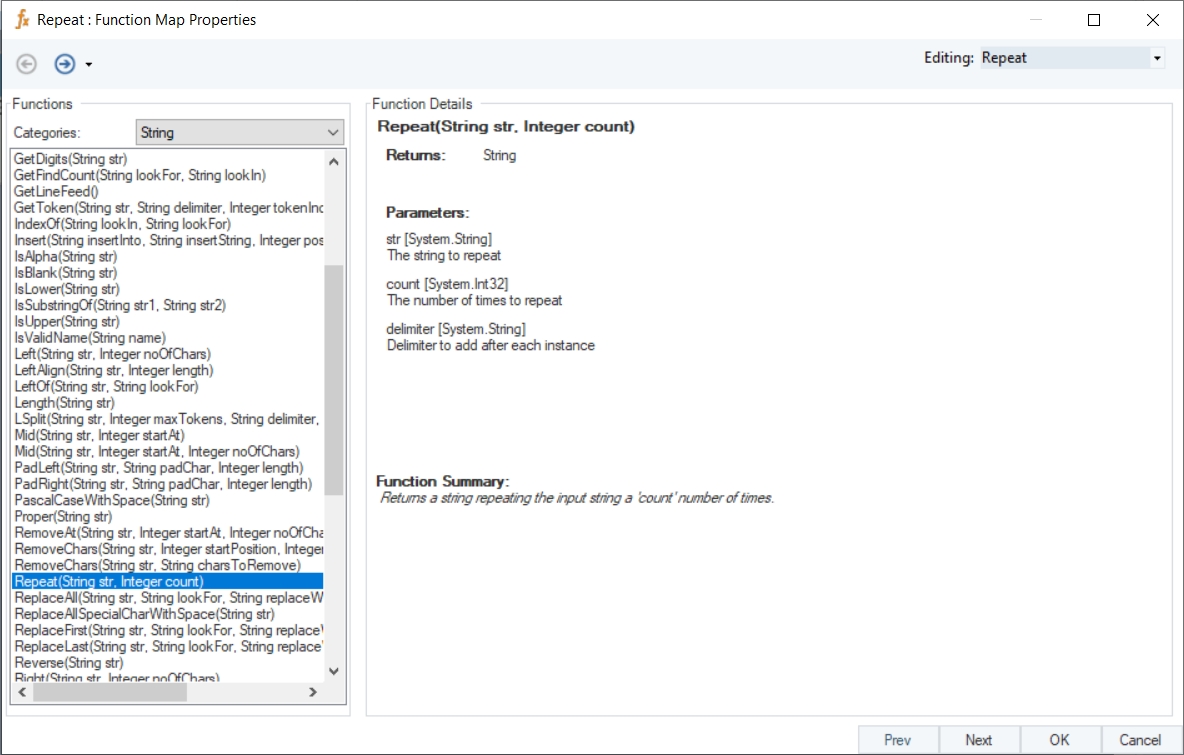
To repeat the given string of data a desired number of times.
Description
Returns a string repeating the input string a ‘count’ number of times.
Return Type
String
Syntax
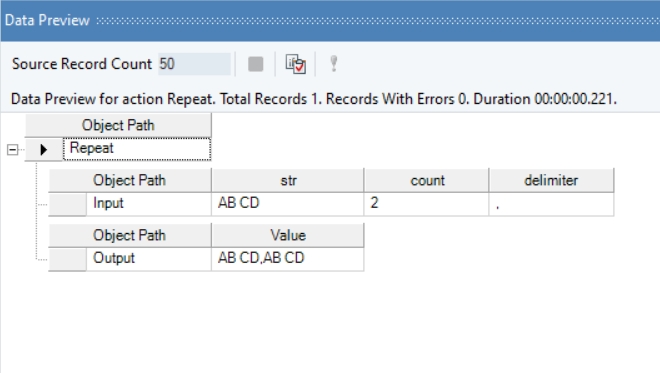
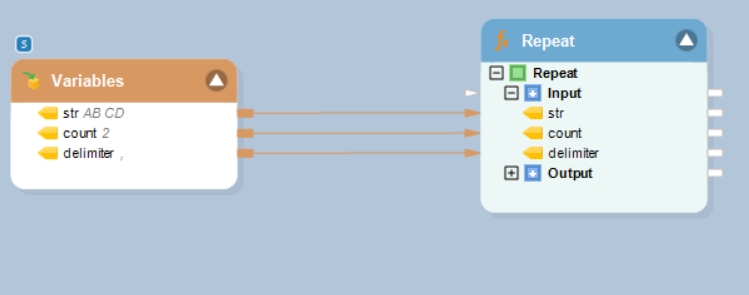
In this example, we are passing the required parameters by the function transformation from a Variables object.
Where,
str = AB CD
count = 2
delimiter = ,
Right-click on the function transformation object and select Preview Output. You can see that the characters specified in the str data field are repeating two times, separated by the given delimiter.
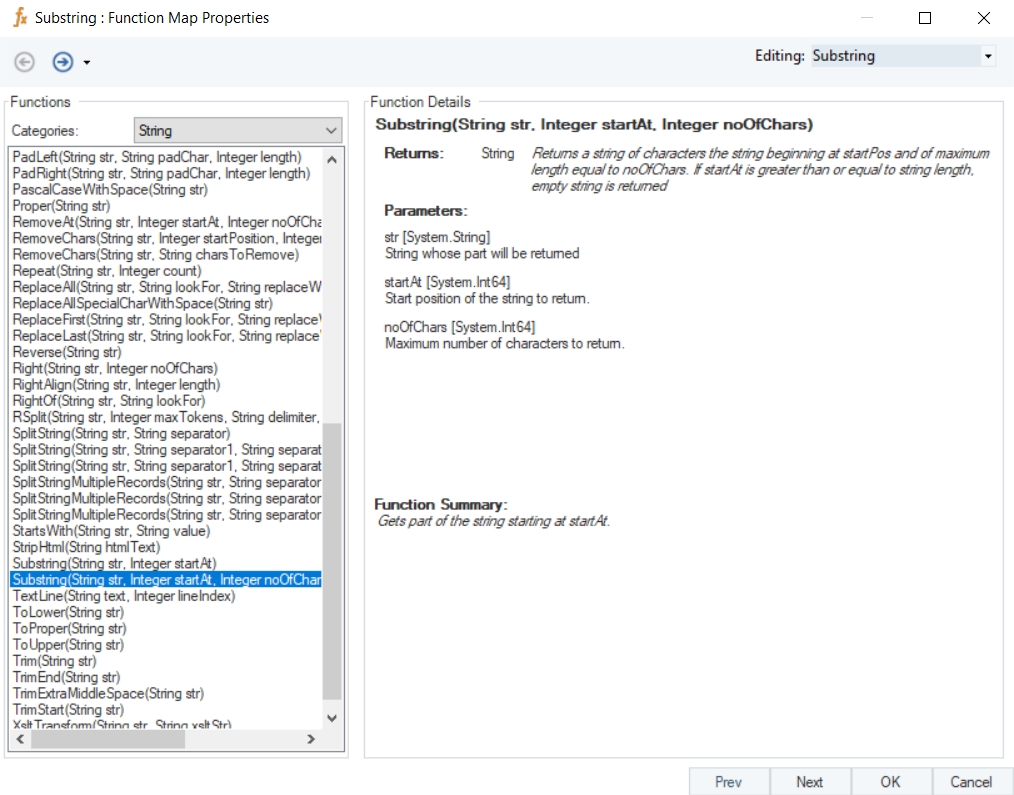
Name
Substring
Syntax
Substring (String str, Integer startAt, Integer noOfChars)
Purpose
To get part of the string starting at startAt, and of length, noOfChars
Description
Returns a string of characters from a string beginning at startAt and of maximum length equal to noOfChars. If startAt is greater than or equal to string length, empty string is returned.
Return Type
String
Parameters
Example
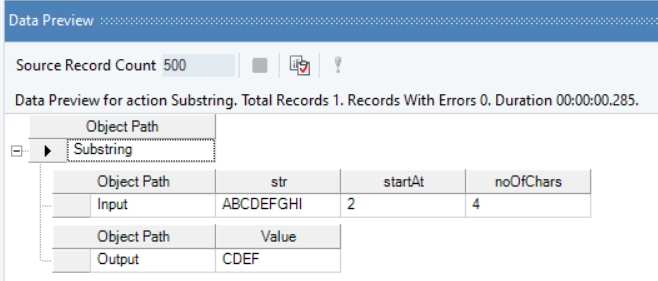
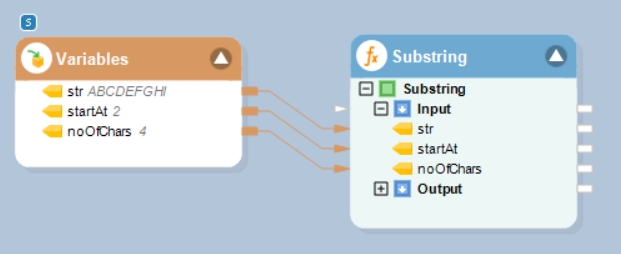
In this example, we are passing the required parameters to the function transformation object using a Variables object.
Where,
str: ABCDEFGHI
startAt = 2
noOfChars = 4
Right-click on the function transformation object and select Preview Output. You can see that Astera Data Stack has returned a part of the string, starting at position startAt, and of length, noOfChars.
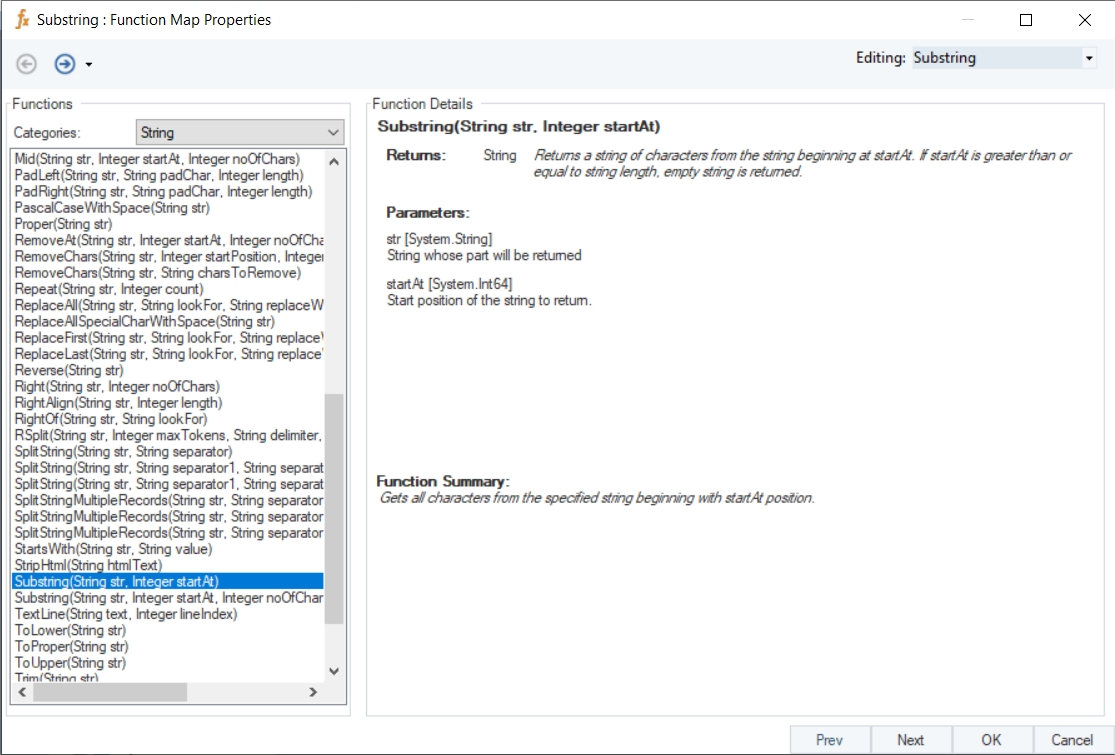
Name
Substring
Applicable To (DataType)
String
Purpose
To retrieve the characters from a specified string.
Description
Gets all the characters from the specified string beginning with startAt position.
Return Type
String
Syntax
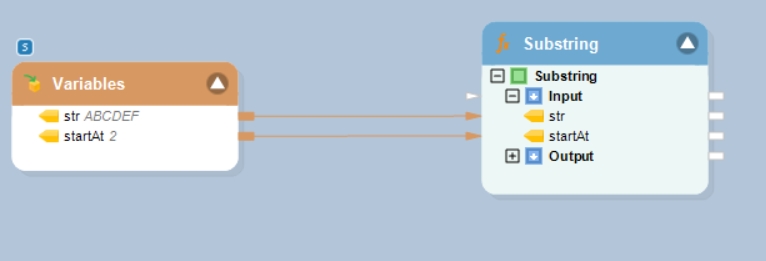
In this example, we are passing the required parameters to the function transformation through a Variables object.
Where,
str = ABCDEF
startAt = 2
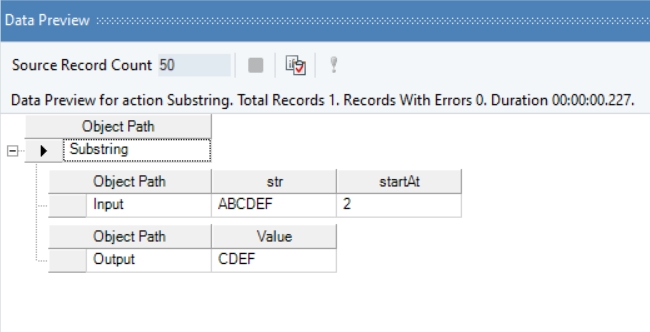
Right-click on the function transformation object and select Preview Output. You can see that it has returned the string value after second position.
Syntax
str [System.String] – string in which the characters will be replaced.
lookFor [System.String] – the string that will be searched.
replaceWith [System.String] – string that will replace the searched screen.
str [System.String] – the string to repeat.
count [ System.String] – the number of times to repeat.
delimiter [System.String] – delimiter to add after each instance
str [System.String] – String whose part will be returned
startAt [System.Int64] – Start position of the string to return
noOfChars [System.Int64] – Maximum number of characters to return
str [System.String] – string whose part will be returned.
startAt [System.Int64] – start position of the string to return.