> For the complete documentation index, see [llms.txt](https://documentation.astera.com/llms.txt). Markdown versions of documentation pages are available by appending `.md` to page URLs; this page is available as [Markdown](https://documentation.astera.com/data-model/data-models/virtual-primary-key.md).
# Virtual Primary Key
A primary key is used to uniquely identify each record in an entity and may comprise of a single or multiple attributes of that entity.
Consider a database consisting of a schema that has an entity without a primary key. After reverse engineering it to a data model, we may need to have a primary key in it. To fulfill this need of having a primary key in the data model without making changes in the schema of the database, Astera Data Stack provides you with a feature of marking Virtual Primary Keys in entities.
These Virtual Primary Keys can be used to create virtual relationships with other entities which can further help users in designing ETL pipelines and deriving useful insights from their data.
### Use Case
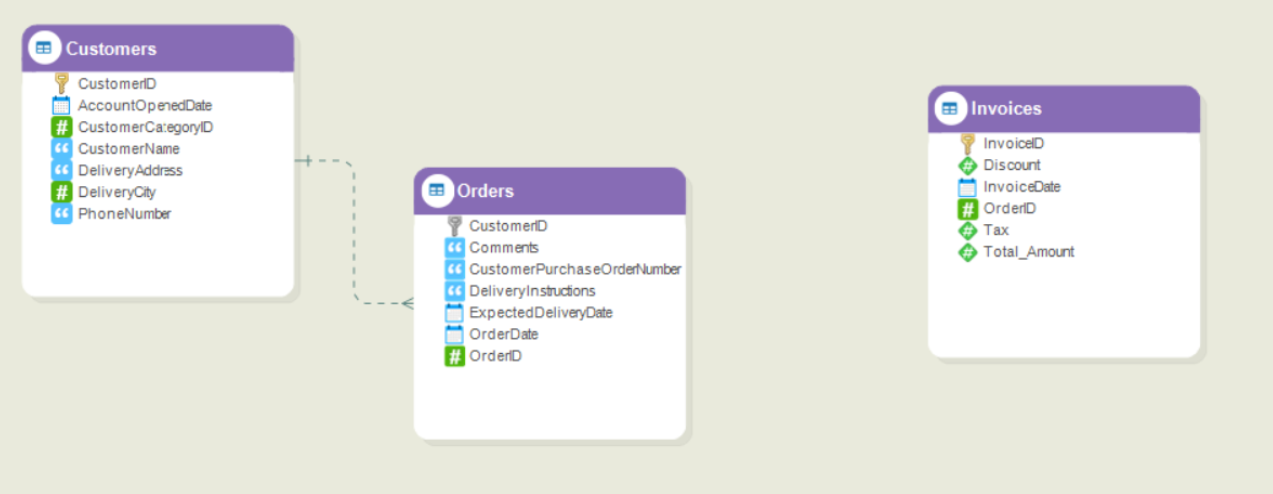
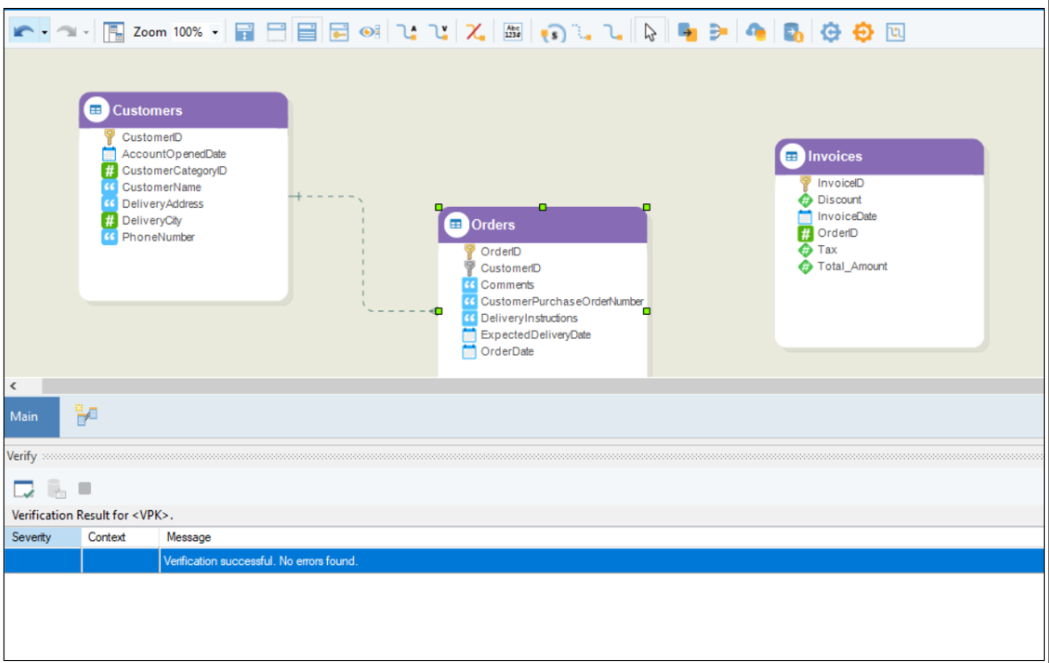
Consider a database with the following entities: *Customers*, *Orders*, and *Invoices*. The *Orders* entity has details of orders placed by a customer, while the *Invoices* entity contains information about invoices for all orders.
As per the business logic, the *Orders* entity can have a relationship with the *Invoices* entity. However, due to the missing primary key in the *Orders* entity, we cannot create this relationship. Therefore, a *Virtual Primary Key* can be utilized to create a virtual relationship between these two entities.
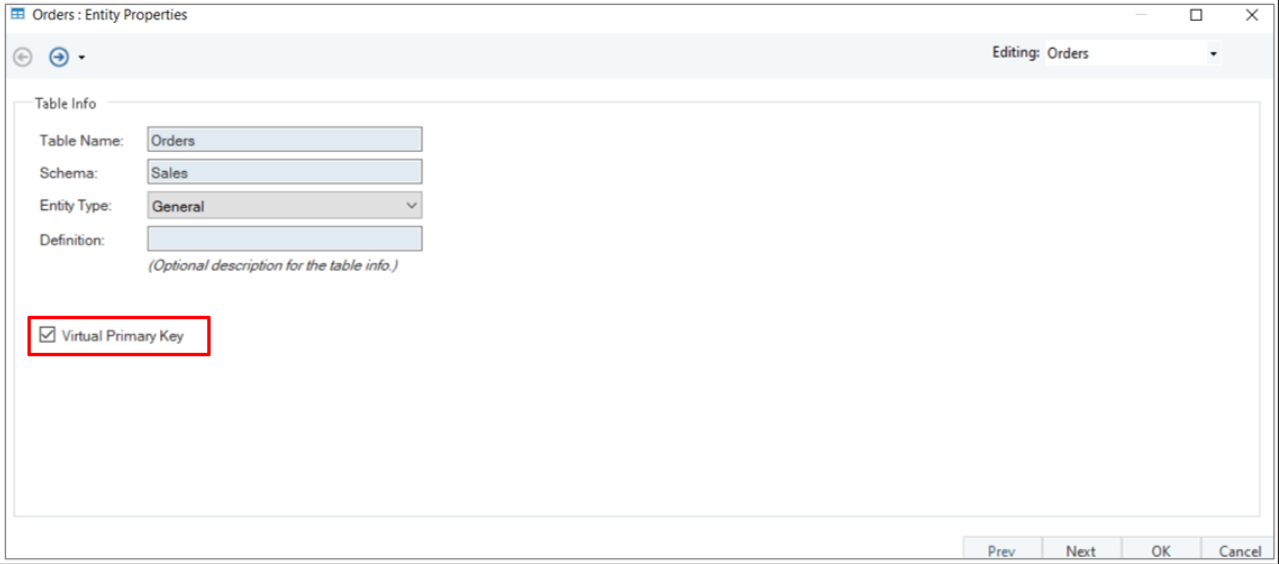
1. To create a *Virtual Primary Key* in the entity, right-click the entity header and select *Properties* from the context menu or double-click the entity header.
2. On the *Entity Properties* page, check *Virtual Primary Key* checkbox.
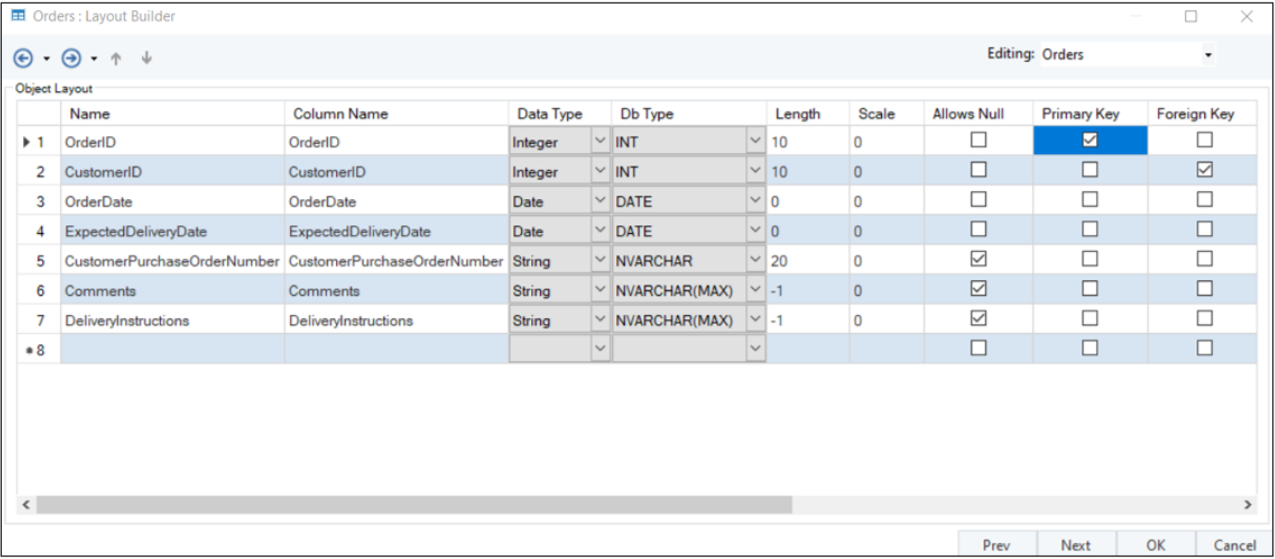
1. Now, click *Next*. In the *Layout Builder* window, mark the existing field(s) as *Primary Key*.
2. Once done, click *OK* to close the window.
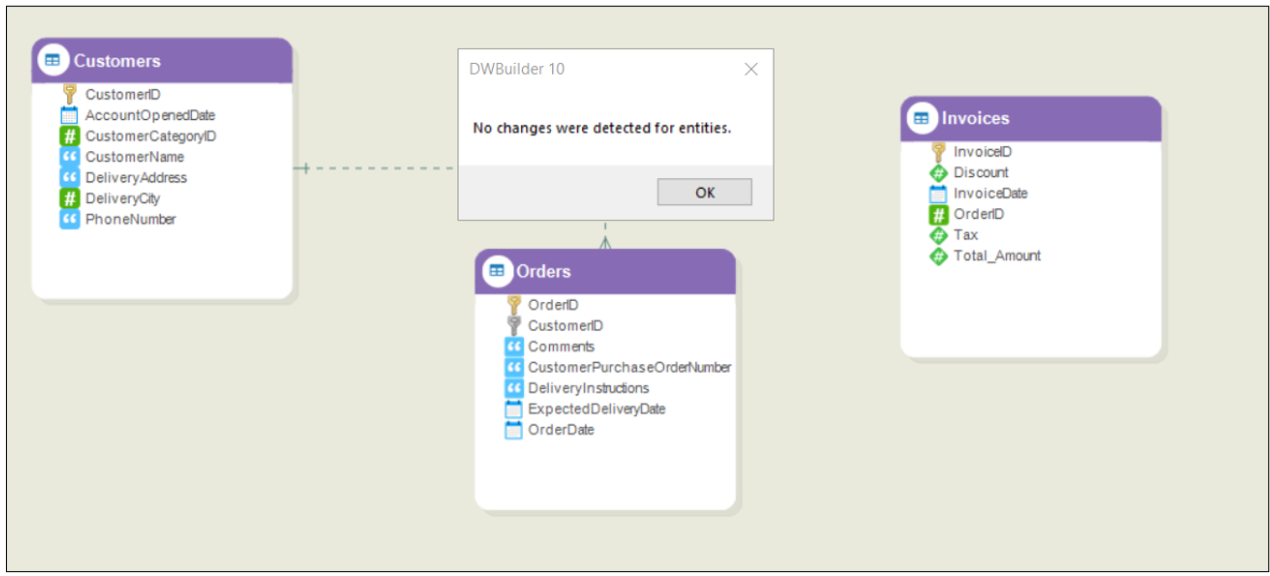
The *Virtual Primary Key* has been created for the *Orders* entity, and this change will not be forward engineered to the database.
Note that marking a *Virtual Primary Key* does not show any changes when applying a diff script, nor does it show any verification errors when verifying the data model for *Read and Write Deployment*.
Now, a virtual relationship can be created between the *Orders* and *Invoices* entities.
**NOTE:**
* Entities with *Virtual Primary Keys* can only have outgoing relationships that are marked as virtual.
* The primary key constraints for entities with Virtual Primary Keys are not forward engineered to the database. Hence, when the entity with a *Virtual Primary Key* is recreated in the database due to any changes in the properties or field names, it might lose its existing primary key constraints, if any are present in the database.
---
# Agent Instructions
This documentation is published with GitBook. GitBook is the documentation platform designed so that both humans and AI agents can read, navigate, and reason over technical content effectively. Learn more at gitbook.com.
## Querying This Documentation
If you need additional information that is not directly available in this page, you can query the documentation dynamically by asking a question.
Perform an HTTP GET request on the current page URL with the `ask` query parameter, and the optional `goal` query parameter:
```
GET https://documentation.astera.com/data-model/data-models/virtual-primary-key.md?ask=&goal=
```
`ask` is the immediate question: it should be specific, self-contained, and written in natural language.
`goal` is optional and describes the broader end goal you are ultimately trying to accomplish on behalf of the user. GitBook uses it to tailor the answer towards what is most useful for that goal.
The response will contain a direct answer to the question and relevant excerpts and sources from the documentation.
Use this mechanism when the answer is not explicitly present in the current page, you need clarification or additional context, or you want to retrieve related documentation sections.